Mileage tracking and vehicle reimbursement are essential for modern businesses and mobile professionals. Motus is a well-known solution designed to simplify these processes, especially for organizations managing drivers and field employees. This guide focuses on the Motus Android app, explaining its best features, how it works, and why it remains relevant in 2026.
Whether you are an employee, manager, or business owner, understanding Motus can help you improve compliance, accuracy, and cost control.
What Is Motus and Who Is It For?
Motus is a vehicle reimbursement and mileage tracking platform built primarily for businesses. Unlike many consumer-focused mileage apps, Motus emphasizes fair reimbursement, compliance, and policy-based tracking.
It is commonly used by:
Field sales teams
Healthcare representatives
Service technicians
Enterprises with mobile workforces
The Android app acts as the primary tool for drivers to log mileage and submit data in real time.
Getting Started with Motus on Android
Account Setup
Users typically receive an invitation from their employer. After installing the Motus app from the Google Play Store, users log in using company-provided credentials.
During setup, the app requests location and background activity permissions. These permissions are necessary to track mileage accurately.
Initial Configuration
Once logged in, users confirm vehicle details, work schedules, and reimbursement preferences. This information ensures mileage is calculated correctly based on company policy.
Automatic Mileage Tracking
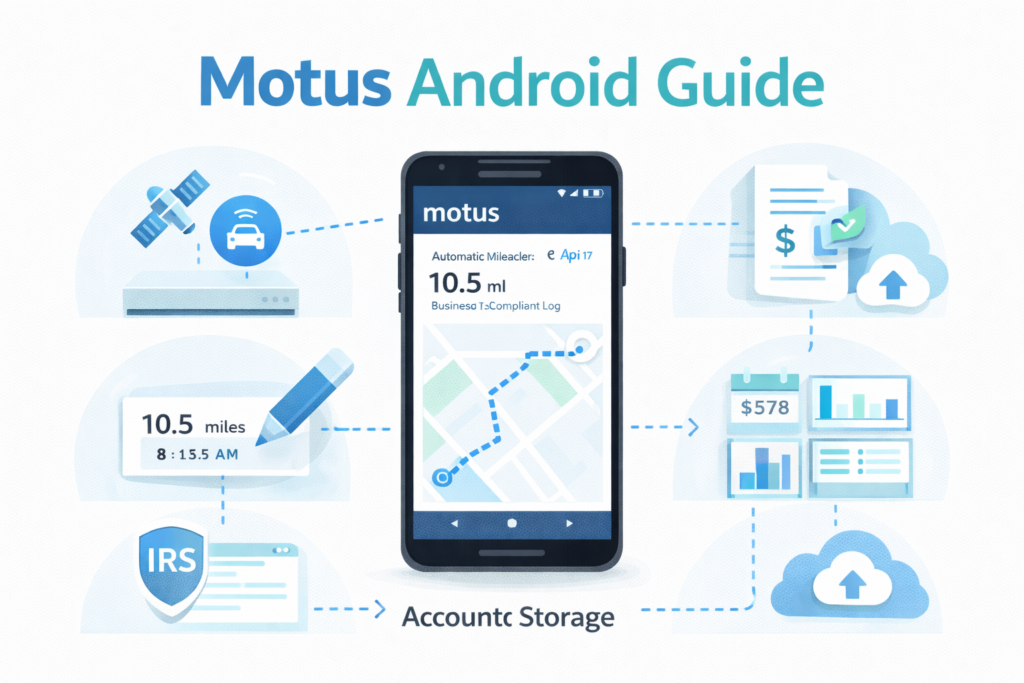
One of the strongest features of Motus on Android is automatic mileage tracking. The app detects trips using GPS and motion sensors, reducing the need for manual entry.
Trips are recorded in the background and later reviewed by the user. This automation improves accuracy and saves time, especially for high-frequency drivers.
Manual Mileage Entry Option
Although automation is the default, Motus also supports manual mileage entry. This feature is useful when:
GPS tracking is unavailable
A trip was missed
A user prefers manual control
Manual entries can be edited, reviewed, and submitted just like automatically recorded trips.
Business vs Personal Trip Classification
Motus allows users to clearly separate business and personal mileage. This distinction is critical for accurate reimbursement and compliance.
Trips can be labeled with notes, locations, or customer details. Clear classification reduces reporting errors and ensures fair compensation.
Vehicle Reimbursement Calculations
Motus is best known for its Fixed and Variable Rate (FAVR) reimbursement model. Instead of using a flat mileage rate, Motus calculates reimbursement based on:
Fuel prices
Insurance costs
Vehicle depreciation
Regional cost differences
The Android app displays reimbursement amounts transparently, helping drivers understand how payments are calculated.
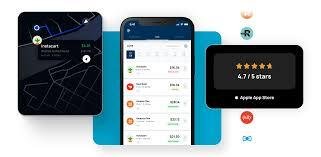
Real-Time Mileage Dashboard
The Android app includes a clean dashboard showing:
Total miles driven
Business vs personal mileage
Reimbursement estimates
Submission status
This real-time visibility helps users stay informed without waiting for monthly reports.
Compliance and Policy Management
Motus is designed with compliance in mind. The app enforces company policies automatically, ensuring mileage submissions follow internal and regulatory rules.
This is especially valuable for organizations that must meet tax, audit, or labor compliance requirements.

Expense and Documentation Support
While Motus focuses on mileage, it also allows users to attach notes or supporting documentation when required. This ensures transparency and accountability during reviews or audits.
Offline Tracking and Syncing
Motus Android supports offline mileage tracking. Trips are stored locally when there is no internet connection and synced automatically once connectivity is restored.
This feature is useful for users working in rural or low-signal areas.
Data Security and Privacy
Motus uses encrypted data transmission and secure cloud storage to protect user information. Access is controlled through employer-managed accounts, reducing unauthorized usage.
Location data is used strictly for mileage tracking and reimbursement purposes.
Motus Android App Performance
The Android app is optimized for battery efficiency and background performance. While GPS usage consumes power, Motus includes settings to balance accuracy and battery life.
Regular updates improve stability and introduce feature enhancements.
Motus vs Traditional Mileage Tracking
Traditional mileage logs rely on spreadsheets or handwritten notes. These methods are prone to errors and time-consuming to maintain.
Motus replaces manual tracking with automation, policy enforcement, and accurate reimbursement calculations, making it a better solution for businesses with mobile employees.
Who Benefits Most from Motus
Motus is ideal for:
Companies reimbursing employee mileage
Field employees who drive daily
Organizations seeking IRS-compliant reimbursement
Businesses needing centralized reporting
It is less suitable for casual or independent drivers who want a simple personal mileage tracker.
Best Practices for Using Motus on Android
To get the most value:
Review trips regularly
Keep vehicle details updated
Add notes when required
Sync data frequently
Consistent usage ensures accurate reimbursement and fewer corrections.

Future of Motus and Mileage Tracking
As businesses adopt more digital tools, platforms like Motus are becoming standard. Continued improvements in GPS accuracy, analytics, and policy automation will further enhance the Android experience.
Motus remains a strong solution for enterprise-level mileage management in 2026.
Conclusion
Motus on Android offers a powerful, compliance-focused solution for mileage tracking and vehicle reimbursement. Its automatic tracking, transparent reimbursement calculations, and policy enforcement make it ideal for businesses managing mobile teams. While it may not be designed for casual users, Motus excels in professional and enterprise environments. For organizations seeking accuracy, fairness, and efficiency, Motus continues to be a trusted choice in 2026.