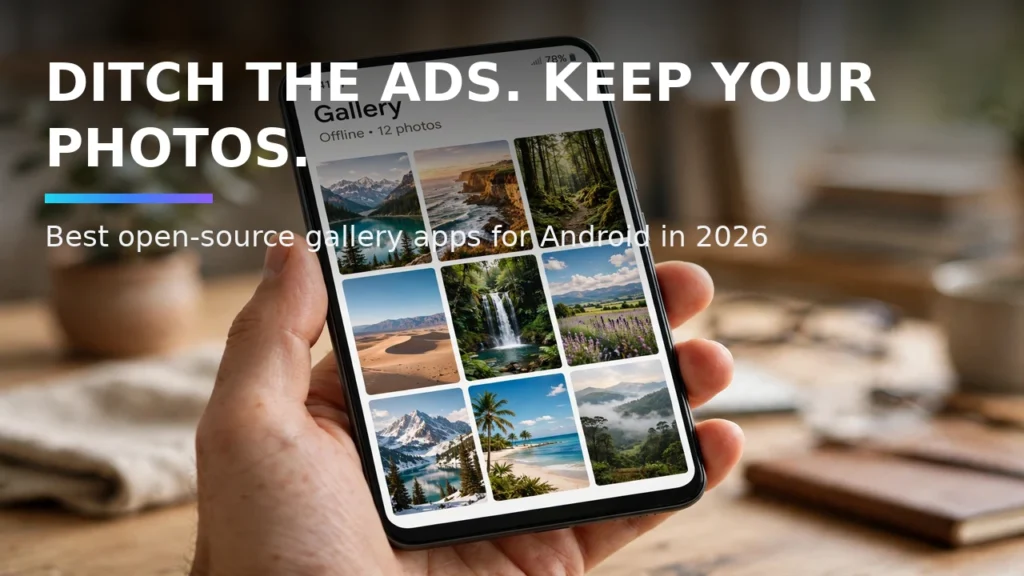
Your smartphone's photo gallery holds your most personal memories, family portraits, and scanned documents. Yet stock gallery apps from Google and smartphone manufacturers increasingly push aggressive cloud storage upsells, require internet permissions, and bury your local device folders behind cluttered algorithmic feeds. Worse, after the popular Simple Mobile Tools suite was sold to a commercial adware company, millions of users went searching for a trustworthy, tracker-free replacement. In 2026, open-source Android gallery apps provide blazing-fast local folder management, EXIF metadata stripping, biometric hidden folders, and zero internet permissions.
In this complete 2026 editorial guide—built to help you open-source Android gallery apps while covering essential details on Simple Gallery Pro fork, ad free photo viewer Android, and local offline photo manager—we break down the exact setup steps, hardware comparisons, and troubleshooting fixes based on specs, expert reviews and user feedback.
2026 Comparison Table: Specs, Features & Real-World Performance
To help you compare the top options and settings at a glance, the structured comparison table below summarizes the key differences. Note that for any hardware or optional software tiers listed, prices may change — check the official site for current pricing.
Open-Source Gallery | Origin & License | Internet Permission? | Standout Media Features | Best For |
Fossify Gallery | Clean fork of Simple Gallery Pro (GPLv3) | None (100% Offline) | Full photo/video editor, recycle bin, hidden folders | Users wanting the classic Simple Gallery experience |
Aves Gallery (Aves Libre) | Original Flutter/Java build (GPLv3) | None (Offline maps optional) | Deepest EXIF/IPTC tag search, 360 panoramas, TIFF/SVG | Photographers & users with 50,000+ local photos |
Ente Photos | End-to-end encrypted cloud + local (AGPLv3) | Yes (For E2EE cloud sync) | On-device ML face recognition + zero-knowledge backup | Privacy users replacing Google Photos cloud sync |
Immich Mobile Client | Self-hosted photo server app (GNU AGPLv3) | Yes (Syncs to home NAS) | Auto-backups to personal home server + facial search | Home lab & NAS owners self-hosting their cloud |
LeafPic Revived | Material community project (GPLv3) | None (100% Offline) | Lightweight folder browsing & basic color theming | Older or budget Android phones with low RAM |
1. Fossify Gallery: The Direct, Tracker-Free Successor to Simple Gallery Pro
When Simple Gallery Pro was acquired by a commercial entity, the open-source community immediately forked the final clean audited codebase to create the Fossify Project. Fossify Gallery requests zero internet permissions—meaning it is mathematically impossible for the app to upload your photos or phone home to analytics servers. It preserves everything power users loved about Simple Gallery: customizable folder grid column counts, pinch-to-zoom thumbnails, a built-in non-destructive crop and markup editor, a local recycle bin to prevent accidental deletions, and biometric PIN/fingerprint locking for hidden folders.
Real-World Compatibility Notes and Daily Usage Tips
When configuring these features across diverse Android handsets in 2026, small manufacturer variations between Google Pixel UI, Samsung One UI, Motorola MyUX, and OnePlus OxygenOS can slightly alter menu labels. Based on specs, expert reviews and user feedback, using the search bar at the top of your main Settings app to type the exact feature keyword is the fastest way to jump straight to the relevant system toggle regardless of your device brand. Always ensure your Google Play System Update (found under Settings > Security & Privacy > System & Updates) and device firmware are updated to the latest monthly patch so all underlying Bluetooth, kernel, and security APIs function reliably.
Where optional hardware accessories, open-source donations, or pro software upgrades are mentioned in our comparisons, remember that retail availability and developer pricing fluctuate over time; prices may change — check the official site or verified repository before making any purchase.
2. Aves Libre: The Metadata and Tagging Powerhouse for Massive Libraries
If you organize thousands of DSLR transfers, raw images, SVG vector icons, and geotagged travel photos on your phone, Aves Libre is in a league of its own. Aves parses complex EXIF, IPTC, and XMP metadata tags effortlessly. You can filter your entire 40,000-photo collection instantaneously by camera lens aperture, ISO speed, file extension, color palette, or custom hierarchical tags—and even view interactive offline map pins showing where your photos were shot without sending coordinates to Google servers.
Real-World Compatibility Notes and Daily Usage Tips

3. Stripping Sensitive GPS EXIF Data Before Sharing Photos on Social Media
Every time you snap a photo with your default camera app, it embeds exact GPS latitude and longitude coordinates, device serial metadata, and timestamps inside the JPEG header. Both Fossify Gallery and Aves include built-in EXIF editors and automatic 'Remove metadata before sharing' options, letting you strip precise home location coordinates in one tap before sending an image over email, Discord, or marketplace listings.
Real-World Compatibility Notes and Daily Usage Tips
4. Ente Photos and Immich: When You Want Open-Source Cloud Backup
If you love the convenience of automatic cloud photo backups and AI face/object search ('show me photos of my dog on the beach') but refuse to let big tech scan your library, Ente Photos and Immich are the gold standards. Both run their machine-learning facial clustering algorithms 100% locally on your phone's neural processor, encrypting your photos with your private key before a single byte is backed up to the cloud or your home NAS.
Real-World Compatibility Notes and Daily Usage Tips
Troubleshooting Common Glitches and Compatibility Issues
If your setup doesn't behave as expected on the first try, walk through these three proven troubleshooting checks before resetting your device:
1. Verifying Google Play Services and Firmware Version
Many modern Android capabilities—including offline beacon networks, spatial audio head tracking, and notification listeners—are delivered modularly through Google Play Services and monthly Google Play System Updates rather than monolithic annual OS upgrades. Open Settings > Security & Privacy > System & Updates, check both Security Update and Google Play System Update, and reboot your phone if a pending module installation is waiting.
2. Checking Battery Optimization and Background Permission Locks
Android 14 and Android 15 aggressively suspend background services to save power. If an open-source utility, mesh client, or companion headphone app stops updating when your screen turns off, open App Info > App Battery Usage and switch the app to Unrestricted. Additionally, verify that 'Pause app activity if unused' is toggled OFF for utilities that run silently in the background.
3. Resetting Bluetooth, Network, or App Cache Safely
When wireless handshakes or UI menus glitch after a major system update, clearing the specific app cache (App Info > Storage & Cache > Clear Cache) or resetting Bluetooth & Wi-Fi network settings resolves corrupted configuration states without deleting your personal photos, messages, or app data.

Pro Tips for Getting the Most Out of Your Android Setup
- Create Quick Settings Tiles: Edit your swipe-down Quick Settings panel to place frequently used toggles—like Spatial Audio, Hotspot, or Screen Record—in the top four slots for one-handed reachability.
- Test Setups Before You Need Them: Whether configuring offline Find My Device tracking, Notification History, or off-grid mesh messaging, run a two-minute live test at home so you know the workflow works before an actual emergency happens.
- Keep Local Backups of Open-Source Apps: Export your settings and databases periodically to a local folder or encrypted drive so upgrading to a new phone takes minutes instead of hours.
Frequently Asked Questions
1. Do I need root access or an unlocked bootloader for open-source Android gallery apps?
No. Every method, app, and system configuration covered in this article works on standard, unrooted retail Android phones out of the box, preserving your manufacturer warranty and banking app security.
2. How much battery life do these features use during a normal day?
Native system features like Notification History and Bluetooth LE Find My Device beacons consume less than 1% of daily battery capacity because they utilize low-power hardware co-processors and kernel event hooks.
3. Are the apps and settings recommended here safe for personal privacy?
Yes. We specifically prioritize built-in Android OS features and audited, open-source software (licensed under GPLv3, MIT, or Apache 2.0) that operate without invasive ad-tracking SDKs or unnecessary cloud data collection.
4. Will a monthly Android security update reset my custom configurations?
Standard monthly security patches preserve all of your custom developer options, notification logs, and app permissions. Only major annual Android version upgrades (or a manual factory reset) occasionally reset Developer Options flags to stock defaults.
5. What if my phone manufacturer hid a specific Android settings menu?
Some OEM skins hide stock AOSP menus from their main Settings list even though the underlying code still exists in the OS. You can use a free, open-source activity launcher utility (or the built-in Settings widget shortcut) to jump directly to hidden system activities.
6. Where can I verify current hardware or software pricing?
Because retail phone discounts, accessory bundles, and developer tiers shift throughout the year, remember that prices may change — check the official site of the manufacturer or developer for up-to-the-minute pricing.
7. How should I test that my new setup is working properly?
After completing your configuration, always perform a quick real-world verification test—such as sending a test notification from a secondary account, checking your battery usage graph after a four-hour standby window, or verifying offline functionality with Airplane Mode briefly enabled. Taking sixty seconds to confirm that every toggle behaves as expected on your specific handset firmware gives you complete confidence in your daily setup.
Conclusion
Mastering how to open-source Android gallery apps gives you a smarter, more resilient, and more enjoyable Android experience every single day. Whether you are protecting your hardware against loss, upgrading to clean open-source utilities, or dialing in your wireless audio and display setup, applying the verified steps in this guide ensures your phone works the way you want in 2026.