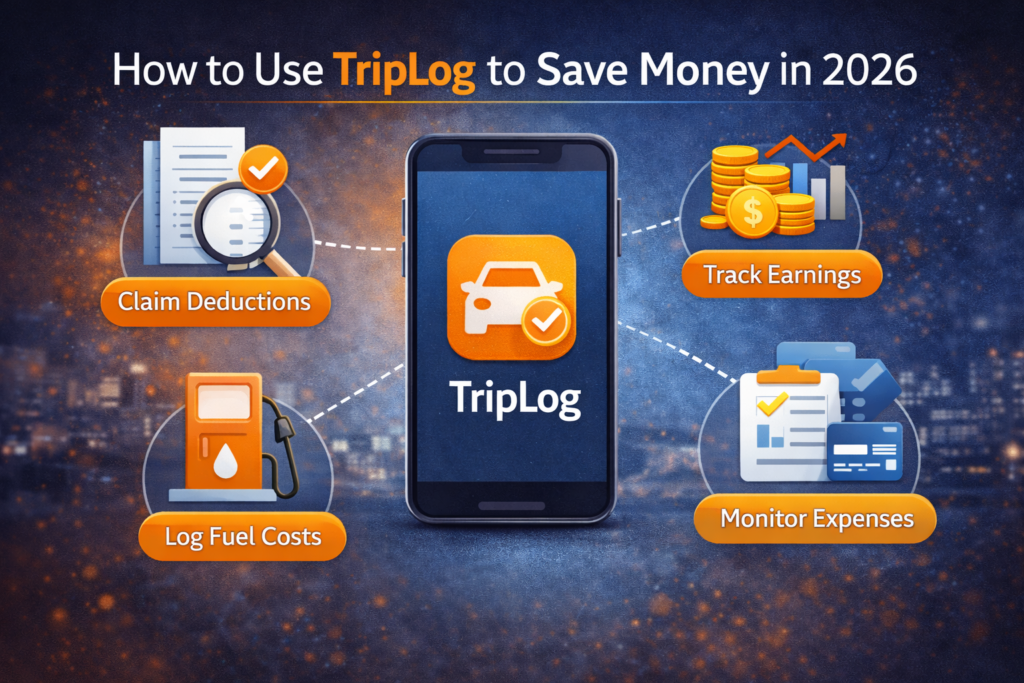
Saving money is a top priority for freelancers, contractors, and small business owners. One of the most overlooked ways to reduce expenses is accurate mileage and expense tracking. TripLog is a powerful tool designed to automate this process and help users maximize tax deductions while minimizing manual effort.
This guide explains how to use TripLog effectively in 2026, highlights money saving strategies, and shows how proper tracking can directly improve your bottom line.
Why Mileage Tracking Saves You Money
Mileage deductions can significantly reduce taxable income. However, many professionals fail to track every eligible trip, leaving money unclaimed.
Accurate mileage tracking helps you:
-
Claim legitimate tax deductions
-
Avoid overpaying taxes
-
Reduce audit risk
-
Eliminate manual record keeping
TripLog automates this process, ensuring no deductible mile is missed.
What Is TripLog and How Does It Work?
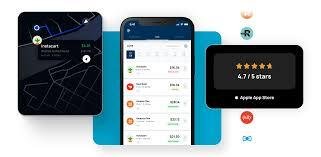
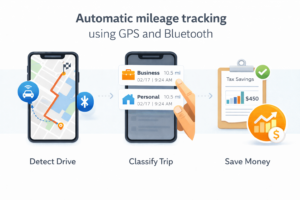
TripLog is a mileage and expense tracking app that uses GPS, Bluetooth, and vehicle data to record trips automatically. It works in the background and logs trips without user intervention.
Users can classify trips as business or personal, attach expenses, and generate tax-ready reports. This automation makes it especially useful for busy professionals.
Getting Started with TripLog
Step 1: Create Your Account
After installing TripLog, create an account using email or business credentials. Choose whether you are an individual user or managing a team.
Step 2: Enable Tracking Permissions
TripLog requires location, motion, and background app permissions. These settings ensure accurate trip detection and prevent missed mileage.
Step 3: Select Tracking Method
TripLog offers multiple tracking methods:
-
GPS-based tracking
-
Bluetooth auto-start
-
OBD-II vehicle integration
Choosing the right method improves accuracy and battery efficiency.
How TripLog Helps You Save Money
Automatic Mileage Capture
Automatic tracking ensures every business trip is recorded. Over time, these miles add up to significant tax savings.
Accurate Classification
Trips can be categorized with one tap. This reduces errors and ensures only valid business mileage is claimed.
Expense Integration
TripLog allows users to attach receipts for fuel, parking, tolls, and maintenance. Combining mileage and expenses gives a complete financial picture.
Using TripLog for Tax Deductions
TripLog generates IRS-compliant reports that include:
-
Trip dates and distances
-
Start and end locations
-
Business purpose notes
These reports simplify tax filing and support deductions during audits.
TripLog Pricing and Cost Efficiency
TripLog offers both free and paid plans.
Free Plan
The free version includes basic mileage tracking with limited features. It works well for occasional drivers.
Paid Plans
Paid plans unlock unlimited tracking, advanced reporting, integrations, and cloud backups. For frequent drivers, the subscription cost is often offset by increased deductions.
TripLog vs Manual Tracking
Manual mileage tracking often results in missed trips and inaccurate records. TripLog eliminates these issues through automation and smart detection.
Although manual tracking is free, the lost deductions usually outweigh the cost of TripLog’s subscription.
Best Practices to Maximize Savings with TripLog
To save the most money:
-
Review trips weekly
-
Add notes for business purpose
-
Attach expense receipts immediately
-
Export reports monthly
Consistency ensures accuracy and maximizes deductions.
TripLog for Freelancers and Small Businesses
TripLog is especially useful for:
-
Freelancers visiting clients
-
Sales representatives
-
Delivery drivers
-
Small business owners with multiple vehicles
Its flexibility makes it suitable for both individuals and teams.
Data Security and Privacy
TripLog uses encrypted storage and secure cloud infrastructure. Users can manage permissions and control data access at any time.
Privacy-focused users can customize tracking settings to balance accuracy and data usage.
Common Mistakes That Reduce Savings
Some users forget to review trips, while others fail to label business purposes. These mistakes reduce report quality and tax benefits.
Regular reviews and detailed notes help avoid these issues.
TripLog Integrations That Save Time
TripLog integrates with accounting and payroll tools, reducing manual data entry. These integrations improve efficiency and prevent bookkeeping errors.
Saving time indirectly saves money by reducing administrative workload.
Who Should Use TripLog in 2026
TripLog is ideal for:
-
Professionals who drive frequently
-
Businesses needing IRS-compliant logs
-
Users who want automated tracking
It may not suit users who rarely drive or prefer manual logs.
Future of Mileage Tracking and TripLog
As tax authorities increasingly rely on digital records, automated tracking apps like TripLog will become essential. Continued improvements in AI and vehicle integrations will further enhance accuracy and usability.

Conclusion
TripLog is a powerful tool for saving money through accurate mileage and expense tracking. By automating trip detection, simplifying classification, and generating tax-ready reports, it helps users claim every eligible deduction. While the free plan works for light use, frequent drivers gain the most value from paid plans. In 2026, TripLog remains a smart investment for professionals who want to reduce taxes, save time, and improve financial clarity.