Instacart has become one of the most popular gig economy platforms for grocery shopping and delivery. As an Instacart Shopper, the Android app is your primary tool for managing orders, tracking deliveries, and optimizing your earnings. In 2026, the app has evolved with new features designed to improve productivity, streamline shopping, and maximize tips.
This guide explains all the best features of the Instacart Shopper Android app, including tips to make the most of them for efficiency, accuracy, and higher earnings.
Getting Started with Instacart Shopper Android App
Step 1: Download and Install the App
-
Available on Google Play Store
-
Compatible with Android 8.0 and above
-
Requires at least 100 MB free space for smooth operation
Step 2: Sign Up and Complete Verification
-
Provide personal details
-
Submit identification and background check
-
Link bank account for payments
Once verified, you can start accepting orders and using the app to manage deliveries.
Top Features of Instacart Shopper Android App
1. Order Dashboard
The order dashboard is your central hub. Key features include:
-
Incoming orders with estimated pay
-
Grocery store locations
-
Delivery time windows
-
Special instructions from customers
The dashboard allows you to prioritize orders based on convenience and profitability.
2. Real Time Inventory Updates
The app provides real-time inventory and item availability, so you can:
-
Replace items quickly if unavailable
-
Suggest alternatives to customers
-
Avoid delays due to missing products
This feature reduces customer complaints and increases tips.
3. Route Optimization
The Android app integrates with mapping tools to plan your route:
-
Minimizes travel time between stores and deliveries
-
Provides turn-by-turn navigation
-
Adjusts for traffic conditions
Efficient routes save time and fuel, directly increasing your net earnings.

4. Shopping List Management
Instacart Shopper app automatically organizes your shopping list:
-
Categorizes items by store aisles
-
Highlights customer preferences
-
Marks items as purchased in real-time
This feature improves shopping speed and accuracy.
5. Order Tracking and Updates
Customers can see real-time updates:
-
Items collected
-
Delivery in progress
-
Estimated arrival time
Keeping orders updated enhances customer satisfaction and may increase tips.
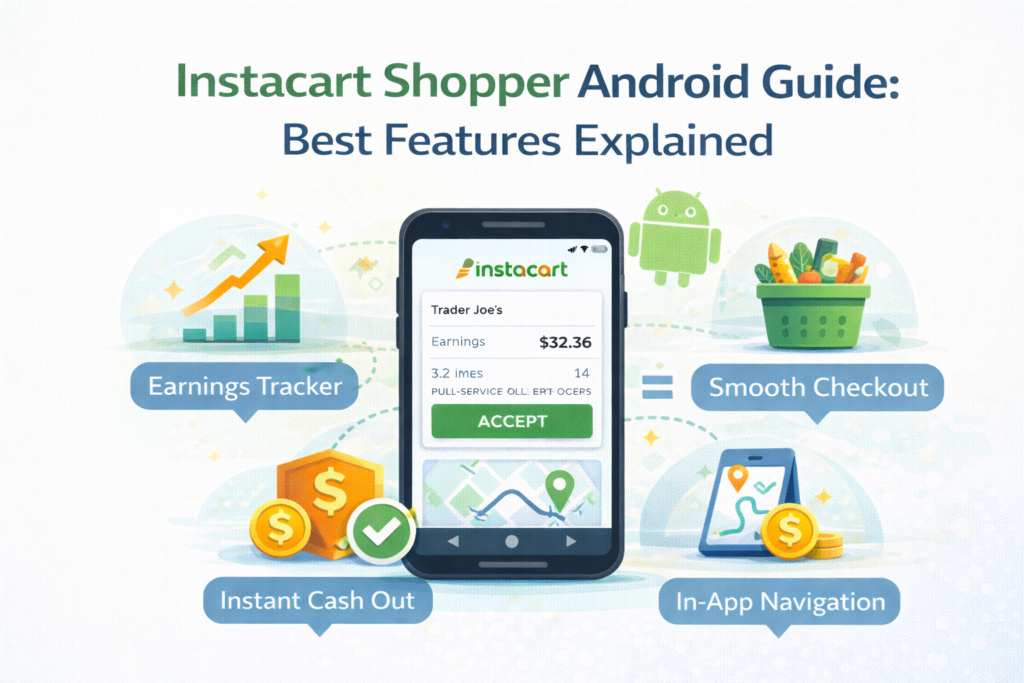
6. Earnings and Tips Dashboard
The app displays your earnings clearly:
-
Base pay per order
-
Customer tips
-
Weekly totals
-
Promotions and bonuses
You can track progress toward financial goals and adjust your strategy to maximize earnings.
7. In-App Support
Android users can access support directly:
-
Chat with Instacart support for order issues
-
Report missing or damaged items
-
Ask questions about pay and policies
This reduces downtime and ensures smoother operations.
Tips to Maximize Efficiency Using Android App
Plan Ahead
Check order availability in advance to pick the most profitable blocks.
Use Real-Time Updates
Update customers promptly about item substitutions or delays to increase tips.
Follow Route Suggestions
Adhere to route optimization for faster deliveries and fuel savings.
Monitor Earnings
Keep an eye on bonuses and promotions in-app to boost total earnings.
Security Features for Android Users
Instacart Shopper Android app includes:
-
Encrypted payment information
-
Secure login and two-factor authentication
-
Permissions control for location and notifications
These features protect both the driver and customer data.
Comparing Instacart Android App to iOS
While both apps share core features, Android users benefit from:
-
More frequent updates
-
Better integration with Android widgets
-
More customizable notifications
-
Compatibility with Android Auto for in-car navigation
This ensures that Android shoppers can work efficiently on the go.
Common Mistakes to Avoid
-
Ignoring order notes from customers
-
Skipping route suggestions
-
Not updating app for latest features
-
Failing to monitor promotions or bonuses
Avoiding these mistakes ensures a smoother workflow and higher income.
Future of Instacart Shopper Android App in 2026
The app is expected to continue improving:
-
AI-powered item recommendations
-
Smarter route optimization
-
Integration with voice commands
-
Enhanced in-app earnings analytics
These updates will further improve efficiency, reduce shopping time, and maximize profits for shoppers.

Conclusion
The Instacart Shopper Android app is an essential tool for gig workers in 2026. From order management and route optimization to real-time inventory tracking and earnings monitoring, the app streamlines grocery shopping and delivery. Android users can leverage these features to work efficiently, reduce costs, and increase earnings.
Whether you are a part-time shopper or a full-time gig worker, mastering the Android app is key to success on Instacart.