TripLog is a popular mileage and expense tracking app used by freelancers, drivers, and businesses to automate trip logs and generate tax-ready reports. However, before trusting any tool with sensitive financial and location data, it’s natural to ask: Is TripLog safe? This comprehensive 2026 security analysis explores data privacy, encryption, storage practices, and real-world considerations so you can decide with confidence.
Overview: What Kind of Data TripLog Handles
TripLog may collect both user-provided and automatically gathered data when you use the app. According to its privacy policy, this includes:
-
Name, email, phone number
-
Vehicle details (make/model, VIN, license plate)
-
Geolocation data from GPS
-
Device identifiers (non-reversible hashed email, device ID)
-
Operating system and browsing info
The app does not store your credit card or banking numbers; billing info is handled directly by secure payment processors.
Because TripLog tracks sensitive information, understanding how it protects that data is essential.
Encryption and Data Protection
TripLog uses multiple layers of security to protect your information:
Encrypted Storage
All stored user data is kept on secure servers with encryption technology. According to the privacy policy, TripLog uses Amazon EC2 infrastructure with ISO 27001 certification, which is an internationally recognized standard for secure data management.
Technical Safeguards
Passwords and usernames uniquely identify accounts, and organizational controls are in place to prevent unauthorized data access.
Advanced Encryption Features
TripLog also supports field-level encryption for certain personally identifiable or protected health information, adding another layer of security for sensitive content.
Privacy Policy: What Happens to Your Data
The TripLog privacy policy explains how data is collected and used. Key points include:
-
You control what you provide and can limit certain data collection.
-
Data may be used for internal improvements, product updates, and marketing.
-
Geolocation data and some non-personal information may be collected automatically.
-
TripLog does not sell email addresses or contacts to third parties.
This approach aligns with most modern SaaS privacy policies and offers users transparency about data usage.
Cloud Backup and Restore Security
TripLog provides cloud backup and restore features to help users securely save and retrieve data. According to the support documentation:
-
You can create automatic daily backups linked to your email.
-
Backups are stored in the cloud and associated with your account.
-
You can manually export or restore data when needed.
These features reduce the risk of losing business data if you switch devices, lose a phone, or otherwise lose access.

Location Tracking and Permissions
TripLog requires permission for GPS and background location tracking to automate mileage detection. While this is necessary for functionality, it does raise valid privacy questions.
TripLog uses location data for:
-
Automatic trip capturing
-
Trip start and stop detection
-
Detailed mileage logs for tax or reimbursement reports
Your location history is technically sensitive, but the app does not share this data with third parties unless you explicitly choose to export it or integrate with other services like QuickBooks or Xero.
Synchronization and Background Tracking
TripLog’s synchronization processes are designed to update trip data in the cloud once an internet connection is available. The app can record trips offline and sync later, a valuable feature when traveling through areas with weak cell signals.
Keeping data synced securely is an essential part of protecting your long-term history and ensuring accurate reporting.
Compliance and Report Accuracy
TripLog generates IRS-compliant mileage reports and integrates with payroll or accounting platforms. Its adherence to compliance standards and reporting accuracy supports audit-ready documentation without exposing unnecessary personal data.
This makes TripLog suitable for both individual freelancers and team environments.
Known Issues and User-Reported Concerns
While official policies highlight strong security measures, user feedback shows occasional real-world concerns such as:
-
Bugs or crashes that may delay automatic tracking (e.g., requiring manual start).
-
Background GPS tracking may consume battery and require careful permission management.
These issues are not directly security risks but can impact the reliability of tracking.
Security Pros and Cons
Pros:
✔ Encrypted cloud storage with ISO-standard infrastructure
✔ Optional field-level encryption for sensitive info
✔ Does not store financial credentials directly
✔ User-controlled privacy preferences
✔ IRS-compliant reporting and integrations
Cons:
⚠ GPS location collection is required for functionality
⚠ Rare user-reported bugs may affect experience
⚠ Sync delays may occur with unstable internet
Tips to Use TripLog Securely
To maximize safety when using TripLog:
-
Enable strong passwords on your account.
-
Set up two-factor authentication if available through the platform you use to register (e.g., email).
-
Review app permissions and only allow what’s necessary.
-
Use cloud backup frequently, ensuring your history is saved.
-
Monitor reports and activity to detect any unusual entries early.
These habits protect your account and reduce risks associated with location-based services.

Conclusion: Is TripLog Safe in 2026?
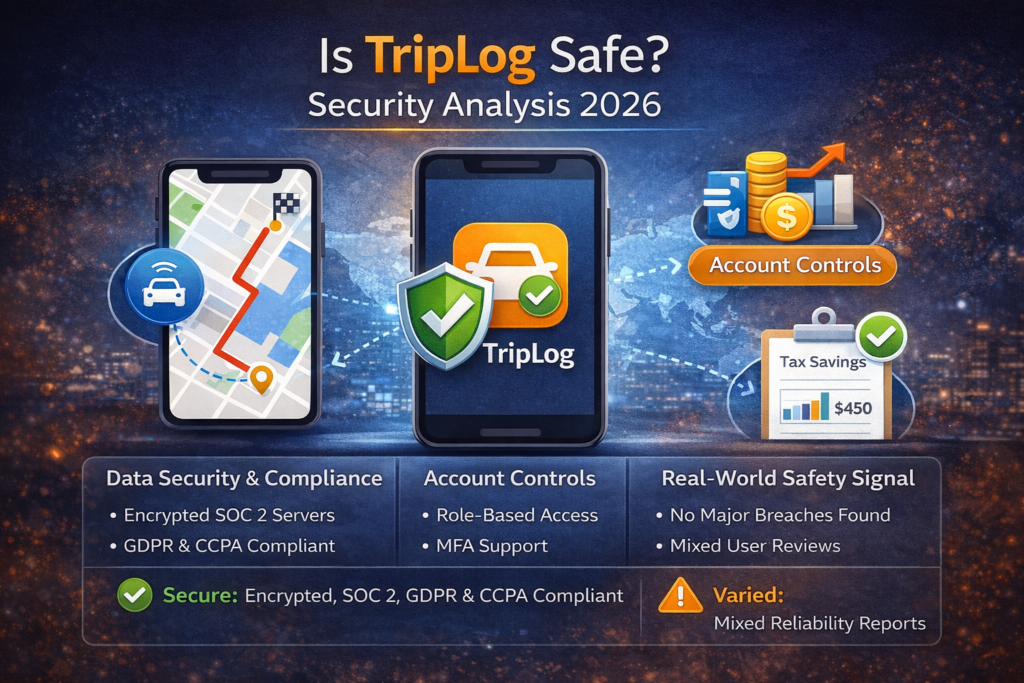
Based on official privacy documentation and feature analysis, TripLog is generally safe for freelancers and businesses when used responsibly. The app uses modern encryption, secure storage, and transparent privacy practices to protect your data. There’s no evidence of significant security breaches as of 2026, and user feedback supports reliable usage for mileage logs and reporting.
However, like all GPS-based apps, it requires correct permission settings and user vigilance — especially with location data — to maintain security and privacy.