Freelancers often juggle multiple clients, projects, and expenses. Among these responsibilities, tracking business mileage is one of the most overlooked yet financially important tasks. MileIQ has become a popular solution for freelancers who want accurate, automated mileage tracking without manual logs. This complete walkthrough explains how freelancers can use MileIQ effectively, maximize tax deductions, and decide whether it is the right tool in 2026.
Why Mileage Tracking Matters for Freelancers
Mileage is a legitimate business expense for many freelancers, including consultants, real estate professionals, designers visiting clients, and gig workers. Accurate mileage records can significantly reduce taxable income.
However, manual tracking often leads to missed trips, incomplete records, or errors during tax season. This is where automated mileage tracking apps provide value by ensuring consistency and compliance.
What Is MileIQ and How Does It Work?
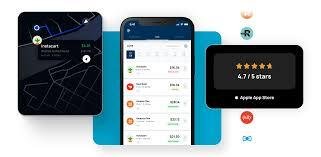
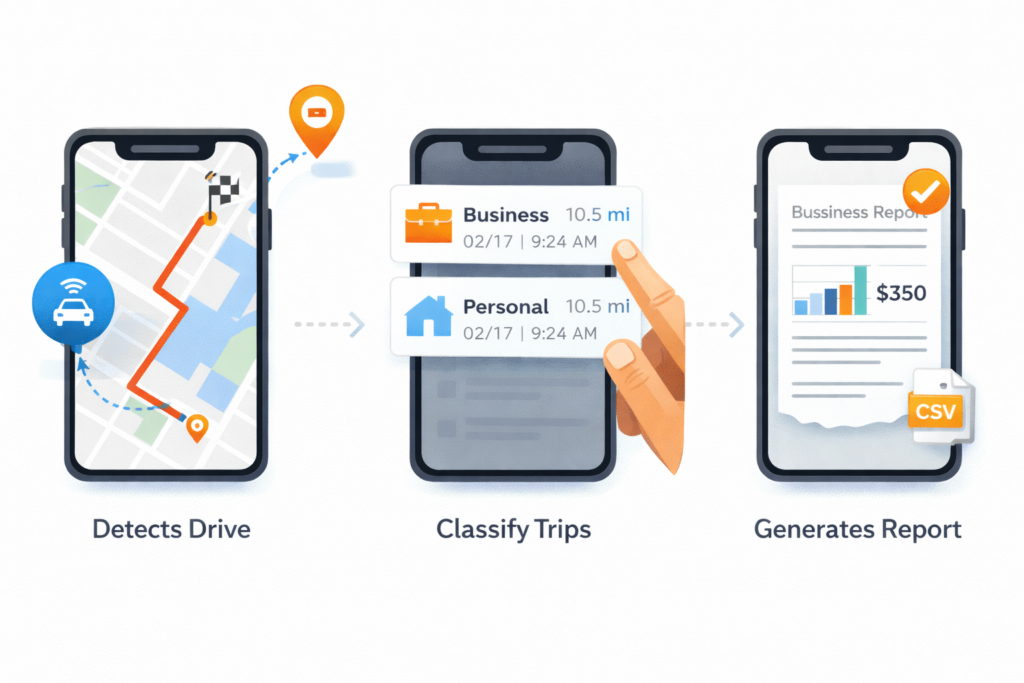
MileIQ is an automatic mileage tracking app that runs in the background on your smartphone. It detects drives using GPS and motion sensors, then logs each trip for later classification.
Instead of starting and stopping tracking manually, freelancers simply review trips and swipe to mark them as business or personal. This system reduces effort while improving accuracy.
Getting Started with MileIQ as a Freelancer
Step 1: Account Setup
After installing MileIQ, freelancers create an account using email or a Microsoft login. During setup, the app asks for permissions such as location access and motion detection. Granting these permissions is essential for accurate tracking.
Step 2: Customize Work Hours
Freelancers can define working hours and typical driving patterns. This helps MileIQ categorize trips more accurately and reduces review time later.
Step 3: Set Vehicle Details
If you use multiple vehicles, MileIQ allows you to assign trips to different cars. This is particularly helpful for freelancers who use both personal and business vehicles.
How Freelancers Track Mileage Using MileIQ
Once set up, MileIQ automatically records every drive. At the end of the day or week, freelancers review trips in the app.
Each trip can be classified with a simple swipe:
-
Swipe right for business
-
Swipe left for personal
You can also add notes, client names, or project details. This extra context is extremely useful during audits or when working with accountants.
Understanding MileIQ Reports for Freelancers
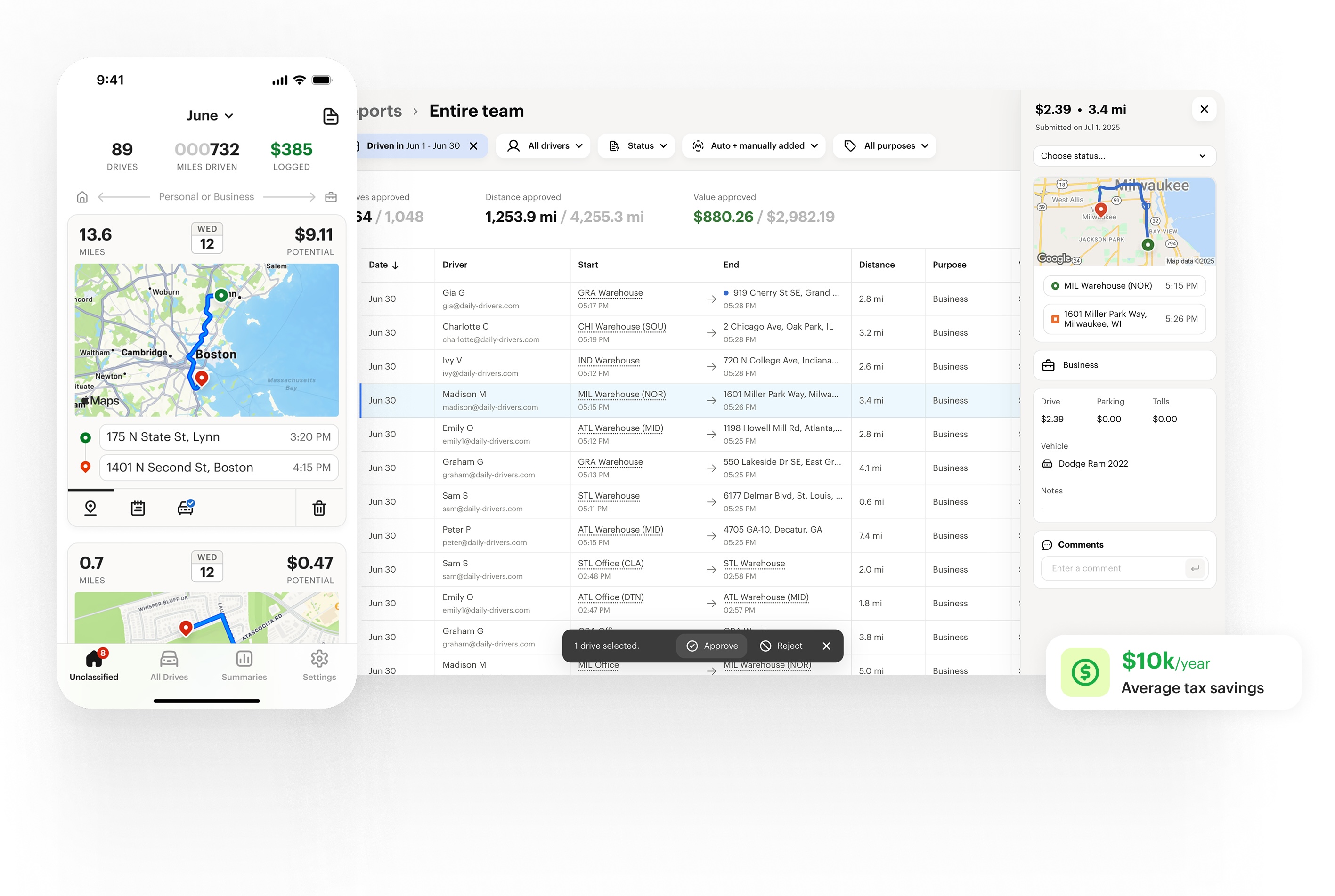
Reports are one of MileIQ’s strongest features. Freelancers can generate detailed mileage summaries based on date ranges, clients, or vehicles.
These reports include:
-
Total business miles
-
Estimated tax deductions
-
IRS-compliant logs
-
Export options for accountants
Reports can be downloaded as PDFs or spreadsheets, making tax preparation smoother.
Tax Benefits of Using MileIQ
Mileage deductions are calculated using the IRS standard mileage rate. By keeping accurate records, freelancers can claim legitimate deductions without stress.
MileIQ ensures:
-
Trip dates and distances are recorded
-
Start and end locations are logged
-
Purpose notes are available
This level of documentation supports compliance and reduces audit risk.
MileIQ Pricing Explained for Freelancers
MileIQ offers a free plan and a paid subscription.
Free Plan
The free version allows a limited number of tracked drives per month. It is suitable for freelancers who drive occasionally but becomes restrictive for regular client visits.
Paid Subscription
The paid plan unlocks unlimited drive tracking, advanced reporting, and data exports. For most active freelancers, this plan provides better long-term value.
Annual billing often reduces the overall cost compared to monthly subscriptions.
Is MileIQ Worth It for Freelancers in 2026?
For freelancers who drive frequently, MileIQ can pay for itself through saved time and increased tax deductions. The automation alone eliminates the need for spreadsheets or handwritten logs.
However, freelancers with minimal travel may find free or manual solutions sufficient. The value depends on how often you drive for work and how much you value convenience.
Best Practices for Freelancers Using MileIQ
To get the most out of MileIQ, freelancers should follow a few best practices:
-
Review trips regularly to avoid backlog
-
Add notes to business trips for clarity
-
Export reports monthly instead of yearly
-
Back up data before subscription renewals
Consistency ensures accurate records and stress-free tax filing.
MileIQ vs Manual Mileage Tracking
Manual mileage tracking often relies on memory, which increases the risk of errors. MileIQ eliminates guesswork by capturing trips automatically.
While manual tracking costs nothing, it requires discipline and time. MileIQ trades a subscription fee for automation and reliability.
Data Privacy and Security for Freelancers
MileIQ uses encrypted cloud storage to protect user data. Freelancers concerned about privacy can manage permissions and review stored data anytime.
Although location tracking is required, data is used strictly for mileage logging and reporting purposes.
Common Mistakes Freelancers Make with Mileage Tracking
Some freelancers forget to review trips regularly, leading to confusion later. Others fail to label trips clearly, which reduces report usefulness.
Using MileIQ consistently and adding brief notes prevents these issues and improves record accuracy.
Who Should Use MileIQ
MileIQ is ideal for:
-
Freelancers with frequent client meetings
-
Consultants traveling between sites
-
Real estate and sales professionals
-
Gig workers seeking tax deductions
It may not suit freelancers who rarely drive or prefer manual methods.

Future of Mileage Tracking for Freelancers
As tax compliance becomes more digitized, automated mileage tracking tools are likely to become standard. MileIQ continues to evolve with improved detection and reporting features, making it relevant for freelancers in 2026 and beyond.
Conclusion
MileIQ offers freelancers a reliable and efficient way to track mileage, reduce tax stress, and improve financial accuracy. Its automatic tracking, detailed reports, and tax ready logs make it a strong choice for professionals who drive regularly for work. While the free plan is useful for testing, most freelancers will benefit from the paid subscription. Overall, MileIQ simplifies one of the most tedious aspects of freelancing and helps ensure no deductible mile is left unclaimed.