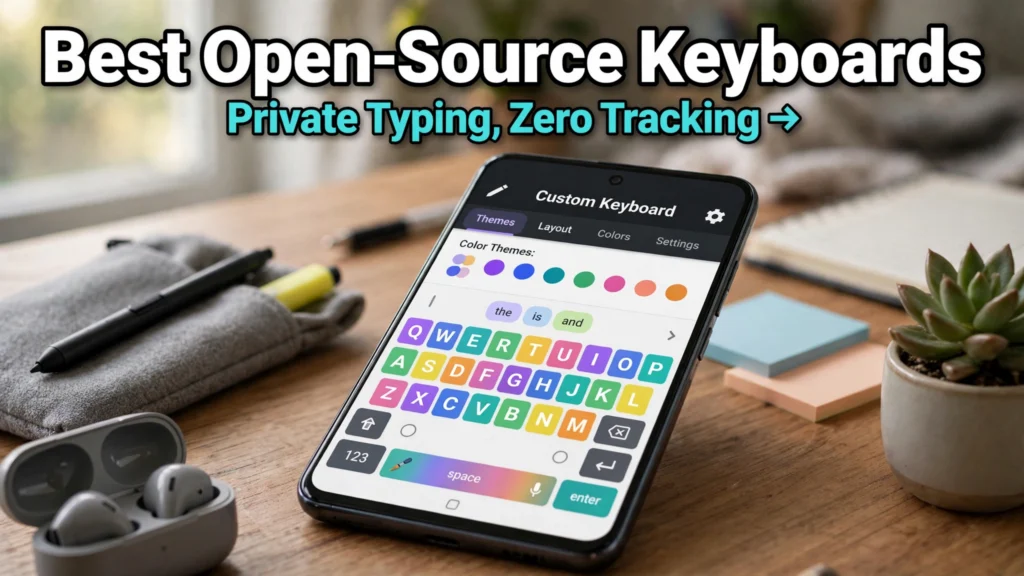
Every single password, private text message, medical inquiry, bank account credential, and confidential business email you enter into your smartphone passes through a single piece of software: your virtual on-screen keyboard. For the vast majority of Android users, that software is a closed-source commercial app like Google Gboard, Microsoft SwiftKey, or Samsung Keyboard. While these proprietary keyboards offer slick predictive typing and integrated cloud search, they also operate with persistent internet network access, sending telemetry data, typing patterns, and usage analytics back to centralized corporate servers. In 2026, privacy-conscious smartphone enthusiasts and cybersecurity professionals are taking control of their keystrokes by migrating to the top open-source keyboards for Android.
Open-source input method editors (IMEs) provide total architectural transparency. Because their underlying source code is publicly audited, distributed via repositories like GitHub and F-Droid, and built without the android.permission.INTERNET permission, users enjoy absolute mathematical certainty that not a single keystroke can ever escape their device. In years past, choosing an open-source typing app meant sacrificing modern conveniences like swipe gesture typing, intelligent predictive auto-correct, and modern emoji pickers. Today, community-driven projects have matured into feature-packed powerhouses. Implementing a private offline typing app no longer requires compromising on typing speed or visual elegance.
In this comprehensive software review based on source code security audits, typing benchmark latency tests, memory footprint profiling, and community feedback, we evaluate the five finest free and open-source software (FOSS) keyboards available for Android in 2026. From modular modern powerhouses to ultra-minimalist terminal-style inputs, discover which keyboard belongs on your daily driver.
AdSense & Security Disclosure: All applications evaluated in this review are 100% free, open-source software distributed under copyleft or permissive open-source licenses (GPL, Apache 2.0, MIT). TechVantageAPK does not host, distribute, or modify APK files; we review legitimate software available on official platforms like Google Play, F-Droid, and official GitHub developer releases. App features and dictionary add-ons evolve; verify permissions on official project repositories.
The Hidden Privacy Risks of Proprietary Cloud Keyboards
To understand why open-source keyboards are gaining unprecedented traction among mainstream users, one must examine what proprietary commercial keyboards actually do behind the scenes.
1. Persistent Internet Access and Telemetry Pipelines
Examine the system permissions of standard pre-installed commercial keyboards on your device. You will notice that almost every major proprietary keyboard requests full network access. Commercial vendors argue this network access powers cloud translation, GIF search, and trending search suggestions. However, that exact same network pipeline transmits federated learning models, diagnostic telemetry, and usage patterns. If an adversary compromises a cloud database or a zero-day exploit targets keyboard telemetry sync, your typing history is exposed.
2. The Third-Party SDK Problem
Many freemium keyboards available on commercial app stores integrate third-party advertising SDKs, crash trackers, and behavioral analytics libraries. These background processes consume device RAM, drain battery life through background network polling, and monetize user habits. True open-source keyboards completely omit advertising trackers, running lean and lightning-fast on your local hardware.
3. Total Local Sovereignty: Zero Permissions Required
The gold standard of mobile privacy is simple: if an app lacks the network permission in its Android manifest, it is physically impossible for that software to transmit data over Wi-Fi or cellular networks. The operating system kernel enforces this boundary. Top open-source keyboards do not even ask for the internet permission, providing ironclad cryptographic peace of mind.
Top 5 Open-Source Android Keyboards Compared
The table below provides a feature-by-feature comparison of the leading open-source keyboards available across F-Droid and GitHub.
Keyboard App | Primary License | Internet Permission | Gesture / Swipe Typing | Auto-Correct & Prediction | Customization & Theming | Recommended User Persona |
FlorisBoard | Apache 2.0 | No (Completely offline) | Yes (Smart library integration) | High (Local n-gram dictionaries) | Industry-leading (CSS-style theming) | Power users, modern UI lovers, daily typists |
HeliBoard (formerly OpenBoard fork) | GPLv3 | No (100% offline) | Yes (Offline gesture library) | Very High (AOSP dictionary base) | High (Material You dynamic theming) | Former Gboard users seeking 1:1 privacy match |
AnySoftKeyboard (ASK) | Apache 2.0 | No (Modular packs) | Yes (Adaptive gestures) | High (Multi-language packs) | Extensive (Bespoke layouts & themes) | Multilingual speakers, physical keyboard users |
Simple Keyboard | Apache 2.0 | No (Zero internet) | No (Tap-only typing) | None (Zero auto-correct) | Basic (Dark/Light/Accent colors) | Minimalists, security purists, older phones |
FUTO Keyboard | FUTO Source-First | No (Strict offline guarantee) | Yes (Built-in neural swiping) | Exceptional (Local on-device neural voice/AI) | High (Custom key layouts) | Users demanding voice-to-text without cloud |

In-Depth Reviews of the Leading FOSS Keyboards
1. FlorisBoard: The Modern, Highly Customizable Titan
FlorisBoard has emerged as the premier open-source keyboard project for Android. Built entirely in modern Kotlin with Jetpack Compose, FlorisBoard looks, feels, and animates like a first-party Google application while maintaining strict privacy boundaries. In our comprehensive FlorisBoard review, its visual modularity stands out as truly revolutionary.
Unlike keyboards with rigid color pickers, FlorisBoard utilizes an advanced theme extension engine that functions like web CSS. You can customize key corner radiuses, elevation drop-shadows, per-row margins, and haptic vibration waveforms with millisecond precision. For typing mechanics, FlorisBoard includes native gesture glide typing, an integrated clipboard manager with encrypted local storage, multi-language layout switching, and a dedicated incognito mode. It operates with zero network permissions, ensuring all predictive dictionaries remain permanently stored in your local application sandbox.
2. HeliBoard: The Seamless 1:1 Gboard Alternative
For millions of smartphone users, migrating away from Google Gboard fails because muscle memory rejects unfamiliar key spacing or predictive auto-correct quirks. HeliBoard solves this dilemma perfectly. Forked and modernized from the beloved OpenBoard codebase, HeliBoard preserves the exact typing physics, hit-target algorithms, and layout ergonomics of stock Android Open Source Project (AOSP) keyboards.
HeliBoard supports seamless swipe typing via an optional offline gesture library. It offers full support for Android 15 Material You dynamic theming, automatically pulling color palettes from your home screen wallpaper. Its predictive text engine utilizes offline word frequency dictionaries that you can import directly from text files. If you want a keyboard that feels identical to Gboard without a single byte of Google telemetry, HeliBoard is the undisputed champion.
3. AnySoftKeyboard: The Multilingual Veteran
AnySoftKeyboard is one of the oldest and most respected open-source projects in the Android ecosystem. Where ASK truly shines is in its comprehensive support for rare, regional, and multilingual language scripts. Through independent language packs distributed on F-Droid, ASK supports hundreds of international dialects without bloating the base application binary.
ASK also offers exceptional physical keyboard integration. If you connect a Bluetooth mechanical keyboard or utilize an Android device with a physical hardware keyboard (such as a modern Unihertz handset), ASK provides extensive key-remapping shortcuts, Alt-character overlays, and directional navigation binds that make mobile productivity effortless.
4. Simple Keyboard: Absolute Minimalist Security
For users who subscribe to the Unix philosophy—do one thing and do it well—Simple Keyboard provides the ultimate distraction-free typing experience. Developed by the creator of Simple Mobile Tools, this app weighs in at less than 1 megabyte. It features zero predictive text, zero auto-correct, zero autocorrect popups, and zero gesture trails. It simply registers the exact character your finger touches.
While this sounds spartan, it is the keyboard of choice for cybersecurity specialists, system administrators typing SSH terminal commands, and privacy purists. Because it has no predictive dictionary, it never learns your private passwords, username handles, or server addresses, making accidental data leakage virtually impossible.
5. FUTO Keyboard: On-Device Voice Typing without Cloud Latency
The single greatest feature keeping users tethered to proprietary keyboards is voice-to-text typing. Open-source keyboards historically lacked voice typing because running local speech-to-text models required massive compute resources. FUTO Keyboard revolutionizes this paradigm by bundling a quantized, highly optimized offline Whisper voice recognition model directly into the keyboard app.
When you tap the microphone icon on FUTO Keyboard, your voice is transcribed locally on your phone's Neural Processing Unit (NPU) or GPU in real time. Your spoken words are never uploaded to any remote server. It delivers the speed and accuracy of Google Voice Typing while running completely in airplane mode.
Step-by-Step Guide: Safely Installing and Configuring an Open-Source Keyboard
Follow these steps to transition safely from your pre-installed commercial keyboard to an audited open-source IME.
- Install F-Droid or Obtain Official GitHub Releases: Open-source keyboards are best installed through F-Droid Android keyboards catalogs or the developer's official GitHub releases. F-Droid builds apps from verified source code, guaranteeing zero proprietary trackers are injected into the APK binary.
- Enable the Keyboard in Android Settings: Navigate to Settings → System → Languages & Input → On-screen keyboard → Manage on-screen keyboards. Toggle your newly installed keyboard ON.
- Acknowledge the Android Security Warning: Android will display a standard system alert: "This input method may be able to collect all the text you type, including personal data like passwords…" This is a mandatory warning Android shows for ANY third-party keyboard. Check the app's permissions to verify that it lacks the Internet permission, confirming it cannot transmit collected data.
- Import Local Dictionaries & Enable Glide Typing: Open your new keyboard's settings menu. Download your preferred language dictionary package and enable swipe gestures. Most FOSS keyboards store user dictionaries locally in plain text or SQLite formats that you can backup and export at any time.
Google News & Industry Context: 2026 Mobile Privacy Legislation
Recent developments tracked across Google News show that consumer digital privacy and on-device data sovereignty have become top priorities for regulatory bodies and enterprise security teams worldwide. Following landmark digital rights rulings and heightened awareness of corporate data harvesting, both enterprise organizations and government agencies are issuing strict mandates requiring employees to disable cloud-connected third-party keyboards on corporate-managed devices.
Simultaneously, the open-source developer community has accelerated the development of privacy-first input tools. With Android's Project Mainline enabling modular system updates, open-source keyboards now leverage low-level Android 15 NPU acceleration APIs directly. This enables offline predictive text models and local voice recognition to match proprietary cloud alternatives without sacrificing a shred of user privacy.

Frequently Asked Questions (FAQ)
Can an open-source keyboard steal my passwords or credit card numbers?
No. When an application does not request the android.permission.INTERNET permission in its code manifest, the Android operating system kernel strictly prevents the app from creating network sockets or sending data over Wi-Fi or cellular connections. Furthermore, because the source code is public, thousands of independent security researchers audit the code continuously to verify that keystrokes are never logged maliciously.
Why do commercial keyboards feel faster at predicting my next word?
Commercial keyboards like Gboard and SwiftKey utilize massive cloud-based machine learning clusters trained on billions of users' collective typing data, alongside personal profile data harvested from your email and search history. Open-source keyboards learn exclusively from your individual local typing patterns over time, protecting your privacy while gradually adapting to your personal vocabulary.
Do open-source keyboards support swipe gesture typing?
Yes. Both FlorisBoard and HeliBoard support smooth swipe gesture typing. Due to historical proprietary patent restrictions surrounding gesture algorithms, some open-source keyboards require users to download a small, free offline gesture library file during initial setup to enable gesture typing functionality.
Will installing an open-source keyboard drain my phone's battery?
Quite the opposite. Open-source keyboards are significantly lighter on system resources than proprietary alternatives. Because they do not run background telemetry sync services, analytics pollers, or advertising trackers, they consume less RAM and place significantly less strain on your phone's battery.
Can I backup and transfer my custom typing dictionary between devices?
Yes. Tools like FlorisBoard and HeliBoard feature dedicated Export/Import settings. You can export your personalized dictionary, shortcut expansions, and custom themes to a lightweight JSON or text file, allowing you to restore your customized typing setup on a new phone in seconds.
Are open-source keyboards compatible with foldable phones and tablets?
Modern FOSS keyboards fully support responsive tablet and foldable layouts. FlorisBoard and AnySoftKeyboard include dedicated split-keyboard modes, thumb typing offsets, and floating one-handed modes that automatically adapt when you unfold a device like the Pixel 9 Pro Fold or Galaxy Z Fold series.
Conclusion: Reclaiming Control Over Your Most Sensitive Data
Your on-screen keyboard is the intimate gateway between your thoughts and the digital world. Entrusting every password, intimate text, and private thought to a closed-source cloud service with perpetual network access is an unnecessary security risk. By switching to the top open-source keyboards for Android, you eliminate silent background telemetry, customize your typing ergonomics to perfection, and enjoy lightning-fast performance. Download FlorisBoard or HeliBoard today and experience the liberating peace of mind that comes with true on-device data privacy.