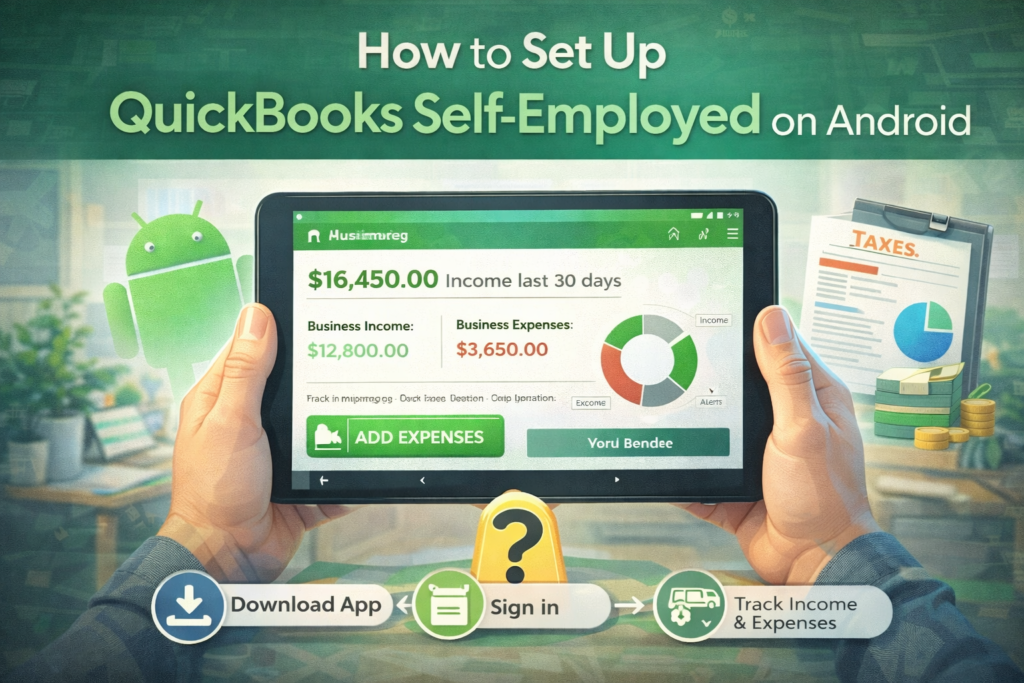
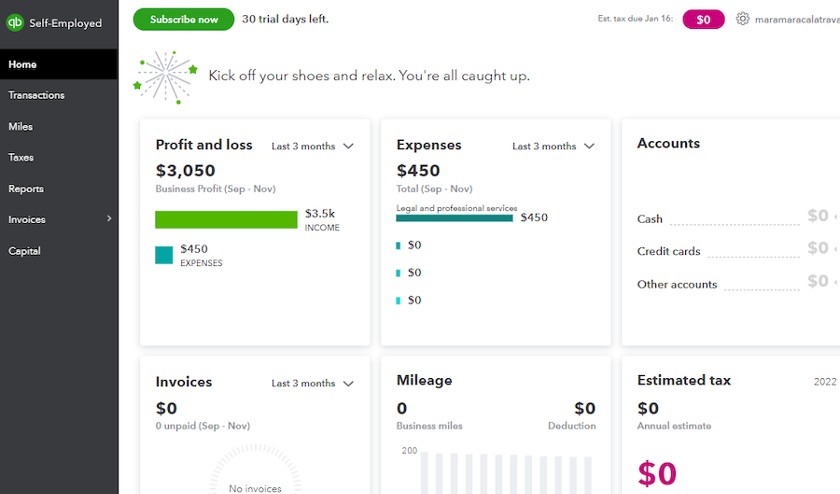
Managing finances as a freelancer or small business owner has never been easier with QuickBooks Self-Employed (QBSE). With its Android tablet app, you can track income, log expenses, manage taxes, and generate invoices — all on the go.
This step-by-step guide walks you through downloading, setting up, and using QuickBooks Self-Employed on Android tablets to streamline your freelance business operations in 2026.
Step 1: Download QuickBooks Self-Employed on Your Tablet
-
Open the Google Play Store on your Android tablet.
-
Search for “QuickBooks Self-Employed”.
-
Tap Install and wait for the app to download.
Once installed, open the app to begin setup.
Step 2: Create or Log In to Your QuickBooks Account
-
If you are a new user, select Sign Up and enter your email, password, and business information.
-
If you already have an account, choose Log In and enter your credentials.
Tip: Use a professional email linked to your business for easier bookkeeping.
Step 3: Set Up Your Business Profile
Once logged in, QBSE will prompt you to set up your profile:
-
Business name: Enter the name under which you invoice clients.
-
Industry: Select your business category.
-
Business type: Freelancer, contractor, or small business owner.
This information is used to categorize expenses and generate reports.
Step 4: Connect Your Bank Accounts and Credit Cards
-
Tap Banking in the app menu.
-
Choose Add Account and select your bank or credit card provider.
-
Enter your banking credentials securely.
-
Allow QBSE to sync transactions automatically.
Benefit: This enables automatic expense tracking, saving time and minimizing errors.
Step 5: Categorize Transactions
-
QBSE automatically imports transactions from connected accounts.
-
Tap on each transaction to categorize it (Business, Personal, Mileage, Supplies, etc.).
-
Use recurring categories for regular expenses to speed up bookkeeping.
Step 6: Track Mileage (Optional)
If you drive for business purposes:
-
Tap Mileage in the app.
-
Enable GPS tracking to automatically record trips.
-
Manually add trips if GPS is not available.
This is useful for maximizing tax deductions for self-employed drivers or delivery professionals.
Step 7: Create Invoices
-
Go to the Invoices tab.
-
Tap Create Invoice.
-
Enter client information, services, rates, and due dates.
-
Send invoices directly through the app.
Invoices can be tracked to see which are paid or overdue, improving cash flow management.
Step 8: Set Up Tax Estimates
-
QBSE automatically calculates quarterly tax estimates based on income and expenses.
-
Go to Taxes → Tax Estimates to see your projected obligations.
-
Make adjustments for deductions or additional income.
Tip: Regularly reviewing your tax estimates prevents surprises during tax season.
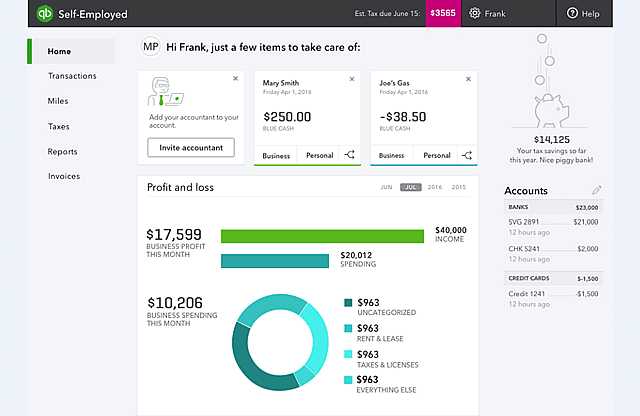
Step 9: Review Reports
-
Tap Reports to access:
-
Profit & Loss
-
Expense summaries
-
Mileage logs
-
Tax summaries
-
Reports can be exported or shared with accountants for accurate record-keeping.
Step 10: Enable Notifications and Reminders
-
Go to Settings → Notifications to enable alerts for:
-
Upcoming invoices
-
Tax due dates
-
New bank transactions
-
Notifications help you stay on top of your finances without manually checking the app.
Tips for Optimizing QuickBooks Self-Employed on Android Tablets
-
Use landscape mode for easier navigation on tablets.
-
Enable automatic updates for the latest features.
-
Sync multiple bank accounts to capture all business transactions.
-
Regularly categorize expenses to save time during tax season.
-
Link payment apps (PayPal, Stripe) for seamless income tracking.
Benefits of Using QuickBooks Self-Employed on Android Tablets
-
Manage finances anytime, anywhere
-
Automatic expense and mileage tracking
-
Easy invoice creation and payment tracking
-
Accurate quarterly tax estimates
-
Centralized business insights and reporting
Pros
-
Full Android tablet compatibility
-
User-friendly interface for beginners
-
Automatic syncing with bank accounts
-
Cloud-based, accessible from multiple devices
-
Tax calculations tailored for freelancers
Cons
-
Subscription required for full feature access
-
Some advanced accounting features are limited
-
Occasional connectivity issues with certain banks
Conclusion
Setting up QuickBooks Self-Employed on Android tablets in 2026 is simple and highly beneficial for freelancers and small business owners. With bank integration, expense tracking, invoicing, and tax estimates, QBSE centralizes financial management and helps you stay organized, accurate, and profitable.
Whether you are a freelancer, contractor, or self-employed professional, QuickBooks Self-Employed is worth using on Android tablets to streamline your finances and maximize efficiency.