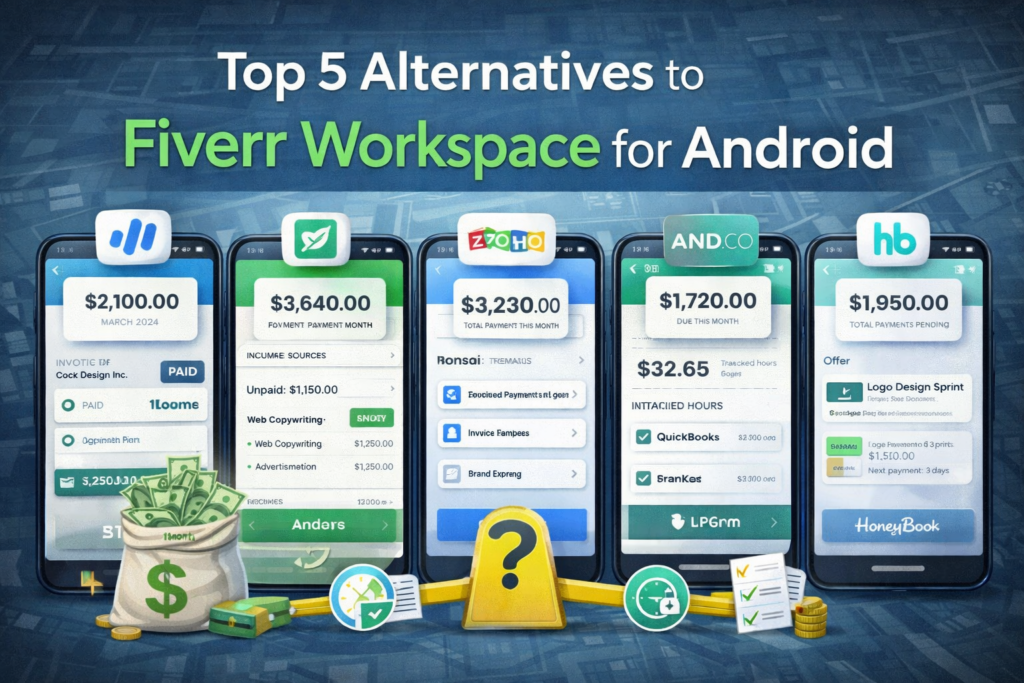
Fiverr Workspace (previously And.co) is a popular freelancing business platform, but Android users and freelancers often look for alternatives that better fit their workflow, pricing, or feature needs. In 2026, there are multiple productivity, billing, and project‑management tools that serve freelancers and small teams on Android devices.
This guide presents the Top 5 Alternatives to Fiverr Workspace for Android, comparing features, pricing, integrations, and use cases so you can choose the best option for your freelance or small business needs.
Why Look for Alternatives to Fiverr Workspace?
Fiverr Workspace provides invoicing, time tracking, proposals, and client management, but freelancers often look for alternatives due to:
-
Pricing constraints
-
More robust project management
-
Better Android app experiences
-
Specific productivity needs
-
Integration with preferred tools (e.g., QuickBooks, Zapier, Google Workspace)
By exploring alternatives, you can find tools that match your workflow and empower you to grow your freelance business more effectively.
How We Chose the Top Alternatives
We evaluated platforms based on:
-
Android compatibility
-
Feature set (invoicing, time tracking, project management)
-
Usability and performance
-
Pricing transparency
-
Integrations with other business tools
These criteria ensure you get options that truly rival Fiverr Workspace for freelancers and small teams in 2026.
1. Trello + Time Tracking Add‑Ons
Overview
Trello is a flexible project management app that runs well on Android. With add‑ons for time tracking (like Clockify or Toggl), it becomes a powerful alternative for managing tasks and projects.
Why It’s a Strong Alternative
-
Android‑optimized
-
Visual Kanban boards
-
Integrates with time tracking and billing apps
-
Custom workflows for projects
Pros
-
Highly customizable
-
Free tier is generous
-
Great for collaboration and task management
Cons
-
Requires add‑ons for full billing/time tracking
-
Not a single “all‑in‑one” solution
Best For
Freelancers needing flexible task organization and workflow automation.
2. QuickBooks Self‑Employed
Overview
QuickBooks Self‑Employed is a financial app designed for freelancers, with Android support for invoicing, expense tracking, and tax insights.
Why It’s a Strong Alternative
-
Tracks income and expenses
-
Integrates with mileage apps
-
Generates IRS‑ready reports
-
Android app for on‑the‑go updates
Pros
-
Strong accounting features
-
Great for tax management
-
Syncs with bank accounts
Cons
-
More expensive than basic solutions
-
Less robust task/project management
Best For
Freelancers who prioritize financial management and tax tracking on Android.
3. Notion
Overview
Notion is a flexible workspace that includes notes, databases, tasks, and project planning — all within one Android app.
Why It’s a Strong Alternative
-
Combines documentation and project tracking
-
Custom templates for freelancers
-
Syncs across devices
-
Integrates with apps via API and third‑party tools
Pros
-
Unlimited workspace customization
-
Collaboration with clients and teams
-
Works offline with sync
Cons
-
Steeper learning curve
-
Does not include built‑in invoicing (requires integration)
Best For
Freelancers who want a customizable workspace and project hub.
4. Wave (Wave Financial)
Overview
Wave is a free business finance app that supports invoicing, accounting, and receipts — with Android access via web app and compatible tools.
Why It’s a Strong Alternative
-
Free invoicing and accounting tools
-
Accept payments via credit cards
-
Expense tracking
Pros
-
No subscription cost for core features
-
Strong financial reporting
-
Integrates with banks
Cons
-
Native Android app is limited (mainly web‑based)
-
Lacks advanced project tools
Best For
Freelancers who need free invoicing and financial management on Android.
5. Zoho Invoice + Zoho Projects
Overview
Zoho offers a suite of mobile apps for freelancers and small businesses, including Zoho Invoice (billing) and Zoho Projects (work management).
Why It’s a Strong Alternative
-
Billing, time tracking, and project planning
-
Android apps for all major tools
-
Connects with CRM and Zoho ecosystem
Pros
-
End‑to‑end business tools
-
Free plan for small users
-
Scales with business growth
Cons
-
Can be complex for beginners
-
Some features locked behind paid plans
Best For
Businesses that want an integrated suite with strong Android support.
Earnings and Productivity Comparison
| App | Invoicing | Time Tracking | Project Task Management | Android Support | Price Range |
|---|---|---|---|---|---|
| Trello + Add‑Ons | ❌ (Add‑on) | ✓ | ✓ | Excellent | Free–Mid |
| QuickBooks SE | ✓ | Limited | Limited | Excellent | Mid–High |
| Notion | Templates (workaround) | Add‑in | ✓ | Excellent | Free–Mid |
| Wave | ✓ | Manual | ❌ | Web‑centric | Free |
| Zoho Suite | ✓ | ✓ | ✓ | Excellent | Free–Mid |
This comparison shows how each alternative serves different business needs from financial management to full project tracking.
Tips for Choosing the Right Android Alternative
1. Identify Your Core Needs
Do you need project organization, invoicing, time tracking, or all three?
2. Consider Your Budget
Wave offers free financial tools, while QuickBooks provides deeper financial insights.
3. Evaluate Integration Needs
If you already use tools like Google Workspace, Slack, or others, check for smooth integrations.
4. Test Android Experience
Some apps may have limited Android versions — always test before committing.
Conclusion
Fiverr Workspace is a capable productivity tool, but Android users have excellent alternatives in 2026. Whether your priority is project management (Trello/Notion), financial tracking (QuickBooks/Wave), or end‑to‑end business tools (Zoho), there’s an option that fits your freelance workflow.
Choosing the right platform can:
-
Improve productivity
-
Reduce administrative overhead
-
Simplify billing and taxes
-
Help grow your business more effectively