

Is APKMirror Safe to Use? 7 Checks Before Installing
If you have ever searched for an app that was pulled from the Play Store, is region-locked in your country, or simply has not rolled out to your device yet, you have almost certainly landed on APKMirror. It is the most well-known APK repository on the internet, and the question of whether is APKMirror safe to use comes up constantly in Android forums, Reddit threads, and tech communities. After all, you are being asked to download an app installer from a website instead of the official store — that deserves scrutiny.
The honest answer is that yes, APKMirror is one of the safest places on the internet to download APK files outside the Google Play Store. It is operated by the team behind Android Police, one of the most respected Android publications in the world, and it enforces a strict cryptographic verification system that rejects tampered or re-signed apps. That single policy blocks the most common and most dangerous attack in APK distribution: taking a legitimate app, injecting spyware or adware into it, and redistributing the poisoned copy as the real thing.
But “safe site” and “safe install” are two different things, and sideloading always carries some residual risk. No repository is bulletproof, and your own habits matter as much as the site’s protections. This guide answers the question “is APKMirror safe to use” in full: how the site’s verification actually works, the seven checks you should run before installing any APK from any source, the red flags that mean you should walk away, how APKMirror compares to the Play Store and other APK sites, and what to do if you ever install something bad. Work through it once and you will sideload with confidence instead of guesswork.
Is APKMirror Safe to Use? The Short Answer
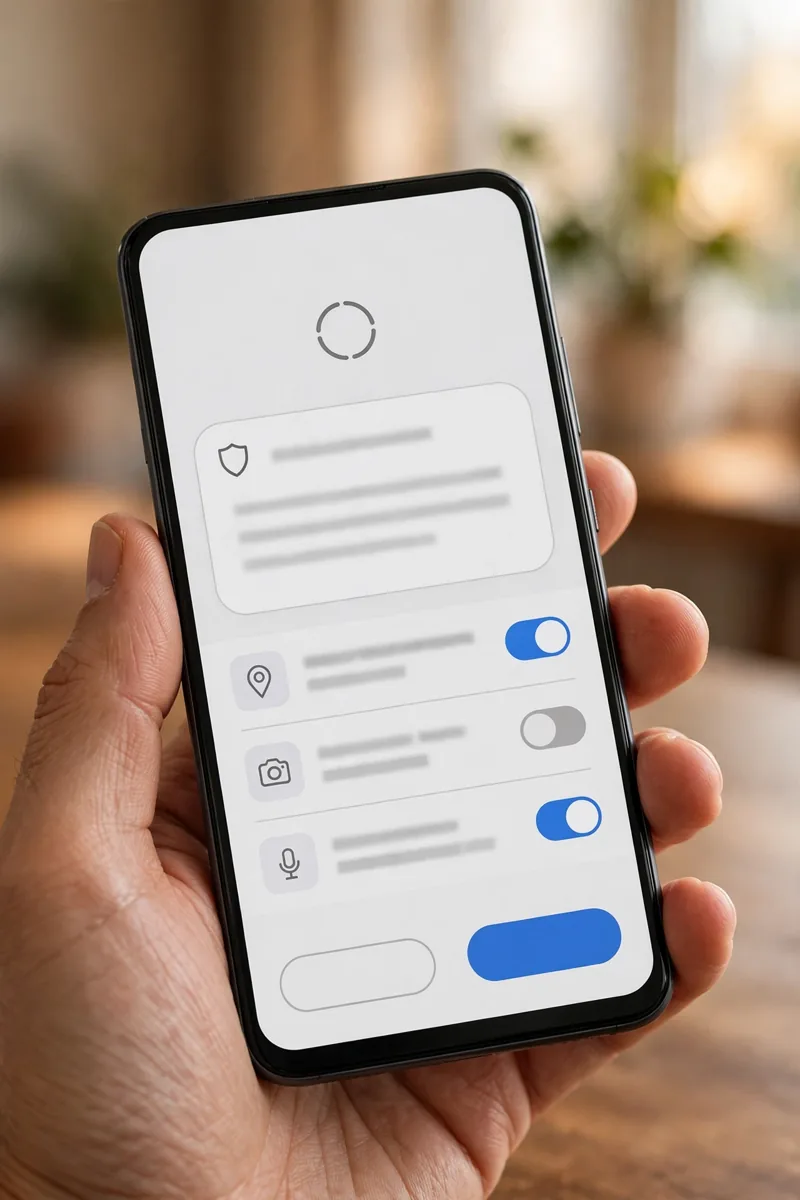
Yes — for careful users, APKMirror is safe to use. Its core protection is signature verification: every uploaded APK is checked against the cryptographic signature of the original developer, and any file whose signature does not match is rejected before it ever appears on the site. APKMirror also refuses to host modified, cracked, or patched apps of any kind, and its staff manually review uploads. In more than a decade of operation, the site has built a track record that security researchers and Android enthusiasts consistently point to when asked where to get an APK outside the Play Store.
There are, however, three caveats you should understand before you treat the question “is APKMirror safe to use” as fully settled. First, APKMirror hosts unmodified APKs — which means if a developer’s original app contains aggressive trackers, intrusive ads, or questionable data practices, the APKMirror copy contains them too. The site guarantees the file is genuine, not that the app is virtuous. Second, signature verification is strongest for apps the site has seen before; a brand-new app making its first appearance has no historical signature to compare against, so that first upload leans more on human review. Third, and most important, the biggest risks in sideloading do not come from APKMirror itself — they come from fake mirror sites, forwarded files, and users skipping verification. If you want a refresher on keeping your device clean no matter where your apps come from, read our guide on how to check your Android phone for malware.
What Is APKMirror and How Does It Work?
APKMirror is a website that hosts Android APK files — the install packages Android uses to install apps — uploaded by its community and staff. It launched in 2014 as a companion to Android Police and has since grown into the default answer whenever someone asks where to download an APK that is not available in the Play Store. You do not need a Google account, downloads are not restricted by country, and the site keeps older versions of apps available so you can roll back a bad update — something the Play Store itself does not offer.
Here is what separates APKMirror from the hundreds of shady APK download sites that clog Google search results:
- Cryptographic signature verification: Every APK is checked against the original developer’s signing key before publication. Mismatches are rejected automatically.
- Zero tolerance for modified APKs: Cracked, patched, modded, or “premium unlocked” apps are not hosted, period. Any modification after signing breaks the signature and the file is refused.
- Human review: Staff review uploads and enforce strict policies against spammy, misleading, or malicious submissions.
- Transparency: Each listing shows the app version, upload date, uploader history, minimum Android version, and architecture details.
- No bundled installers: Downloads are the raw APK, not a wrapper that tries to install extra software on your device or browser.
This combination is why the answer to “is APKMirror safe to use” is so consistently positive among people who understand Android security. But understanding why requires a short detour into how app signing works.
How APKMirror Verifies APK Signatures (And Why It Matters)

Every Android app is digitally signed by its developer with a private key before release. Think of the signature as a wax seal on a letter: the seal proves who sent the letter, and if anyone opens the letter and changes its contents, the seal breaks. Android itself enforces this — when you update an app, the new version must be signed with the same key as the installed version, or Android refuses the update.
When someone uploads an APK to APKMirror, the site’s verification system checks three things:
- Signature continuity: The APK’s signature must match the developer’s known signature from previous releases of the same app. If version 12.4 of an app was signed with key X, then version 12.5 must also be signed with key X. A new version signed with a different key means something is wrong, and the upload is blocked.
- Package name match: The APK’s package name (for example,
com.whatsappfor WhatsApp) must correspond to the app it claims to be. This stops attackers from uploading malware under a trusted app’s listing. - Integrity: The APK must be byte-for-byte unmodified since the developer signed it. Any tampering — including injected malware, added ad libraries, or repackaging — breaks the signature and the file is rejected.
This defeats the classic and most dangerous APK attack: a bad actor downloads a popular app, adds spyware, re-signs it with their own key, and redistributes it as “the same app.” The re-signed file cannot match the original signature, so it never makes it onto APKMirror. Modern Android also supports newer signature schemes (APK Signature Scheme v2 and v3, which protect the entire APK file rather than just parts of it), and APKMirror’s checks cover these as well.
The one blind spot worth knowing: signature comparison needs history. For an app APKMirror has hosted for years, the chain of trust is deep and solid. For a brand-new app appearing for the first time, there is no previous signature to compare against, so that initial upload relies more heavily on staff review. In practice this rarely matters — stick to well-known apps with long listing histories and the verification is extremely robust.
The 7 Checks to Run Before Installing Any APK
Even on a trusted site, treat every sideloaded APK as untrusted until you have verified it yourself. These seven checks take about five minutes in total, and they are what turn “is APKMirror safe to use” from a hopeful assumption into a repeatable process you control.
1. Confirm you are on the real APKMirror
Phishing sites that mimic APKMirror are the number-one way people get burned while thinking they are being careful. Before downloading anything, check the URL character by character: the real site is apkmirror.com. Watch for lookalike domains (apkmiror, apk-mirror-download, apkmirror-official), URL shorteners hiding the destination, and random blogs that wrap the download in their own “installer” or “download manager.” Bookmark the genuine site once, and always navigate from your bookmark rather than from search results, where ads for fake mirrors frequently appear above the real link.
2. Check the uploader, version, and listing details
Every APKMirror listing shows who uploaded the file and when it was uploaded. Prefer uploads from long-standing, high-volume uploaders and official staff accounts over brand-new accounts with no history. Cross-check the version number against the developer’s own release notes or the Play Store listing when possible — if the Play Store shows version 12.3 as current but APKMirror offers a mysterious “12.9 Pro Max,” be suspicious. Also confirm the minimum Android version and architecture (most modern phones use arm64-v8a) make sense, and be wary of listings where the description, screenshots, or metadata feel off or machine-translated.
3. Verify the app signature yourself
You do not have to take APKMirror’s word for anything — you can verify signatures independently. After downloading the APK but before installing it, use a free APK signature-checker app or ADB on a computer to view the file’s certificate fingerprints (SHA-256). Then compare that fingerprint against a version you already have installed from the Play Store, or against fingerprints published by the developer. They should match exactly. This is the single strongest check available to you because it directly confirms the file came from the real developer and has not been modified since. It takes two minutes and defeats virtually every repackaging attack.
4. Scan the file with Play Protect and VirusTotal
Android’s built-in Play Protect automatically scans sideloaded apps at install time — make sure it is enabled and never disable it to “make an install work.” For a second opinion, take the APK’s SHA-256 hash (shown by most signature checkers) and look it up on VirusTotal, which runs it past more than 70 antivirus engines without you needing to upload the whole file. A clean result across dozens of engines is a strong signal. Treat even one or two detections as worth investigating, and five or more as a hard stop.
5. Review the permissions the app requests
At install time, Android shows you what the app wants access to — read that screen instead of tapping through it. Ask whether each permission makes sense for what the app does: a flashlight app has no business requesting your contacts and SMS history, a wallpaper app does not need your precise location, and a simple utility should never ask for accessibility services or device-admin rights. After installing, tighten things up using our guide on how to manage app permissions on Android, which shows you how to grant only the access each app genuinely needs and revoke everything else.
6. Install from a fresh download, never a forwarded file
APKs shared through messaging apps, email attachments, or “a friend’s Google Drive link” bypass every verification APKMirror performs. Even if your friend originally downloaded the file from APKMirror, you have no way to confirm it was not swapped, modified, or infected in transit. Always download from the source yourself so that the signature checks and your own verification apply to the exact file you install. This one habit eliminates an entire category of attacks.
7. Keep a rollback path before you install
Before installing a sideloaded update over an existing app, back up your app data. If the new version misbehaves — crashes on launch, drains the battery overnight, or starts showing strange network activity — you want the option to uninstall it and reinstall the previous version. This is one of APKMirror’s genuinely useful features: unlike the Play Store, it keeps older versions available, so a bad update is never a dead end. A quick backup takes a minute and has saved countless users from update regret.
Red Flags: When an APK Is Not Safe

Run through this list before every install and treat any hit as a reason to stop and investigate. If you are still asking “is APKMirror safe to use” at this point, these red flags are the practical answer: the site itself is fine, but your source discipline is what keeps you safe.
- The site is not apkmirror.com. Lookalike domains, URL shorteners, and “download manager” wrappers are how the overwhelming majority of APK malware spreads.
- The app promises paid features for free. APKMirror does not host cracked or modded apps, so a “premium unlocked” or “pro free” listing is either on a different, unsafe site or an outright scam.
- VirusTotal shows multiple detections. One obscure engine flagging a file can be a false positive; five or more engines agreeing is a pattern you should not argue with.
- The signature does not match the Play Store version. This is the brightest red flag in Android sideloading — do not install, do not make exceptions.
- Permissions are wildly out of scope for what the app does, especially requests for SMS, call logs, accessibility services, or device-admin rights from simple utilities.
- The listing has no uploader history and the app is one you have never heard of. Risk concentrates in obscure apps from unknown uploaders, so that is exactly where your skepticism should concentrate too.
- The site pressures you to disable Play Protect or enable “install unknown apps” globally. Legitimate sources never ask you to lower your defenses.
APKMirror vs Google Play Store: Which Is Safer?
Let us be direct: the Google Play Store is safer than APKMirror, full stop. So when people ask “is APKMirror safe to use” compared to the Play Store, the honest ranking is simple: Play Store first, APKMirror second, everything else a distant third. Google’s app review pipeline, continuous Play Protect scanning, remote removal of malicious apps, and automatic security updates create multiple layers of defense that no third-party site can fully replicate. When an app is available in the Play Store, install it from the Play Store — there is no reason to prefer APKMirror for apps you can get officially.
APKMirror earns its place as the safest alternative for the situations where the Play Store is not an option: an app that was removed from the store, a version rollback after a bad update, an app not released in your country, a staged rollout that has not reached your account yet, or a device without Google services. Think of it as a safety ranking:
| Source | Safety level | Best for |
|---|---|---|
| Google Play Store | Highest | Everyday installs, automatic updates |
| APKMirror | High | Removed apps, rollbacks, region blocks |
| Developer’s official website | High | Open-source apps, public betas |
| F-Droid | High | Open-source apps (smaller catalog) |
| APKPure / Aptoide | Medium | Large catalogs, but weaker verification |
| Random APK sites | Low | Nothing — avoid entirely |
| Messaging-app forwards | Lowest | Nothing — never install these |
One more practical consideration: apps installed from APKMirror do not update automatically through the Play Store. You become responsible for checking for updates yourself, and that matters because security patches arrive through updates. Set a monthly reminder to check your sideloaded apps for new versions, and re-run the signature check on each update — updates deserve the same scrutiny as first installs.
How APKMirror Compares to Other APK Sites
Not all APK sites are equal, and knowing the landscape helps you understand why APKMirror gets recommended so often. APKPure and Aptoide host far larger catalogs and their own app-store clients, but their verification is less strict and they have historically hosted more questionable content, including apps with aggressive adware. F-Droid is excellent but limited to open-source software, so it cannot help with mainstream commercial apps. The long tail of generic “free APK download” sites — the ones with five download buttons where four are ads — should be avoided entirely; many exist solely to distribute adware or harvest clicks.
APKMirror’s niche is deliberately narrow: unmodified APKs of real apps, verified by signature, with no store client to install and no modified software. That narrowness is the point. A smaller, stricter catalog beats a larger, looser one when the thing you are optimizing for is safety.
How to Sideload from APKMirror Safely: Step-by-Step
- Enable installs narrowly: On Android 8 and later, go to Settings → Apps → Special app access → Install unknown apps, and allow it only for the browser you will download with. Never enable it globally or for apps you do not recognize.
- Download from your apkmirror.com bookmark. Choose the correct variant for your device — the listing labels architecture clearly, and most modern phones need the arm64-v8a build.
- Verify before installing: Check the APK signature against the known-good fingerprint and look up the file hash on VirusTotal, as described in checks 3 and 4 above.
- Install and scrutinize permissions at the prompt, denying anything that does not make sense for the app’s function.
- Re-disable “Install unknown apps” for your browser once you finish. Leaving it on permanently is an unnecessary open door for malicious downloads.
- Confirm Play Protect scanned the app, then monitor battery and data usage for the first few days. Unusual overnight drain or data spikes can indicate something phoning home that should not be.
- Lock down tracking: Sideloaded or not, apps collect data. Our guide on how to stop apps from tracking you on Android walks through the settings that actually reduce it.
What to Do If You Installed a Bad APK
If an app starts behaving strangely — pop-up ads appearing outside the app, the battery draining overnight, unexplained data spikes, or settings changing on their own — act quickly and methodically:
- Uninstall the app immediately. If it resists removal, reboot into Safe Mode first, which prevents third-party apps from running.
- Revoke its permissions and clear its data before uninstalling if the app still opens.
- Check for elevated access the app may have granted itself — device-admin apps and accessibility services — and remove that access in Settings.
- Run a full device scan with Play Protect and a reputable mobile antivirus from a known vendor.
- Change passwords for important accounts (email, banking, social media), ideally from a different device, if you suspect any credential theft.
- As a last resort, factory-reset the phone and restore from a backup made before the suspicious install.
Most bad installs turn out to be aggressive adware rather than full device takeovers, but treat every incident seriously until you have confirmed otherwise. And remember the lesson for next time: the seven checks above exist precisely so you never need this section.
FAQ — Is Apkmirror Safe To Use
Is APKMirror safe to use in 2026?
Yes. APKMirror remains one of the safest APK sources outside the Play Store in 2026. Its signature-verification system rejects tampered APKs, it refuses to host modified or cracked apps, and it is operated by the team behind Android Police with more than a decade of trustworthy operation. Pair the site with the seven verification checks in this guide and your risk is minimal.
Is APKMirror legal to download from?
Downloading free apps from APKMirror is generally legal — you are getting the same free app the developer distributes through other channels. What is not legal is obtaining paid apps without paying, but APKMirror does not host those in the first place. The site has operated openly since 2014, which itself is a meaningful signal about its legitimacy.
Can APKMirror give my phone a virus?
The site’s verification makes this very unlikely for apps listed there, because trojanized repacks cannot pass signature checks. But no site can promise zero risk, and the realistic threats come from fake mirror sites impersonating APKMirror, forwarded files that bypass verification, and users skipping the checks. Confirm the real domain, verify signatures yourself, and scan with multiple engines — do those three things and the risk drops to near zero.
Does APKMirror scan every APK for malware?
APKMirror verifies that APKs are genuine and unmodified — signed by the real developer with matching signatures — which blocks the most common malware vector in APK distribution. It is not primarily an antivirus scanning service, so you should still run files through Play Protect and VirusTotal yourself before installing. Think of it as two layers: the site proves the file is genuine, and your scans confirm it is clean.
Why is an app on APKMirror but not in my Play Store?
The most common reasons are regional restrictions, device-compatibility flags, the developer removing the app, or a staged rollout that has not reached your account yet. An app appearing on APKMirror does not mean anything is wrong with it — but it is still worth a moment’s thought about why, since a Play Store removal for policy violations is occasionally the explanation.
Conclusion — Is Apkmirror Safe To Use
So, is APKMirror safe to use? For careful users, the answer is a confident yes — it is the most trustworthy APK repository available, with cryptographic signature verification that defeats the most common tampering attacks, a strict no-modified-apps policy, and a decade-long track record run by a reputable team. But the site can only do its half of the job. Your half is confirming the genuine domain, verifying signatures yourself, scanning with multiple engines, scrutinizing permissions, downloading only from the source, and keeping your sideloaded apps updated. Make those seven checks a habit, and the question “is APKMirror safe to use” stops being a worry and becomes a process — one that makes sideloading a calculated, low-risk choice instead of a gamble.



What do you think?
Share your experience or ask a question. A useful conversation starts with you.
Join the discussion