SIM Swap Attacks: How to Protect Your Number (2026)
Your phone number is the master key to your digital life. Password resets, two-factor codes, and account recovery all flow through it. A SIM swap attack steals that key: criminals convince your carrier to move your number to their SIM card, and suddenly your calls, texts, and 2FA codes go to them instead of you. Within minutes, they can drain bank accounts and lock you out of everything.
SIM swap attack protection is not optional knowledge anymore; these attacks have surged, targeting everyone from crypto holders to ordinary banking customers. This guide explains exactly how SIM swapping works, why carriers fall for it, the warning signs you are being targeted, and the concrete steps that make your number dramatically harder to steal.
SIM Swap FAQ
How do I set a carrier PIN? Call your carrier or use their app: T-Mobile (Account > Profile > Account PIN), Verizon (Account > Number Lock + Account PIN), AT&T (myAT&T > Profile > Sign-in info). Do it today — it takes five minutes.
Will a carrier PIN break anything? No — you only need it when calling support or porting. Daily phone use is unaffected.
Are authenticator apps really safer than SMS? Against SIM swapping, completely — the secret never touches the phone network. They remain phishable by real-time relay, so passkeys are the next step up.
What if my carrier was already breached? Assume your account PIN and personal details are in attacker hands. Change the PIN, enable every port-protection feature, and move critical accounts off SMS 2FA.
How a SIM Swap Attack Actually Unfolds
Understanding the attacker’s playbook shows why each defense matters. Step one is reconnaissance: the attacker collects your name, phone number, and carrier from data-breach dumps or your social media. Step two is the carrier call: they phone your carrier’s support line posing as you, claiming a lost phone, and ask to move your number to “their” SIM. Carriers authenticate with billing ZIP codes, account PINs, or the last four digits of your SSN — all data that has leaked in breaches for millions of people. Step three is the takeover: once the number ports, your phone goes dark and every SMS 2FA code lands on the attacker’s device.
The whole attack typically takes 20 minutes to 2 hours, and victims usually notice only when their phone shows “No Service.” Your defenses, in order of impact: a carrier account PIN or passcode (call your carrier today — this single step blocks most attempts), app-based 2FA instead of SMS wherever offered, and a number-lock or port-freeze feature if your carrier provides one (T-Mobile calls it Account Takeover Protection, Verizon calls it Number Lock). An attacker who cannot port your number cannot start the chain at all.
How a SIM Swap Attack Works
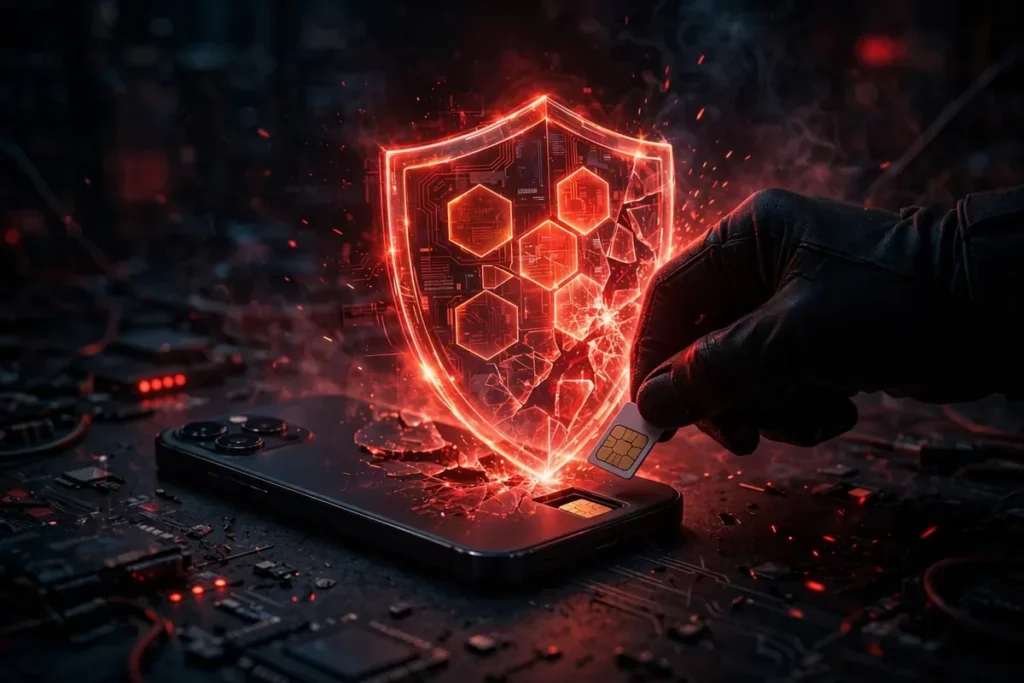
sim swap attack protection illustration
The attack is social engineering, not hacking:
Information gathering. The attacker collects your personal details from data breaches, social media, or phishing: name, address, date of birth, account details.
Impersonation. They call your carrier posing as you, claiming a lost or damaged phone, and request the number be moved to a new SIM.
Weak verification. Carrier reps, working from scripts and under time pressure, accept the attacker’s answers to security questions or are bribed outright. Insider-assisted SIM swaps, where carrier employees are paid to perform them, are a documented problem.
Takeover. Your phone loses service. The attacker’s phone now receives your calls and texts.
Account plundering. The attacker triggers password resets on your email, banking, and crypto accounts, intercepting the SMS codes. Within an hour, accounts are drained and locked.
The whole process can take under 30 minutes. Victims often notice only when their phone shows “No Service” and the damage is already underway.
Why Your Number Is Such a Valuable Target
Phone numbers became identity infrastructure by accident. SMS was never designed as a security system, yet it underpins:
Password resets for most major services.
SMS two-factor codes, still the most common 2FA method.
Account recovery flows that treat number possession as identity proof.
Banking verification for wire transfers and new payees.
Stealing the number bypasses passwords entirely. The attacker does not need to know your password; they reset it. This is why SIM swap attack protection focuses on both the carrier layer and removing SMS from your security chain.
Warning Signs You Are Being Targeted
Sudden loss of service (“No Service” or “Emergency calls only”) without explanation, especially combined with inability to make calls.
Notifications about account changes you did not make: password reset emails, new-device alerts, carrier account changes.
Phishing attempts in the days before: calls or texts asking you to “verify” account details.
Unusual carrier contact. Any unexpected call from “your carrier” asking for verification details is suspect.
If your phone suddenly loses service, do not assume a network outage. Contact your carrier immediately from another phone and ask whether your number was moved.
Set a carrier account PIN or passcode. All major US carriers (T-Mobile, Verizon, AT&T) let you set a PIN required for account changes. This is the single most important step. Without it, attackers answer easily guessed security questions instead.
Enable number-lock / port-out protection. Carriers offer features (variously called Number Lock, Port-out PIN, or Transfer PIN) that block unauthorized number transfers. Enable them.
Use a unique PIN, not your birthday or address. Store it in a password manager.
Ask about insider-threat protections. Some carriers offer additional verification for SIM changes, like in-store ID requirements. Ask what is available and enable everything.
Consider a Google Voice or VoIP number for 2FA instead of your carrier number, since VoIP numbers cannot be SIM-swapped the same way.
SIM Swap Attack Protection: The Account Layer
Even with carrier protections, reduce what a stolen number can unlock:
Replace SMS 2FA with authenticator apps or passkeys everywhere. This is the highest-leverage change. An attacker with your number gets nothing if your accounts require app-based codes. See Passkeys on Android: Complete Setup & Security Guide for the modern standard.
Use a password manager with unique passwords so SMS resets are not the only barrier.
Remove your phone number from account recovery where services allow email or authenticator-based recovery instead.
Set up a separate email for financial accounts that is not tied to your phone number for recovery.
Enable login alerts on banking and email so you are notified of new-device access instantly.
SIM Swap Attack Protection for High-Value Targets
sim swap attack protection illustration
If you hold cryptocurrency, run a business, or are publicly visible, you need stronger SIM swap attack protection than the average user:
Use a separate, secret phone number for financial accounts that you never publish anywhere. Attackers cannot socially engineer what they cannot find.
Move financial 2FA to hardware security keys (YubiKey or Titan) instead of authenticator apps. Keys are phishing-resistant; app codes are not.
Ask your carrier about high-security account flags. Some carriers offer enhanced verification for accounts marked as high-risk.
Freeze your credit with all three bureaus so a SIM swap cannot be parlayed into new credit lines.
Use a Google Voice number for public contact and keep your real carrier number private. Google Voice numbers are much harder to steal via carrier social engineering.
Crypto holders deserve special emphasis: SIM swaps have drained millions in cryptocurrency because exchange password resets flow through SMS. If you hold significant crypto, hardware-key 2FA on your exchange accounts is not optional.
The Carrier Problem: Why This Keeps Happening
Understanding why SIM swap attack protection is necessary requires understanding why carriers keep failing. Carrier customer service is optimized for convenience and call volume, not security. Representatives follow scripts, face pressure to resolve calls quickly, and often accept easily obtainable personal details as “verification.” Data breaches have made those details, Social Security numbers, addresses, account PINs, available to attackers cheaply.
Insider threats compound the problem: there are documented cases of carrier employees accepting bribes to perform unauthorized SIM swaps. No customer-side PIN fully defeats a corrupt insider, which is why the account-layer defenses (moving off SMS 2FA) matter as much as carrier PINs. The ecosystem will not fix itself quickly; the FCC has proposed stronger authentication rules, but implementation is slow and uneven.
What to Do During an Active SIM Swap
If your phone goes dark unexpectedly:
Contact your carrier immediately from another phone. Ask them to reverse the SIM change and lock the account.
Call your bank and freeze transactions. Ask about recent password resets or transfers.
Secure your email first. Email is the recovery hub for everything else; lock it down before the attacker pivots.
Check crypto and payment apps for unauthorized transfers.
File a police report and an FCC complaint. Document everything for disputes with banks.
Do not re-secure accounts from the compromised number. Wait until the carrier confirms your number is back under your control.
Speed is everything. Pre-write your carrier’s fraud number and your bank’s number somewhere accessible, because during an attack your phone is the thing that does not work.
eSIM vs. Physical SIM: Does It Help?
eSIMs change the mechanics slightly: there is no physical card to steal, and transfers require carrier-side provisioning. But eSIM numbers can still be SIM-swapped through the same social-engineering attacks on carrier reps. eSIM is marginally safer against physical theft but not a fix for the core vulnerability, which is carrier verification weakness. Our eSIM on Android: 2026 Setup Guide for US Carriers covers the setup; just do not treat it as SIM swap immunity.
The Bigger Picture: Killing SMS as Identity
The security community’s consensus is that SMS should never have become identity infrastructure, and the long-term fix is its removal from security flows. Passkeys, authenticator apps, and hardware security keys are the replacements. Every account you migrate off SMS 2FA is an account a SIM swap cannot touch. Carriers are slowly improving verification, and regulators (including the FCC) have proposed stronger rules, but progress is slow. Protect yourself at the account layer now rather than waiting for the ecosystem to fix itself.
Official resources: the FCC’s consumer guidance at fcc.gov covers SIM swap complaints and protections, and CISA’s account-security guidance at cisa.gov is worth reading.
FAQ
What is a SIM swap attack?
A social-engineering attack where criminals convince your mobile carrier to transfer your phone number to a SIM card they control, intercepting your calls, texts, and 2FA codes to take over accounts.
How do I know if my SIM was swapped?
The clearest sign is sudden, unexplained loss of mobile service combined with account-change notifications you did not initiate. Contact your carrier immediately from another phone.
Does a carrier PIN stop SIM swapping?
It is the strongest carrier-level defense. A unique account PIN required for changes blocks most social-engineering attempts, though insider-assisted attacks can still bypass it. Combine with number-lock features.
Is eSIM safe from SIM swapping?
Not entirely. eSIM removes physical SIM theft but the number can still be transferred via carrier social engineering. Treat eSIM as a small improvement, not a solution.
Should I stop using SMS two-factor authentication?
Yes, wherever alternatives exist. Authenticator apps, passkeys, and hardware keys are all dramatically safer than SMS codes. Migrate your most important accounts first: email, banking, and anything financial.
Can I get my number back after a SIM swap?
Usually yes, by proving your identity to the carrier, but the process takes hours to days, during which the attacker has free rein. Prevention is far better than recovery.
Conclusion
SIM swap attack protection comes down to two moves: lock the carrier layer with a unique PIN and number-lock features, and remove SMS from your security chain with authenticator apps and passkeys. Either one alone leaves a gap; together they make your number a dead end for attackers.
Your phone number was never meant to be your identity. Treat it as the vulnerability it is, migrate your security to channels attackers cannot steal with a phone call, and the next SIM swap attempt dies at the carrier’s front door.
Qamar Abbas is the founder and CEO of Qamar Digital Ventures LLC, a New Mexico-based web design and SEO agency. He writes hands-on, research-backed guides about Android apps, APK guides and mobile how-tos for a US audience, tested on real devices and updated regularly.




What do you think?
Share your experience or ask a question. A useful conversation starts with you.
Join the discussion