

Gmail is the default, but it is far from the only option. Maybe you want stronger privacy, a smarter inbox, better Exchange support for work, or just an interface that does not feel like a chore. The best email apps for Android in 2026 include polished alternatives that beat Gmail at specific things, and sometimes at everything.
We tested the leading email clients to find the seven best email apps for Android users this year. Each was judged on interface design, inbox intelligence, privacy and security, multi-account support, and notification reliability. Whether you want to escape Google or just organize better, one of these fits.
Email App FAQ
Can I use Gmail with a different app? Yes — FairEmail and K-9 Mail connect via IMAP. You keep your address and get a better, more private app.
Email App Permissions That Should Worry You
Email apps inherently access your most sensitive data, so their privacy practices matter more than most categories. Gmail’s app is convenient but its data feeds Google’s ad profile. The alternatives split two ways: privacy-first apps (Proton Mail, Tutanota) with end-to-end encryption but smaller feature sets, and universal clients (FairEmail, K-9 Mail) that connect to any IMAP account including Gmail — giving you a better app without changing providers. FairEmail is the standout: open-source, no tracking, and it handles Gmail, Outlook, and custom domains in one inbox.
Whichever you choose, disable email image auto-loading (Settings > General in most apps). Remote images in emails are tracking pixels that report opens, IP addresses, and device info to senders — marketers and phishers alike. Loading images manually per sender is a minor inconvenience that kills an entire surveillance channel. Also review which apps have Gmail API access at myaccount.google.com > Security > Third-party access and revoke anything you no longer use.
What Makes a Great Email App
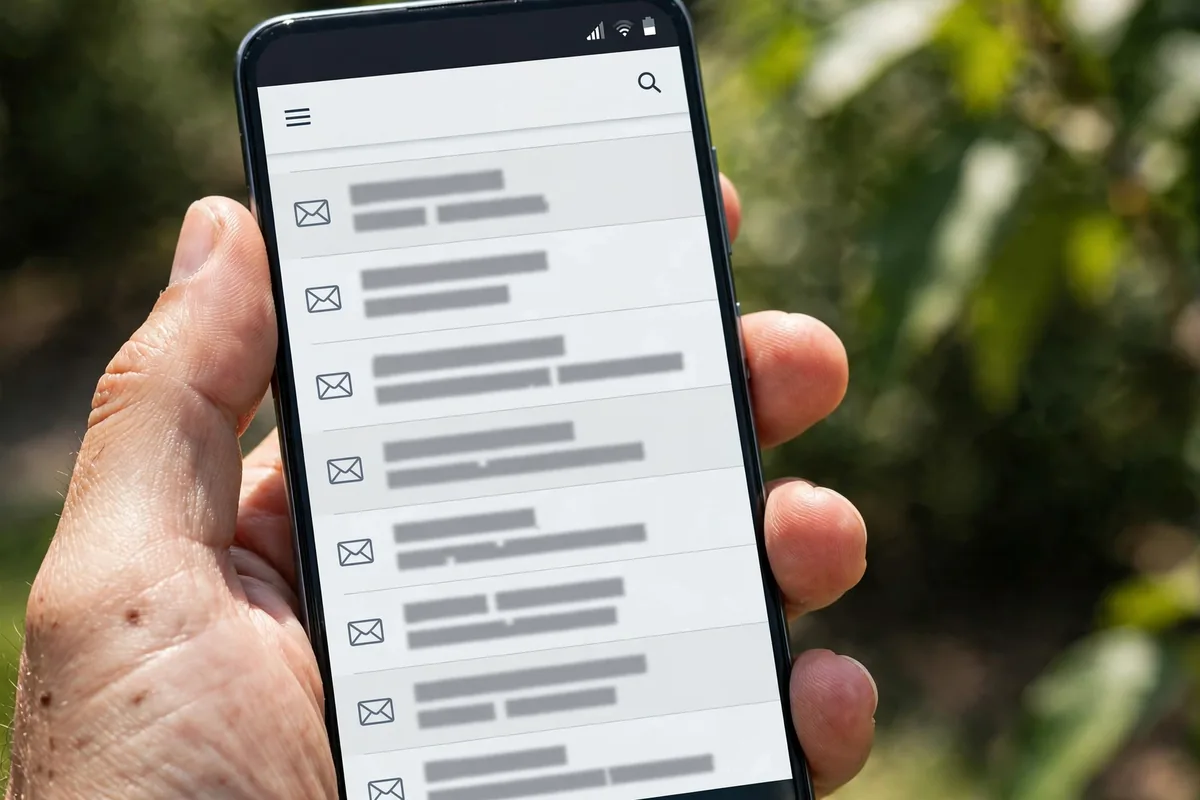
Start with the fundamentals: reliable push notifications, fast search across all folders, and clean multi-account support. The best email apps for Android handle Gmail, Outlook, Yahoo, iCloud, and IMAP accounts in one unified inbox without breaking a sweat.
Next is inbox intelligence. Smart categorization, snoozing, scheduled send, and spam filtering separate great clients from basic ones. Privacy matters more in email than almost anywhere: your inbox holds receipts, travel plans, and password resets, so encryption options and tracker blocking deserve real weight. Finally, consider the interface. You will process hundreds of emails weekly, so triage gestures, customizable swipes, and a readable conversation view make a genuine difference.
Also think about search behavior. Power users search email constantly, for receipts, attachments, old conversations, so the quality of search across folders and accounts matters enormously. Gmail sets the standard here with operators and speed; third-party apps vary widely. If you live in search, test it before committing, because a slow or shallow search will frustrate you daily.
The 7 Best Email Apps for Android in 2026
1. Gmail — Best Default
It is impossible to write about the best email apps for Android without starting with Gmail. It is preinstalled, free, and deeply integrated: Google Calendar, Drive, and Meet all connect seamlessly. Search is unmatched, spam filtering is excellent, and confidential mode adds expiring messages with passcodes.
The 2026 app refines the interface with better tablet layouts, improved Smart Reply and Smart Compose, and tighter Tasks integration. Multiple accounts, including non-Google ones, work fine. Notification reliability on Android is, unsurprisingly, perfect.
The tradeoffs are privacy and ads. Gmail scans for features (not for ads, per Google) and shows promotions in the inbox. If you are comfortable in Google’s ecosystem, there is little reason to switch. But the alternatives below beat it on privacy, design, or work features.
- Price: Free
- Best for: Google ecosystem users
- Pros: Best search; great spam filtering; seamless integrations
- Cons: Privacy tradeoffs; promotions in inbox; Google account required
2. Outlook — Best for Work
Microsoft Outlook is the best email app for anyone juggling work and personal accounts. Its Focused Inbox genuinely works, surfacing important mail while sweeping newsletters aside, and Exchange and Microsoft 365 integration is flawless: calendar, contacts, and files all connect.
The interface is clean and professional, with swipe customization, scheduled send, and a solid widget. It handles Gmail and Yahoo accounts well too, making it a viable all-in-one client. Security features like phishing protection are enterprise-grade.
It is free for personal use with a Microsoft account, though some features pair with Microsoft 365. For work email on Android, Outlook is the clear leader among the best email apps for Android.
- Price: Free; Microsoft 365 for extras
- Best for: Work email and Exchange
- Pros: Focused Inbox; great Exchange support; professional polish
- Cons: Microsoft account needed; some features need 365
3. Spark — Best Smart Inbox
Spark made its name on iOS and Mac with genuinely intelligent email, and the Android version brings that magic over. The Smart Inbox groups newsletters, notifications, and personal mail automatically, and the command-center design puts compose, search, and calendar one tap away.
Standout features include email scheduling, snoozing with reminders, templates for frequent replies, and team collaboration tools like shared drafts and private comments. The interface is modern and delightful, with extensive customization.
Spark is free for individuals, with a premium tier for teams. Privacy is reasonable, though smart features require server-side processing. For inbox-zero aspirants, Spark is one of the best email apps for Android.
- Price: Free for individuals; premium for teams
- Best for: Inbox zero and smart triage
- Pros: Smart Inbox; great collaboration; polished design
- Cons: Smart features need cloud processing; team features cost extra
4. Proton Mail — Best for Privacy
Proton Mail offers end-to-end encrypted email where even Proton cannot read your messages. For journalists, activists, or anyone who treats email as sensitive, that is a decisive advantage. The Android app is clean, fast, and increasingly capable.
It includes encrypted contacts and calendar integration, phishing protection, and the ability to send password-protected emails to non-Proton users. The free tier is genuinely usable, with paid plans adding custom domains and more storage.
The tradeoff is ecosystem lock-in: encryption works best Proton-to-Proton, and bridging to Gmail accounts is limited. But for private communication, Proton Mail is unmatched among the best email apps for Android.
- Price: Free tier; paid plans available
- Best for: Privacy and encryption
- Pros: End-to-end encryption; no ads; clean app
- Cons: Best within Proton ecosystem; limited Gmail bridging
5. FairEmail — Best Open Source
FairEmail is the open-source privacy champion. It is fully auditable, shows exactly what trackers each email contains, and can block them automatically. The feature list is staggering: unified inbox, rules and filters, encryption via OpenKeychain, and endless customization.
The interface is functional rather than beautiful, optimized for information density. Setup takes longer than commercial apps because privacy-respecting IMAP configuration is manual, but the documentation is excellent. It is free with a modest Pro unlock for extra features.
For users who want maximum control and zero tracking, FairEmail is the most principled of the best email apps for Android.
- Price: Free; Pro unlock (modest)
- Best for: Open-source and tracker blocking
- Pros: Auditable; tracker control; huge feature set
- Cons: Dense UI; manual setup
6. Canary Mail — Best AI Features
Canary Mail bets on AI: smart categorization, one-click unsubscribes, AI-assisted composing, and a Copilot that summarizes long threads. The interface is modern and fast, with a focus on reducing the time you spend in your inbox.
Security is strong, with end-to-end encryption options and biometric app lock. It handles multiple accounts cleanly and offers read-receipt alerts so you know when recipients open your mail. The design feels fresh compared to stodgier clients.
It is a paid app after trial, which limits its audience, but the AI features are genuinely useful rather than gimmicky. For early adopters, Canary is one of the most interesting of the best email apps for Android.
- Price: Trial, then paid
- Best for: AI-assisted email
- Pros: Useful AI features; modern design; strong security
- Cons: Paid; AI features need cloud processing
7. K-9 Mail — Best for Tinkerers
K-9 Mail is the veteran open-source client, now backed by Thunderbird. It is endlessly configurable: per-account settings, custom notification rules, PGP encryption, and support for virtually any IMAP or POP3 provider. Power users who run their own mail servers swear by it.
The Thunderbird backing brought a redesigned interface that is far friendlier than the old K-9, while keeping the depth. It is completely free with no ads, and development is active and transparent.
It lacks the smart inbox features of Spark or Canary, and setup requires knowing your mail server details. But for standards-based email done right, K-9 closes our list of the best email apps for Android.
- Price: Free and open source
- Best for: IMAP/POP3 power users
- Pros: Free; Thunderbird-backed; deep configuration
- Cons: Manual setup; no smart inbox
Side-by-Side Comparison

| App | Best For | Free Tier | Encryption | Price Model |
|---|---|---|---|---|
| Gmail | Default | Full | TLS | Free |
| Outlook | Work | Full | TLS | Free / 365 |
| Spark | Smart inbox | Good | TLS | Free / premium |
| Proton Mail | Privacy | Good | End-to-end | Free / paid |
| FairEmail | Open source | Good | PGP option | Free / Pro |
| Canary Mail | AI features | Trial | End-to-end option | Paid |
| K-9 Mail | Tinkerers | Full | PGP option | Free |
If Gmail notifications ever misbehave, our guide to fixing Gmail app notifications on Android walks through every solution.
How to Choose the Right Email App
Start with your accounts. Gmail-only users who are happy should stay put; the switching cost is not worth it. Mixed work-and-personal users should try Outlook. Privacy seekers should go straight to Proton Mail or FairEmail.
Consider what “smart” means to you. If you drown in newsletters, Spark’s Smart Inbox or Outlook’s Focused Inbox will change your life. If you are annoyed by email tracking pixels, FairEmail’s tracker blocking is revelatory. Our guide on how to stop apps tracking you on Android covers the broader privacy picture.
Security deserves a deliberate choice. Enable two-factor authentication on every email account, ideally with an authenticator app or passkey. Our passkeys setup guide for Android walks through the modern, phishing-resistant option.
Finally, test notifications ruthlessly. An email app that delivers late defeats its purpose, so send yourself test messages and check timing, especially with battery optimization enabled. Download candidates from the Google Play Store, and consult Gmail’s official help center or Microsoft’s Outlook pages for account setup details.
Give your finalist a two-week trial with real email before deleting anything. Import all your accounts, configure swipe actions the way you like, and set up filters for newsletters and receipts. The best email apps for Android reveal their true character only under the load of your actual inbox, not in a five-minute test.
One last consideration is longevity. Email apps come and go, and migrating years of filters and folders is painful. Prefer clients with multi-year track records and sustainable business models, whether that is a tech giant, a subscription service, or a community-backed open-source project. All seven picks above have proven staying power, which is part of why they made this list.
FAQ

What is the best email app for Android besides Gmail?
Microsoft Outlook is the best all-around alternative, especially for work email. Spark is best for smart inbox features, and Proton Mail is best for privacy.
Which email app is most private?
Proton Mail, with end-to-end encryption by default. FairEmail is the best open-source option with tracker blocking, and both avoid the data collection of mainstream clients.
Can I use multiple email accounts in one app?
Yes. Every app on this list supports multiple accounts, including mixing Gmail, Outlook, Yahoo, and IMAP accounts in a unified inbox.
Is Outlook free on Android?
Yes, Outlook is free for personal use with a Microsoft account. Some advanced features pair with a Microsoft 365 subscription, but the core email client costs nothing.
How do I stop email trackers on Android?
Use FairEmail, which detects and blocks tracking pixels automatically. Proton Mail also blocks trackers by default. In any app, disabling automatic image loading stops most trackers.
Conclusion
The best email apps for Android in 2026 give you real choice. Gmail remains the effortless default, Outlook owns work email, Spark brings inbox intelligence, and Proton Mail and FairEmail protect your privacy. Canary adds AI flair, and K-9 serves the tinkerers.
Pick the one that matches your priorities, secure it with two-factor authentication, and take back your inbox.
Whichever client you choose, remember that the app is only half the equation. Good email habits, archiving aggressively, unsubscribing ruthlessly, and checking in batches rather than constantly, multiply the benefit of any of the best email apps for Android on this list. Your future self will truly thank you every day.




What do you think?
Share your experience or ask a question. A useful conversation starts with you.
Join the discussion