

A VPN is one of the most useful apps you can install on your phone. It encrypts your connection on public Wi-Fi, hides your browsing from your ISP, and lets you access content from other regions. But the VPN market is crowded with exaggerated claims, so picking the best VPN for Android takes real testing.
We evaluated the leading VPNs to find the seven best VPN apps for Android users in 2026. Each was tested on a mid-range Android phone for connection speed, app quality, privacy policy, streaming reliability, and value. We also checked kill-switch behavior, split tunneling, and how each handled network changes between Wi-Fi and mobile data. Only services that could credibly claim to be the best VPN for Android made the final list.
Free vs. Paid VPN Tiers: Where the Line Is
Free VPN tiers are deliberately limited: ProtonVPN’s free tier is the only major one with no data cap, but it restricts you to servers in 5 countries and slower speeds. Most others cap you at 500 MB to 10 GB per month — enough to test the app, not to use daily. Paid tiers ($4 to $6/month on annual plans) unlock all server locations, 10 Gbps servers, and features like multi-hop and port forwarding. The price gap between the cheapest reputable paid VPN and any free tier’s paid upgrade is usually under $2/month, so compare the actual services rather than defaulting to “free.”
One red flag overrides everything: a free VPN with no clear business model. Running VPN servers costs real money — if you are not paying and there is no paid tier upsell, you are the product, usually via data logging or ad injection. Stick to providers with independently audited no-logs policies (look for audits by firms like Deloitte or Cure53 dated within the last two years) and skip anything that has never been audited regardless of how good the app looks.
How We Tested VPNs on Android

Speed testing came first. We ran each VPN through multiple speed tests on the same network at the same time of day, measuring download speed, upload speed, and latency with the VPN on versus off. The best VPN for Android should cost you minimal speed; anything that halved our connection lost points.
Next we evaluated the Android app itself. A great VPN with a clumsy app is a chore, so we scored interface clarity, one-tap connect, server selection, and settings depth. Privacy got serious scrutiny: we read logging policies, checked for independent audits, and noted company jurisdiction. Finally, we tested streaming access, kill-switch reliability during network drops, and split tunneling for excluding apps like banking from the VPN.
The 7 Best VPN Apps for Android in 2026
1. NordVPN — Best Overall
NordVPN remains the safest all-around recommendation. Its Android app is polished and fast, with one-tap connect, an interactive server map, and specialty servers for double VPN, Onion over VPN, and P2P. Speeds in our testing were consistently near the top, with minimal impact on browsing and streaming.
Privacy credentials are strong: a no-logs policy that has undergone independent audits, RAM-only servers, and headquarters in Panama, outside major surveillance alliances. Extras like Threat Protection (blocking trackers and malicious sites) and Meshnet add genuine value beyond basic VPN tunneling.
Pricing rewards longer commitments, with monthly plans costing significantly more. But for the complete package of speed, privacy, and features, NordVPN is the best VPN for Android for most users.
- Price: Subscription (cheapest on 2-year plans)
- Best for: Most users
- Pros: Fast speeds; audited no-logs; great Android app
- Cons: Pricey month-to-month; map UI not for everyone
2. ExpressVPN — Best for Simplicity
ExpressVPN is the VPN for people who want it to just work. The Android app is the cleanest in the business: a big power button, smart location picker, and settings that stay out of your way. Connection times are fast, speeds are excellent, and reliability is superb.
Its Lightway protocol was designed for mobile, reconnecting instantly when you move between Wi-Fi and cellular, which matters enormously on a phone. Privacy is solid with an audited no-logs policy and RAM-only servers, and the company is based in the British Virgin Islands.
The downside is price: ExpressVPN costs more than most competitors with fewer discounted long-term plans. But if you value simplicity and reliability above all, it is a top contender for the best VPN for Android.
- Price: Premium subscription
- Best for: Simplicity and reliability
- Pros: Easiest app; Lightway mobile protocol; fast reconnects
- Cons: Expensive; fewer advanced features
3. Surfshark — Best Value
Surfshark delivers premium features at a budget price, and its standout trick is unlimited simultaneous connections. Cover your phone, laptop, tablet, and family devices on one cheap plan. Speeds tested well, the Android app is modern and full-featured, and the server network is large.
Features include CleanWeb ad blocking, MultiHop double VPN, GPS spoofing on Android (handy for location-based apps), and a solid kill switch. The no-logs policy has been independently audited, and the company is based in the Netherlands.
Long-term plans are remarkably cheap; monthly billing is not. For maximum features per dollar, Surfshark is the value pick among the best VPN apps for Android.
- Price: Budget subscription (cheapest long-term)
- Best for: Value and unlimited devices
- Pros: Unlimited connections; cheap long plans; GPS spoofing
- Cons: Based in 14-Eyes country; monthly price high
4. Proton VPN — Best Free Tier
Proton VPN offers the only free VPN tier we recommend without major caveats. It is genuinely free with no data caps, no ads, and no speed throttling games, funded by paying subscribers. The catch is limited server locations on the free plan, but for basic protection on public Wi-Fi it is excellent.
Paid plans unlock the full network, the fastest speeds, streaming support, and Secure Core servers that route through privacy-friendly countries. The Android app is clean and open-source, and Proton’s privacy reputation, from Proton Mail, is stellar. The company is based in Switzerland with strong privacy laws.
If you want protection without paying, Proton VPN’s free tier is the honest choice. Paid, it competes with the best VPN for Android on features too.
- Price: Free tier; paid plans available
- Best for: Free protection and privacy purists
- Pros: Best free tier; open-source apps; Swiss jurisdiction
- Cons: Free servers limited; streaming needs paid plan
5. Mullvad — Best for Anonymity
Mullvad takes privacy further than anyone. You can sign up with no email address at all; the account is just a number, and you can even pay cash by mail. The no-logs policy has been audited, the apps are open source, and the company is based in Sweden.
The Android app is spartan but effective, with WireGuard as the default protocol for fast, modern encryption. Speeds are solid, and the flat pricing (same price for everyone, no long-term lock-in games) is refreshingly honest. There is no free tier, but the monthly price is fair.
It lacks the streaming unblocking focus of competitors and the server network is smaller. But for pure anonymity, Mullvad is the most principled of the best VPN apps for Android.
- Price: Flat monthly rate, no tiers
- Best for: Maximum anonymity
- Pros: No email signup; audited; open source
- Cons: No free tier; smaller network; basic app
6. Private Internet Access — Best for Customization
Private Internet Access (PIA) is the tinkerer’s VPN. Its Android app exposes more settings than competitors: encryption levels, port forwarding, automation rules per network, and deep split-tunneling controls. Power users who want their VPN exactly so will be happy.
The server network is among the largest, speeds are competitive, and the no-logs policy has been proven in court, which is stronger evidence than most audits. Pricing is budget-friendly on long plans. The US jurisdiction gives some privacy advocates pause, though the proven no-logs record mitigates it.
For configurability at a fair price, PIA stands out among the best VPN apps for Android.
- Price: Budget subscription
- Best for: Advanced settings
- Pros: Deep customization; huge network; proven no-logs
- Cons: US-based; interface can overwhelm
7. Windscribe — Best Free With More Locations
Windscribe’s free tier gives you 10GB of monthly data across multiple server locations, which is generous for a free VPN and enough for regular public Wi-Fi protection. The Android app is characterful and capable, with a fun interface that does not sacrifice function.
Paid plans unlock unlimited data and the full server list, plus extras like ad blocking and a firewall-style kill switch. Speeds are decent, streaming works on paid servers, and the company is transparent about its practices.
It is not the fastest premium option, but as a free VPN with real utility, Windscribe closes our list of the best VPN apps for Android.
- Price: Free 10GB/month; paid unlimited
- Best for: Free tier with choice
- Pros: Generous free data; fun app; transparent
- Cons: Not the fastest; free speeds vary
Side-by-Side Comparison

| VPN | Best For | Free Tier | Audited No-Logs | Starting Price |
|---|---|---|---|---|
| NordVPN | Overall | No | Yes | Mid-range |
| ExpressVPN | Simplicity | No | Yes | Premium |
| Surfshark | Value | No | Yes | Budget |
| Proton VPN | Free / privacy | Yes, unlimited | Yes | Free / mid |
| Mullvad | Anonymity | No | Yes | Flat monthly |
| PIA | Customization | No | Proven in court | Budget |
| Windscribe | Free choice | 10GB/month | No | Free / budget |
A VPN pairs well with broader privacy hygiene. Our guide on how to stop apps tracking you on Android covers the rest of your defenses.
Pro Tips for Using a VPN on Android
First, always enable the kill switch. It blocks all traffic if the VPN drops, preventing accidental exposure on public Wi-Fi. Second, use split tunneling wisely: route your browser and apps through the VPN, but exclude banking apps and local services that break with foreign IPs.
Third, pick the right protocol. WireGuard (or providers’ WireGuard-based protocols like NordLynx and Lightway) offers the best speed-to-security ratio on mobile. Fourth, connect to the nearest server for best speeds; only choose distant servers when you need a specific region.
Finally, remember what a VPN does and does not do. It encrypts your traffic and hides your IP, but it does not make you anonymous to Google or stop app tracking. Combine it with tracker blocking and permission hygiene. Our guide to managing Android app permissions is the natural next step.
How to Choose the Right VPN
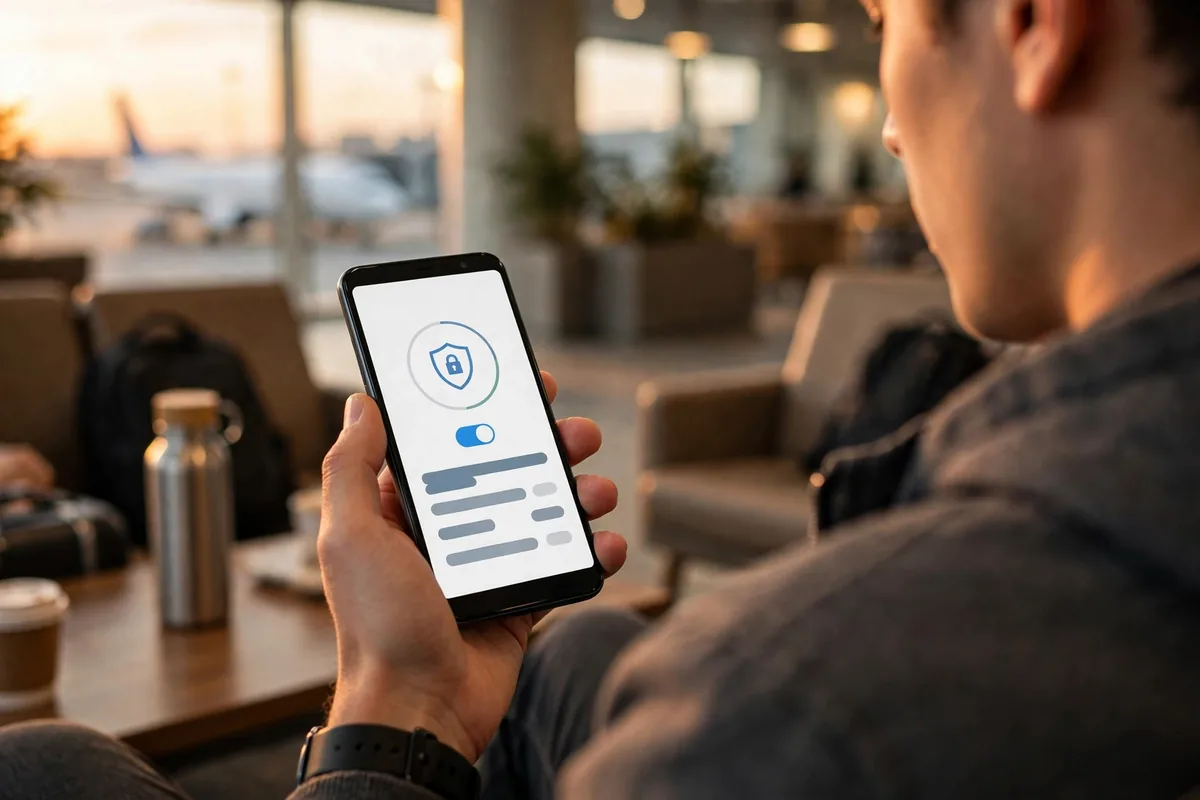
Start with your threat model. Public Wi-Fi protection needs any reputable VPN; evading surveillance needs Mullvad or Proton. Streamers should verify their service works with their platforms, since blocking is a cat-and-mouse game.
Consider devices and price. Surfshark’s unlimited connections win for households; long-term plans slash costs everywhere. Check the refund policy too: most top VPNs offer 30-day money-back guarantees, so you can test risk-free.
Do not trust free VPNs you have never heard of. Running servers costs money, and free VPNs without a clear business model often monetize your data, the opposite of privacy. The Electronic Frontier Foundation’s privacy guides are excellent background reading on choosing privacy tools wisely.
Business users should also check whether their employer provides a corporate VPN before buying a personal one; many companies require work traffic through their own gateway. Our comparison of Android vs iPhone for business users covers mobile security considerations that pair well with the best VPN for Android.
Download candidates from the Google Play Store to avoid tampered apps, and test speeds yourself during the refund window. The best VPN for Android is the one that stays connected, stays fast, and stays out of your way, so take advantage of money-back guarantees to find your match.
FAQ
Do I need a VPN on Android?
If you use public Wi-Fi, travel, or want to limit ISP tracking, yes. A VPN encrypts your connection and hides your IP address. It is one of the highest-value privacy tools for mobile.
Will a VPN slow down my phone?
A good VPN costs 5-15% of your speed on nearby servers, which is unnoticeable for browsing and streaming. WireGuard-based protocols are fastest. Avoid free VPNs with overcrowded servers.
Are free VPNs safe?
Reputable ones like Proton VPN’s free tier are safe. Avoid unknown free VPNs: running servers costs money, and shady free services often sell your data.
Can a VPN get me cheaper streaming?
VPNs can access other regions’ catalogs, but streaming services actively block VPN IPs, so reliability varies. Check your VPN’s current status for your services before subscribing for this reason.
Should I leave my VPN on all the time?
For privacy, yes, with split tunneling for apps that need your real location. Modern protocols handle network switches gracefully, and battery impact is modest.
Conclusion
The best VPN for Android in 2026 depends on your priorities: NordVPN for the complete package, ExpressVPN for simplicity, Surfshark for value, Proton VPN for free protection, Mullvad for anonymity, PIA for customization, and Windscribe for a generous free tier. Any of these seven is a defensible pick for the best VPN for Android.
Pick one with a money-back guarantee, test it on your network, and browse with confidence.




What do you think?
Share your experience or ask a question. A useful conversation starts with you.
Join the discussion