

How to Check If an APK File Is Safe Before Installing It
Introduction: The Risks of Sideloading Android Apps
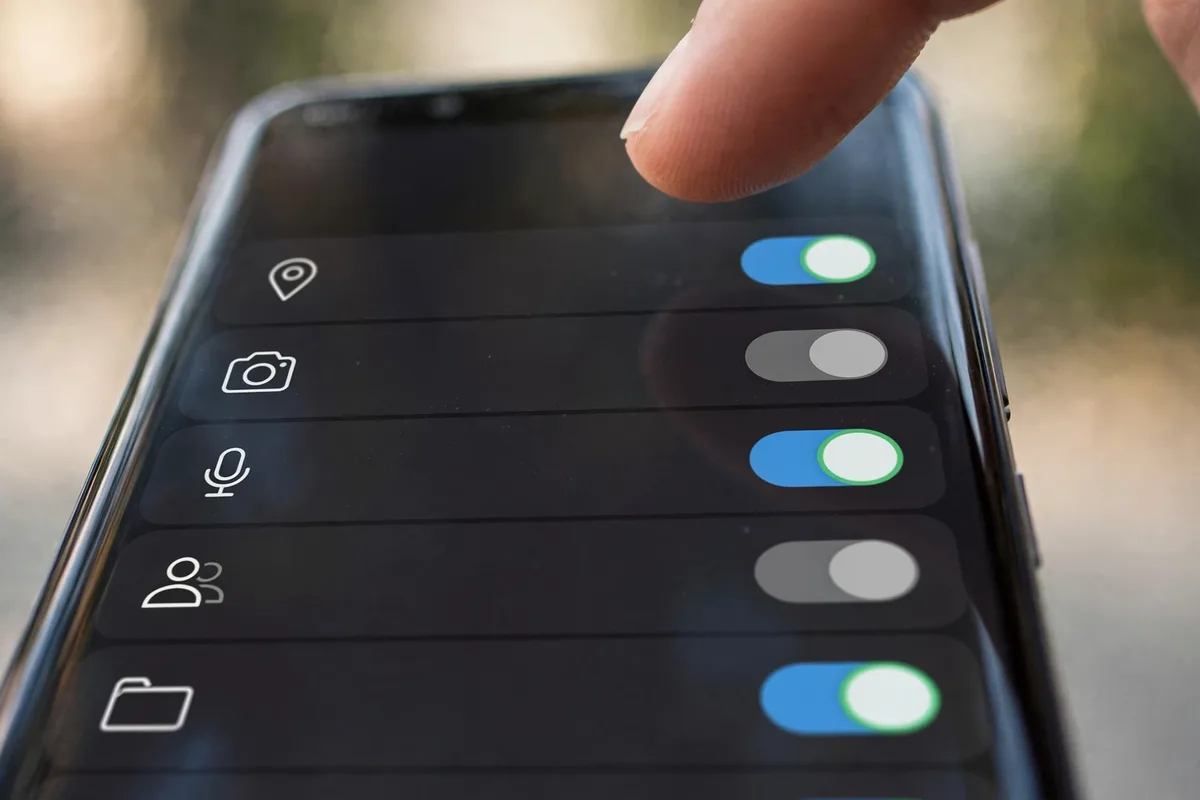
Sideloading applications outside of the Google Play Store offers unparalleled freedom, allowing users to access region-locked content or beta features. However, this flexibility introduces significant security challenges. Because these files bypass the rigorous vetting process of Google’s official storefront, you must learn how to check if apk is safe before installing to protect your device from malware, ransomware, or spyware. Without these proactive steps, a single malicious file can compromise your private data. Understanding how to check if apk is safe before installing is the most critical skill for any power user looking to maintain a secure Android experience.
The ecosystem of third-party apps is vast, but it is also rife with repackaged files containing hidden malicious code. When you download a file from an unverified source, you are essentially opening your device’s digital front door to unknown entities. Knowing how to check if apk is safe before installing ensures that you aren’t unknowingly granting a bad actor access to your photos, contacts, or banking information. By adopting a “trust but verify” mindset, you can enjoy the benefits of Android’s open nature without sacrificing your privacy or hardware integrity.
How to Check If an APK File Is Safe Before Installing
The process of vetting an application before it hits your internal storage involves a multi-layered approach. Because no single method is foolproof, the best practice is to combine manual verification with automated security scanning tools. Before you tap “Install,” you must treat every APK with a healthy degree of skepticism.
If you are wondering how to check if apk is safe before installing, follow these foundational steps:
- Source Verification: Always download from reputable, well-known mirror sites that maintain strict audit logs of their files.
- Signature Consistency: Ensure the file signature matches the developer’s known digital fingerprint.
- Heuristic Analysis: Use third-party scanners to look for suspicious code patterns.
- Permission Audit: Check if the app’s requested access aligns with its stated purpose.
Method 1: Using Online Virus Scanners for APK Verification
The most efficient way to detect malicious payloads within an APK is to use an automated security scanner. Platforms like VirusTotal are industry standards that run your APK file against dozens of top-tier antivirus engines simultaneously.
Follow these steps to scan your files:
- Download the APK: Save the file to your device or your computer’s local storage.
- Navigate to VirusTotal: Go to virustotal.com using your browser.
- Upload the File: Click the “Choose file” button and select the APK you intend to install.
- Analyze the Results: Wait for the scan to complete. If more than one or two engines flag the file as malicious (often marked as “Trojan,” “Backdoor,” or “Adware”), do not install the file under any circumstances.
- Check the Community Tab: Often, long-time community members will leave comments regarding whether a specific file version has been flagged as a false positive or a confirmed threat.
Using a scanner is the most objective way to answer how to check if apk is safe before installing, as it provides a comprehensive report of the file’s contents before it ever interacts with your operating system.
Method 2: Verifying Digital Signatures and Developer Credentials
Every legitimate APK is signed with a digital certificate by the developer. This signature acts as a tamper-proof seal; if the file has been modified—even slightly—the signature will no longer match the original developer’s ID.
How to verify developer authenticity:
- Compare Package Names: When you download from a site like APKMirror, check the “Signature” or “Certificate” section provided in the file details.
- Check Developer Identity: Verify that the developer name matches the official Play Store listing for that specific application.
- Inspect Metadata: Use tools like “APK Analyzer” (available on the Play Store) to open the APK file and view the “Signing Certificate” tab. Compare this to the developer’s official website or known security documentation.
- Look for Consistency: If the app claims to be from a well-known company like Spotify or Microsoft, but the developer certificate belongs to an unknown entity or a series of random characters, discard the file immediately.
By inspecting these metadata markers, you can effectively distinguish between a legitimate update and a malicious “repack” designed to harvest your credentials. This level of scrutiny is essential for any professional user.
How to Check If an APK File Is Safe Before Installing
The flexibility of Android is one of its greatest assets, but it places the responsibility of security squarely on the user. When you download software from outside the Google Play Store, you lose the safety net of automated vetting processes. If you want to know how to check if an APK file is safe before installing, you must move beyond simple file extensions and conduct a multi-layered verification process.
Method 1: Using Online Virus Scanners for APK Verification
The most efficient way to detect malicious code hidden within an installer is to use a multi-engine malware scanner. The gold standard for this is VirusTotal, a service that runs your file against dozens of the world’s most respected antivirus databases simultaneously.
- Download the APK to your PC or Device: Save the file to a location where you can easily find it.
- Navigate to the Scanner: Open your browser and visit VirusTotal or similar reputable services like Metadefender.
- Upload the File: Click the “Choose File” button and upload the APK. The service will analyze the file’s hash—a unique digital fingerprint—and compare it against its database.
- Interpret the Results: If you see any red flags or multiple “detected” warnings, delete the file immediately. If the results are clean, it is a good initial sign, though it is not a 100% guarantee.
If your device is already behaving strangely, you should prioritize our Check Android Malware: 8 Signs and Removal Guide (2026) to ensure no hidden payloads have compromised your operating system.
Method 2: Verifying Digital Signatures and Developer Credentials
Every legitimate Android app is digitally signed by its developer. This signature ensures that the app has not been tampered with since it was created. If you are wondering how to check if an APK is safe before installing, verifying this certificate is vital.
- Check the Developer Name: Does the developer name on the APK mirror match the official developer’s name on the Google Play Store? If a developer usually releases apps under “TechCorp Inc.” but the APK is signed by “TechCorpp,” it is likely a malicious clone.
- Inspect Metadata: If you are on a desktop, you can use tools like “APK-Info” to view the certificate’s serial number and validity.
- Cross-Reference Version History: Ensure the version number and build date align with the official updates released by the developer. Modded APKs often have manipulated version numbers to bypass update checks.
Method 3: Checking App Permissions and Requested Access
Permissions are the keys to your personal data. A malicious app will often request access that is completely unnecessary for its stated purpose. Learning how to identify these discrepancies is essential when deciding how to check if an APK is safe before installing.
- Analyze Requested Permissions: When you attempt to open the APK, Android will list the required permissions. If a simple calculator app asks for access to your camera, microphone, and contacts, it is a massive security red flag.
- Review System Requests: Look for requests that involve “Accessibility Services” or “Device Administrator” privileges. These are highly sensitive and should only be granted to trusted, reputable apps.
- Audit Your Device: Once you have installed an app, keep a close watch on what it tries to access. For a deeper dive into managing these risks, check out our Android App Permissions: 7 Powerful Privacy Tips to lock down your system against data leaks.
| Feature | Samsung (Knox) | Google Pixel (Play Protect) | OnePlus (OxygenOS) |
|---|---|---|---|
| Primary Shield | Samsung Knox (Hardware-level) | Google Play Protect | App Locker & Security Center |
| Real-time Scan | Automatic upon download | Continuous cloud analysis | Manual & Automatic scanning |
| Root/Tamper Detection | High (Trips Knox Bit) | Moderate (Verified Boot) | Moderate (SafetyNet/Play Integrity) |
| Best Use Case | Enterprise/Secure Folder | Stock Android Integrity | Enthusiast Customization |
Every major manufacturer offers slightly different baked-in protections to help users understand how to check if an APK is safe before installing. Samsung users benefit from Knox, which containerizes sensitive data, whereas Pixel users rely on the deep integration of Google Play Protect. OnePlus users often utilize the dedicated Security Center within OxygenOS to conduct manual sweeps of downloaded content. Regardless of the brand, always verify the source, scan the file, and audit the permissions before clicking “Install.”
Method 1: Using Online Virus Scanners for APK Verification
The most efficient way to how to check if apk is safe before installing is by utilizing specialized online security tools. While your Android device has built-in protections, scanning an APK file before it even touches your phone’s file system provides an essential first layer of defense against malicious code, trojans, and adware.
The industry-standard tool for this purpose is VirusTotal, a Google-owned platform that aggregates results from over 70 different antivirus scanners. By uploading your file to their servers, you can gain immediate insights into the file’s integrity.
How to Use VirusTotal
- Download the APK: Save the file to your computer or your Android device’s local storage.
- Navigate to the Platform: Open your browser and go to VirusTotal.
- Upload the File: Click the “Choose file” button and select the APK you downloaded.
- Analyze the Results: Once the upload completes, the service will scan the file against dozens of known malware databases. If you see a high number of detections (or any detections from reputable vendors), do not install the file.
While this process is highly effective, it is not infallible. Sophisticated malware developers sometimes create “polymorphic” code that changes its signature to bypass standard scanners. Therefore, when you are learning how to check if apk is safe before installing, you should always treat a “clean” scan as only one part of your security research, not a green light for reckless downloading.
How To Check If APK Is Safe Before Installing: Complete Walkthrough
- Check the “Details” Tab: On VirusTotal, look at the “Details” tab after a scan. This shows you the file’s hash (SHA-256), the creation date, and the signer certificate. If the file was created yesterday but the app is years old, treat it with suspicion.
- Avoid Obfuscated Code: Some apps use “packers” to hide their source code. If VirusTotal reports that the file structure is unreadable or heavily obfuscated, it might be a sign of a malicious payload.
- Look for Known Distributors: If you are still unsure how to check if apk is safe before installing, verify if the hash matches the one provided on the official developer website.
- Don’t Forget the Basics: If an app is suddenly behaving strangely after you bypass standard safety protocols, remember that you can App Keeps Crashing on Android? 11 Proven Fixes That Work to troubleshoot potential compatibility issues that might mimic security errors.
FAQ
Is it safe to use VirusTotal for every APK?
Yes, using VirusTotal is a highly recommended practice. It is one of the most reliable ways how to check if apk is safe before installing because it cross-references files with dozens of major antivirus engines simultaneously.
Can I trust APKMirror?
APKMirror is widely considered one of the safest repositories because they manually verify the cryptographic signatures of files to ensure they match the developer’s original release. However, always exercise caution when downloading content from any third-party source.
What is Google Play Protect?
Google Play Protect is a built-in security service that automatically scans your device for potentially harmful apps from any source. While it works in the background, knowing how to check if apk is safe before installing manually gives you an extra layer of proactive security.
Are modded APKs safe?
Generally, no. Modded APKs often require disabling security features or granting intrusive permissions to function. Because these files are altered by third parties, they are frequently used as delivery vehicles for malware and should be avoided.
Conclusion
Sideloading apps can unlock features and provide access to software unavailable in your region, but it carries inherent risks that every Android user must manage. By making tools like VirusTotal part of your standard digital hygiene routine, you significantly reduce the chance of compromising your personal data. Remember that security is not a one-time check but a persistent commitment to verifying the origin of every piece of code you run on your device.
At TechVantageAPK, we believe that informed users are the safest users. By following these guidelines and maintaining your device’s security settings, you can enjoy the flexibility of the Android ecosystem without falling prey to digital threats. Always prioritize the developer’s official channels whenever possible, and never ignore a security warning from your operating system.




What do you think?
Share your experience or ask a question. A useful conversation starts with you.
Join the discussion