

Best Android Smartwatches 2026: Buying Guide
The best Android smartwatches in 2026 finally nail the balance: multi-day battery, accurate health tracking, and tight phone integration without iPhone envy. But the right pick depends on your wrist, your workouts, and whether you need LTE — a marathon runner and a meeting-heavy executive need very different watches. This buying guide compares the best Android smartwatches across battery life, health sensors, display quality, and value, then recommends the top pick for every use case. Use the decision criteria first, and the best Android smartwatches list becomes a five-minute decision.


How to Choose: The Decision Criteria That Matter
Pro tip: decide your number-one priority before reading reviews — battery, fitness accuracy, or smarts. The best Android smartwatches all compromise somewhere, and knowing your priority turns the best Android smartwatches comparison from overwhelming to obvious. Write it down; it keeps marketing from deciding for you when the best Android smartwatches all look shiny.
Before comparing models, lock in what you need. Smartwatch satisfaction comes mostly from fit with your routine, not from spec-sheet wins.
Compatibility with your phone
Wear OS watches pair with Android phones running recent OS versions — check the manufacturer’s stated minimum (typically Android 9 or later for current models, with some features requiring newer versions). Pixel Watches pair most fully with Pixel phones but work with other Android brands; Samsung’s Galaxy Watch line pairs with any modern Android phone, though some features (like ECG and blood pressure in certain regions) are restricted to Samsung phones by Samsung’s own software policy. iPhone owners should know Wear OS support on iOS is limited and shrinking — this guide assumes an Android phone.
Battery life expectations
Battery life is the single biggest practical differentiator. Based on manufacturer-rated specs:
- 1–2 days: Most full-featured Wear OS watches with always-on displays (Pixel Watch, Galaxy Watch standard models).
- 2–4 days: Larger-case models and watches with power-saving co-processors, or with always-on display disabled.
- 5–14 days: Watches using less demanding platforms (Garmin, Amazfit, some hybrid-style devices) — traded against app ecosystem and smart features.
Decide honestly whether nightly charging bothers you. If it does, prioritize battery-first models or plan to disable the always-on display, which is consistently the largest power draw after GPS-tracked workouts.
Health and fitness sensors
Most 2026 contenders include optical heart-rate sensing, SpO2 (blood oxygen), sleep tracking, and accelerometers. Step up to premium models for ECG (electrocardiogram), skin-temperature sensing, blood-oxygen during sleep, and advanced running metrics. Two cautions from the fine print: ECG and irregular-heart-rhythm features are typically cleared only for adults over certain ages and are not medical devices — they are wellness features — and some advanced health features require a companion subscription or a specific phone brand.
LTE vs. Bluetooth (GPS) models
- Bluetooth/GPS models need your phone nearby for calls, texts, and streaming. They are cheaper and the battery lasts longer.
- LTE models have their own cellular radio and can make calls, stream music, and receive notifications with your phone left at home. They cost more upfront and require a carrier wearable plan (commonly around $10/month on US carriers, plus possible activation fees), and LTE use drains the battery faster.
Buy LTE only if you genuinely exercise, commute, or work phone-free. Otherwise the Bluetooth model plus your phone is the better value.
Size, comfort, and bands
Case sizes generally run 40–47mm. Measure your wrist: smaller wrists usually suit 40–42mm; larger wrists 44–47mm. Weight matters for sleep tracking — a heavy watch gets taken off at night, defeating the purpose. Check band standards too: proprietary quick-release systems lock you into the manufacturer’s bands, while standard lugs give you endless third-party options.
App ecosystem and software updates
Wear OS gives you Google apps (Maps, Wallet, Assistant/Gemini, Play Store) and broad third-party support. Manufacturer update commitments vary — published policies range from two to four years of Wear OS updates on recent flagships. Longer support matters because a watch is a multi-year purchase.
The Leading Contenders for 2026
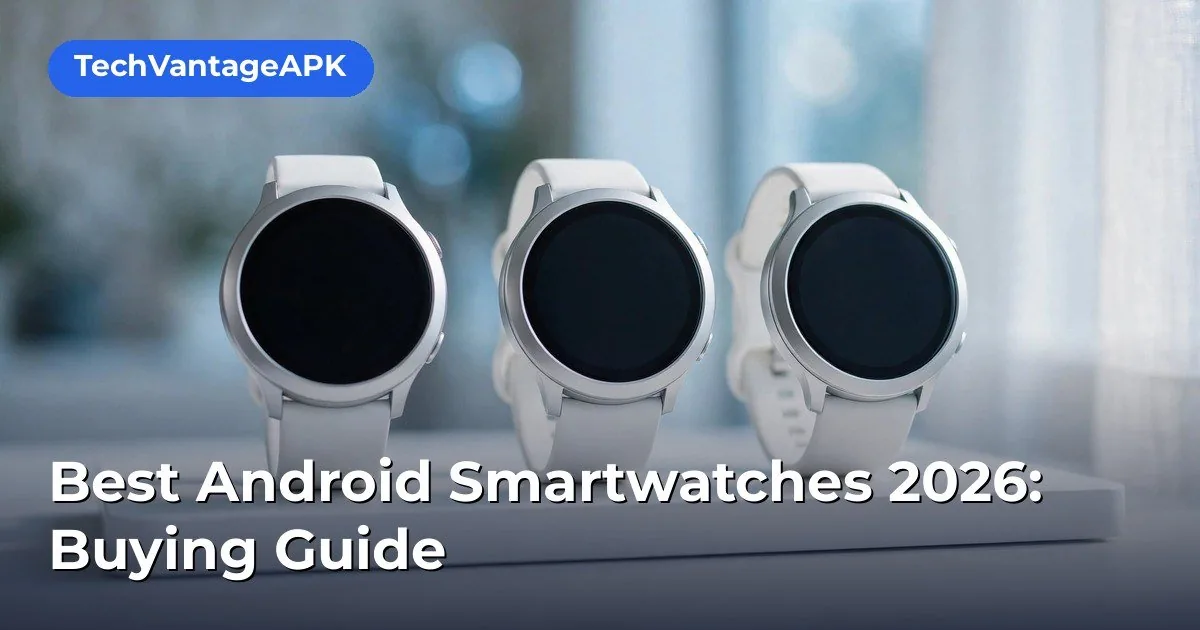
The summaries below reflect published specs and documented feature sets, not personal testing. Prices are approximate US MSRPs at the time of writing and change frequently.
Google Pixel Watch 3 (41mm and 45mm)
Google’s current flagship Wear OS watch remains the reference design for the platform. Published specs include Wear OS with deep Fitbit integration, an Actua display with up to 2,000 nits brightness, dual-band GPS, and the full sensor suite: heart rate, SpO2, skin temperature, ECG, and cEDA (continuous electrodermal activity) for stress. Battery is rated at 24 hours with always-on display (36 hours in Battery Saver) for the 41mm, with the 45mm rated up to 35% longer. It comes in Bluetooth and LTE variants. Strengths per spec sheets and documentation: the cleanest Wear OS experience, best-in-class Fitbit health software, and strong safety features (fall detection, emergency SOS, car-crash detection on LTE). Considerations: daily charging for the smaller model, and the Fitbit Premium subscription gates some advanced metrics behind a paywall.
Samsung Galaxy Watch 7 and Watch Ultra
Samsung’s lineup splits into the mainstream Galaxy Watch 7 (40/44mm) and the rugged Galaxy Watch Ultra (47mm titanium). Both run Wear OS with Samsung’s One UI Watch overlay and the BioActive sensor combining heart rate, ECG, and body-composition analysis (BIA). Samsung’s published materials highlight the Energy Score, Galaxy AI wellness tips, and dual-frequency GPS. The Watch 7 is rated around 40 hours per charge (always-on off); the Ultra is rated up to 100 hours in power-saving modes with a 10ATM water rating and titanium build for outdoor use. Considerations: Samsung’s health-app restrictions mean some features need a Samsung phone; the Ultra commands a premium price and wears large.
OnePlus Watch 3
OnePlus’s entry targets battery life: published specs claim up to 5 days in Smart Mode thanks to a dual-chip, dual-OS architecture that offloads background tasks to a low-power co-processor. It runs Wear OS, includes dual-band GPS, heart-rate and SpO2 sensing, and a rotating crown. Considerations: the health platform is less mature than Fitbit or Samsung Health, third-party app support is standard Wear OS (fine), and update commitments are shorter than Google’s or Samsung’s.
Garmin Venu / Forerunner lines (the battery-first alternative)
Garmin watches are not Wear OS devices — they run Garmin’s own platform — but they are the rational pick for buyers who rank battery and fitness depth above apps. Published specs for current Venu and Forerunner models advertise 8–14 days of smartwatch battery life, with full-color AMOLED displays on Venu models, multi-band GPS, and Garmin’s deep training metrics (recovery time, training readiness, race predictor). They pair with Android via the Garmin Connect app, handle notifications and music, and support contactless payments via Garmin Pay. Considerations: the app ecosystem is narrow compared with Wear OS, the smart assistant experience is basic, and prices climb steeply on multisport models.
Amazfit and other value picks
Amazfit (Zepp Health) occupies the budget tier with published battery ratings often exceeding a week, AMOLED displays, and heart-rate/SpO2/GPS on models frequently priced well under flagship levels. They suit buyers who want notifications, basic fitness tracking, and long battery without Wear OS apps. Considerations: Zepp OS has a small app catalog, build quality and sensor accuracy vary by model, and software update support is limited.
Head-to-Head: Key Dimensions Compared
Price tiers (approximate US pricing)
- Budget ($100–$200): Amazfit models, older-generation Galaxy Watch and Pixel Watch units on sale.
- Mid-range ($250–$350): Galaxy Watch 7, OnePlus Watch 3, Pixel Watch 3 (41mm Bluetooth).
- Premium ($400–$650+): Pixel Watch 3 LTE (45mm), Galaxy Watch Ultra, Garmin Forerunner/Venu multisport models.
Sale pricing moves constantly — previous-generation flagships discounted 30–40% are often the best value in the entire market.
Battery life ranking (manufacturer-rated, typical use)
Longest to shortest: Garmin Venu/Forerunner (days to weeks) > Amazfit (1–2 weeks) > OnePlus Watch 3 (up to ~5 days smart mode) > Galaxy Watch Ultra (up to ~2–4 days depending on mode) > Galaxy Watch 7 (~40 hours AOD off) > Pixel Watch 3 (~24–36 hours depending on size and mode). Treat all ratings as optimistic; always-on display, LTE, and GPS workouts cut into every one of these figures.
Health tracking depth
Fitbit (Pixel Watch) and Samsung Health lead on wellness breadth — sleep stages, readiness/energy scores, ECG, skin temperature, stress. Garmin leads on athletic training depth — structured workouts, recovery science, and endurance metrics. Amazfit covers the basics competently. If a specific metric matters to you (e.g., ECG or body composition), verify it is present on the exact model and size you are buying, and check whether your phone brand unlocks it.
Smart features and ecosystem
Wear OS models (Pixel, Galaxy, OnePlus) offer Google Maps turn-by-turn on the wrist, Google Wallet payments, Gemini/Assistant voice control, and the Play Store’s app catalog. Garmin and Amazfit cover notifications, music control/storage, and Garmin Pay, but their voice-assistant and third-party-app stories are thinner. For payments specifically: Google Wallet is broadly accepted; Samsung Pay on watches now routes through Wallet in most regions; Garmin Pay and Amazfit’s payment support depend on your bank.
Durability and water resistance
Look for 5ATM water resistance minimum (swim-safe) on sport models; the Galaxy Watch Ultra’s 10ATM plus MIL-STD-810H testing suits serious outdoor use. Sapphire or equivalent hardened display glass appears on premium models and meaningfully reduces scratch risk. If you swim regularly, confirm the manufacturer’s swim-tracking support and rinse guidance — “water resistant” is not “waterproof forever,” and warranties exclude water damage almost universally.
Best Android Smartwatches 2026: Recommendations by Use Case
Best overall for most Android users: Google Pixel Watch 3
If you own a Pixel (or any modern Android phone) and want the fullest Wear OS experience with top-tier health software, the Pixel Watch 3 is the default recommendation on paper. The Fitbit integration is the most polished wellness platform on Wear OS, safety features are comprehensive, and Google’s update commitment is the longest published. Choose the 45mm if battery anxiety worries you; choose LTE only if you will actually leave your phone behind.
Best for Samsung phone owners: Galaxy Watch 7
Pairing a Samsung phone with a Galaxy Watch unlocks the complete feature set — ECG, blood pressure (where cleared), and deep Samsung Health/Ecosystem integrations like camera control and SmartThings. The Watch 7 hits the mainstream size/price/battery balance, and frequent sales make it the value flagship of the lineup.
Best for outdoor athletes: Garmin Forerunner or Venu
If your training log matters more than wrist apps, Garmin’s battery life and training metrics are in a different league from Wear OS. The Venu line suits fitness-focused users who still want an AMOLED smartwatch look; the Forerunner line suits runners and triathletes who want every metric. Accept the thinner app ecosystem as the trade.
Best battery life on Wear OS: OnePlus Watch 3
For buyers who refuse daily charging but want Google apps and Wallet on the wrist, the OnePlus Watch 3’s dual-chip architecture delivers the longest published Wear OS battery life in its class. Verify band comfort and the health app’s feature list against your needs before buying.
Best budget pick: previous-generation flagship on sale or Amazfit
A discounted Galaxy Watch 6 or Pixel Watch 2 frequently outperforms a new budget watch on display quality, sensors, and software support. If you prefer new-and-cheap, Amazfit’s current lineup covers notifications, heart rate, SpO2, and GPS at a fraction of flagship prices — with the ecosystem trade-offs noted above.
Buying Checklist: Before You Click Purchase
- Confirm phone compatibility — check the watch’s stated minimum Android version against your phone, and note any brand-locked features.
- Pick the right size — 40–42mm for smaller wrists, 44–47mm for larger; check lug-to-lug distance in the spec sheet, not just case diameter.
- Decide LTE vs. Bluetooth honestly — add the ~$10/month carrier plan cost over two years to the LTE premium before deciding.
- Check the band system — if you plan to swap bands, confirm quick-release standards and third-party availability.
- Verify health features for your region and phone — ECG and blood-pressure features carry regulatory and brand restrictions.
- Look at the update policy — a watch with two years of updates is a two-year watch; price it accordingly.
- Compare sale prices on last year’s flagship — the previous generation at 30–40% off is routinely the smartest buy.
- Read the return policy — comfort is personal; buy from a retailer with at least a two-week return window so you can test sleep tracking and all-day wear.
Setting Up Your New Watch: First-Day Essentials
Once the box arrives, these steps (drawn from manufacturer setup documentation) get you running cleanly:
- Charge fully before first setup — initial updates and profile syncing drain the battery fast.
- Install the companion app on your phone first: Watch app / Fitbit for Pixel, Galaxy Wearable for Samsung, OHealth for OnePlus, Garmin Connect for Garmin, Zepp for Amazfit.
- Pair over Bluetooth with the phone nearby and keep both devices awake during setup.
- Sign in to the health platform account when prompted — skipping this limits syncing and backup.
- Configure which phone notifications reach the watch; muting noisy apps on day one prevents notification fatigue.
- Set up fall detection and emergency SOS contacts — these are opt-in on most watches and are the features you want configured before you need them.
- If you bought LTE, activate the carrier plan through the companion app and confirm the monthly cost shown matches what the carrier quoted.
- Run a software update check immediately; launch-day firmware is frequently superseded within weeks.
A buying reality check: the best Android smartwatches still need nightly or every-other-night charging unless you pick a battery-first model — marketing claims of up to 14 days usually mean minimal use with everything smart turned off. Read battery claims against your actual usage: always-on display and LTE halve most estimates. The best Android smartwatches for you are the ones whose real-world battery fits your routine.
Manufacturer spec pages are the final word on water resistance and LTE bands; Google’s Android Help Center covers Wear OS pairing and troubleshooting. Check both before buying — the best Android smartwatches decision deserves ten minutes of verification.
Frequently Asked Questions — Best Android Smartwatches 2026 Buying Guide
Can I use a Samsung Galaxy Watch with a non-Samsung Android phone?
Yes. Galaxy Watches pair with any Android phone meeting the minimum OS version via the Galaxy Wearable app. However, Samsung’s documentation notes that certain health features (historically ECG and blood pressure readings) require a Samsung phone, and some ecosystem conveniences are Samsung-only.
Do I need an LTE plan to take calls on my smartwatch?
No — Bluetooth models handle calls fine when your phone is nearby (connected via Bluetooth). LTE is only needed for calls, texts, and streaming when the phone is out of range or left behind.
How accurate are smartwatch heart-rate and sleep readings?
Optical wrist sensors are good for resting heart rate trends and workout zone guidance on current-generation devices, but they can lag during high-intensity intervals and struggle with tattoos, loose fit, or very dark skin in some conditions. Sleep tracking is useful for duration and consistency trends; sleep-stage accuracy is approximate. Treat all of it as wellness data, not medical measurement.
Will a Wear OS watch work if I switch to iPhone later?
Poorly. Wear OS watches are designed for Android; pairing with iPhone is unsupported or severely limited on current models. If a platform switch is likely within the watch’s lifespan, factor that into the purchase.
How long do Android smartwatches receive software updates?
Published policies vary: Google and Samsung currently commit to multiple years of Wear OS updates on recent flagships, while value brands typically promise less. Check the manufacturer’s stated policy for the exact model — not the brand in general — before buying.
Is it worth buying last year’s model?
Often yes. Smartwatch year-over-year changes are incremental (slightly brighter displays, new sensors), while discounts on outgoing models are substantial. Verify the older model still has remaining software-update support and includes the sensors you care about.
Which of the best Android smartwatches has the best battery?
Battery-first models (OnePlus Watch, Amazfit) run a week or more; full Wear OS flagships manage 1–2 days with always-on display. Among the best Android smartwatches, decide first whether you want maximum smarts or maximum stamina — you rarely get both.
Do the best Android smartwatches work with any Android phone?
Mostly yes — any Wear OS watch pairs with any modern Android phone, though Samsung watches unlock extra features on Samsung phones. Pixel Watches pair best with Pixels. The best Android smartwatches all need the companion app, so check it exists for your phone before buying.
Keep reading: complete your kit: Best Android Tablets 2026: Buying Guide, Best Android Phones 2026: Buying Guide and Top Picks, and Best Health and Fitness Apps for Android (2026) — the best Android smartwatches pair perfectly with these.
Conclusion — Best Android Smartwatches 2026 Buying Guide
The best Android smartwatch of 2026 is the one that matches your wrist, your phone, and your charging tolerance — not the one with the longest spec sheet. Start from compatibility and battery expectations, decide the LTE question with real math, and pick your health platform deliberately. On paper, the Pixel Watch 3 leads the Wear OS pack for most buyers, the Galaxy Watch 7 is the natural mate for Samsung phones, Garmin owns the endurance-athlete lane, and discounted previous-generation flagships remain the value sweet spot. Buy from a retailer with a solid return policy, set up safety features on day one, and give the watch two weeks of all-day (and all-night) wear before judging it — comfort and battery reality only reveal themselves with use.




What do you think?
Share your experience or ask a question. A useful conversation starts with you.
Join the discussion