CapCut is the video editor behind a huge share of the TikToks, Reels, and Shorts you watch every day. It is free, powerful, and owned by ByteDance, the same company behind TikTok. That last fact is exactly why so many Android users are asking: is CapCut safe, or does the world’s most popular free video editor come with hidden privacy costs?
CapCut’s privacy concerns are real and well documented. The app collects extensive data, its terms have historically claimed broad rights over your content, and its ByteDance ownership places it under the same Chinese legal jurisdiction that triggered the TikTok divestiture fight. But like TikTok, CapCut has no proven record of attacking individual users’ devices. This guide explains what CapCut actually collects, the specific privacy concerns researchers and regulators have raised, how it compares to other editors, and how to use it safely if you keep it.
CapCut Permissions Worth Reviewing Right Now
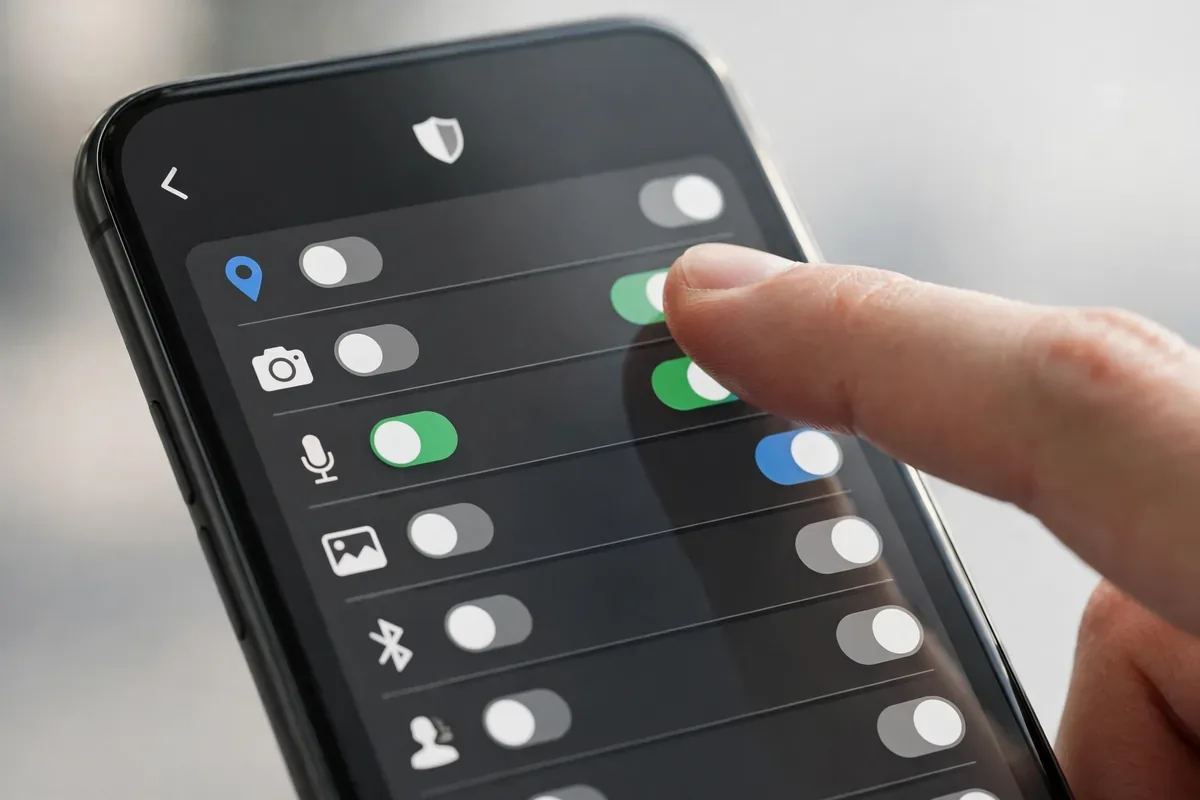
Regardless of where you land on CapCut’s data practices, the practical move is to audit what the app can actually touch on your phone. Open Settings > Apps > CapCut > Permissions and look at three in particular. Location: CapCut does not need it for editing video — set it to “Don’t allow.” Contacts: deny it unless you actively use the invite-friends feature. Files and media: this one it genuinely needs, but on Android 13 and newer you can switch it to “Allow access to media only” instead of full file access, which keeps the app out of your documents and downloads folder.
Two more settings matter. First, on the CapCut login screen, prefer “Continue with TikTok” only if you already use TikTok; otherwise an email login shares less cross-app profile data. Second, inside CapCut go to Settings > Privacy and turn off personalized ads if the toggle is available in your region — it does not change the editing features at all. These five minutes of permission hygiene do more for your actual privacy than deleting and reinstalling the app ever will.
Who Owns CapCut and Why It Matters
is capcut safe illustration
CapCut is developed by ByteDance, headquartered in China. It launched internationally in 2020 and quickly became the default editor for short-form creators because it is free and genuinely excellent. The ownership matters for the same structural reason it matters for TikTok: Chinese national security laws can compel companies under Chinese jurisdiction to cooperate with state intelligence requests. US officials have cited this as a concern for all ByteDance products, not just TikTok.
It is worth being precise about what this means in practice. There is no public evidence that CapCut exfiltrates data to Chinese government servers or spies on individual creators. The concern is about legal compulsion and potential access, the same framework the FBI described for TikTok. When you ask “is CapCut safe,” the ownership question is the foundation everything else sits on.
Is CapCut Safe? What Data It Collects
CapCut’s privacy policy discloses broad collection. Because it is a video editor, some of this is functionally necessary, but the scope goes well beyond editing:
Account data: phone number or email, username, profile information, and linked social accounts.
Content you create: every video, image, and audio file you import or edit, plus your editing choices, templates used, and export history.
Face and voice data: CapCut’s policies have disclosed collecting biometric-adjacent information such as faceprints and voiceprints derived from your content. For a video editor this is partly how effects like face tracking work, but the disclosure alarmed privacy advocates.
Device and network data: device model, OS version, device identifiers, IP address, carrier, and network type.
Location data: approximate location, and precise location if granted.
Usage and interaction data: how you use the app, features you tap, and engagement with templates and effects.
Clipboard and contacts: if you grant access, for sharing and collaboration features.
The face-data collection is the standout concern. A photo editor that scans your face to apply a beauty filter is doing on-device processing in the best case, but CapCut’s policy language historically left room for broader collection and retention. If you edit videos of your children in CapCut, that means biometric-adjacent data of minors flowing to ByteDance servers.
CapCut’s Content License: Read the Fine Print
One of the most concrete CapCut privacy concerns is not data collection but intellectual property. CapCut’s terms of service have historically granted the company a broad, royalty-free license to use content you create with the app, including for promotional purposes. For casual creators this rarely matters. For businesses, brands, or anyone editing client work in CapCut, it should give pause: your commercial footage is subject to terms written for a consumer social app.
Practical takeaway: do not edit sensitive, unreleased, or client-owned footage in CapCut unless you have read the current terms and are comfortable with them. Professional editors like DaVinci Resolve or Adobe Premiere Rush have clearer commercial terms.
CapCut vs Other Video Editors: Privacy Comparedis capcut safe illustration
Factor
CapCut
VN Video Editor
Adobe Premiere Rush
Owner jurisdiction
China (ByteDance)
China (Ubiquiti-like; actually VN is by Ubiquiti? no—VN is by Momentic)
United States (Adobe)
Face/voice data disclosure
Yes
Limited
Limited
Broad content license in terms
Historically yes
No
No
Free without watermark
Yes
Yes
Limited free tier
Regulatory scrutiny
High
Low
Low
Note: VN Video Editor is developed by a smaller independent team and has faced far less scrutiny, though users should still review its policy. The pattern is consistent: the privacy concern with CapCut is not that editing requires data, it is the combination of biometric-adjacent collection, broad licensing, and ByteDance ownership.
Specific Privacy Concerns Researchers Have Raised
Excessive permissions. CapCut may request location, contacts, and storage access beyond what editing strictly requires. Audit every permission.
Background data transmission. Security researchers have observed ByteDance apps transmitting telemetry even when not actively in use. Restrict background data for CapCut in Android settings.
Template and cloud features. CapCut’s cloud sync and online templates mean your projects can live on ByteDance servers. Disable cloud backup if you want edits to stay on-device.
Draft and deleted content. Assume anything uploaded, including drafts, may be retained per the data-retention policy even after you delete the local copy.
Kids’ biometric data. The combination of face-data collection and a young user base is the sharpest ethical edge of the “is CapCut safe” debate.
How to Use CapCut Safely on Android
is capcut safe illustration
If CapCut is safe enough for your needs with precautions, lock it down:
Deny location and contacts. Settings, Apps, CapCut, Permissions: set both to “Don’t allow.” An editor needs neither.
Keep media access minimal. Use Android’s photo picker to grant access to selected videos only, instead of full media library access.
Disable cloud sync. In CapCut settings, turn off cloud backup and auto-upload so projects stay on your device.
Restrict background activity. In App info, set Battery usage to Restricted and disable background data. CapCut does not need to phone home while you sleep.
Use it offline when possible. For basic trimming and effects, CapCut works without an account. Skipping sign-in reduces the identity data attached to your edits.
Do not edit sensitive footage. Client work, unreleased products, kids’ identifiable videos, anything you would not post publicly deserves an editor with clearer terms.
Update only from the Play Store. Never install “CapCut Pro unlocked” APKs from third-party sites; they are a classic malware vector.
Audit with Privacy Dashboard. Check which sensors CapCut touched and when.
A question creators rarely ask: when you finish editing in CapCut and export the video, what happens to the project data left behind? Understanding this helps you decide whether CapCut is safe for your workflow.
Local projects: drafts and cached media stay on your device until you delete them. Clearing the app’s cache removes rendered previews but not necessarily project files.
Cloud drafts: if cloud sync was ever enabled, copies of your projects may persist on ByteDance servers after local deletion. Disable sync first, then delete cloud drafts inside the app.
Template usage data: every template you preview or apply is logged as engagement data, feeding the same recommendation systems that power TikTok’s For You Page.
Exported watermarks and metadata: videos exported from CapCut can carry metadata identifying the editing tool. For sensitive work, strip metadata before publishing or use an editor that does not inject it.
Account deletion: like most platforms, deleting your CapCut account triggers data-deletion workflows, but aggregated and anonymized data may be retained. Delete cloud content before closing the account for the cleanest exit.
The pattern is familiar from every ByteDance product: the local app is only half the story. The server-side copy is the half you cannot see, which is why disabling cloud features before you create anything sensitive is the single highest-leverage step.
Safer Alternatives to CapCut
If your answer to “is CapCut safe” is no, capable alternatives exist:
VN Video Editor: free, no watermark, strong feature set, far less scrutiny.
Adobe Premiere Rush: US company, clearer terms, though the free tier is limited.
DaVinci Resolve (desktop): professional-grade and free, with no mobile data-collection concerns at all.
InShot: popular and capable; review its current privacy policy before committing.
No app is zero-collection, but jurisdiction and corporate incentives differ meaningfully.
Should You Delete CapCut?
Keep it, locked down, if you are a casual creator, you have denied the invasive permissions, disabled cloud sync, restricted background activity, and you avoid editing sensitive or commercial footage in it.
Delete it if the ByteDance ownership is a dealbreaker, you edit client or children’s content, or you want your creative work under clearer licensing terms. Export finished projects first, delete cloud-stored drafts in the app, then uninstall.
To reduce tracking across every app you keep, Stop App Tracking on Android: 2026 Guide walks through advertising ID deletion, Private DNS, and permission audits.
Authoritative references: Android’s built-in protections are documented at android.com/safety, and the EFF’s analysis of biometric data collection at eff.org/issues/privacy provides deeper background on face-data policies.
FAQ
Is CapCut safe to download from the Play Store?
The Play Store version is the legitimate app and is scanned by Play Protect. Avoid “CapCut Pro” or “unlocked” APKs from third-party sites, which frequently bundle malware. The privacy concerns with CapCut are about its official data practices, not about fake copies.
Is CapCut Chinese spyware?
There is no public evidence that CapCut is spyware in the technical sense. The concerns are about its broad data collection, biometric-adjacent disclosures, and ByteDance’s subjection to Chinese law. Those are serious structural concerns, but they are different from proven malicious code.
Does CapCut steal my videos?
CapCut’s terms have historically included a broad license to user content. That is a contractual rights issue rather than theft, but it means you should not edit anything in CapCut that you are not comfortable with ByteDance having broad rights to use.
Is CapCut safe for kids?
Children are the highest-concern group: face-data collection plus young users is a poor combination. If kids use CapCut, deny all nonessential permissions, disable cloud features, and consider alternatives with lighter data practices.
Can I use CapCut without an account?
Yes, for basic editing. Using CapCut without signing in meaningfully reduces the identity data tied to your activity. You will lose cloud sync and some template features, which is a reasonable trade.
Does deleting CapCut delete my data?
Uninstalling removes the local app, not necessarily server-side data. Delete cloud drafts and request account/data deletion in the app’s settings before uninstalling if you want your data removed.
Conclusion
Is CapCut safe? As an editor it is excellent and free; as a data collector it is aggressive, with biometric-adjacent disclosures and broad content licensing under ByteDance’s Chinese ownership. There is no evidence it attacks individual devices, but the structural concerns that apply to TikTok apply here too.
For casual creators willing to manage permissions, CapCut can be used with contained risk: deny location and contacts, use selective media access, disable cloud sync, restrict background activity, and keep sensitive footage in editors with clearer terms. For professionals, brands, and parents, the safer move is an alternative with transparent licensing and lighter collection. Either way, the discipline is the same: audit permissions, minimize sign-ins, and never grant a creative tool access to data it does not need to do its job.
The broader lesson of the “is CapCut safe” debate applies to every app on your phone. Free tools are never truly free; you pay with data, attention, or rights to your creations. The apps worth keeping are the ones whose price is stated honestly in their permissions screen and privacy policy, not the ones that bury it in legalese. Read the policy once, configure the permissions once, and re-audit twice a year. That fifteen-minute habit is worth more than any single app choice.
Qamar Abbas is the founder and CEO of Qamar Digital Ventures LLC, a New Mexico-based web design and SEO agency. He writes hands-on, research-backed guides about Android apps, APK guides and mobile how-tos for a US audience, tested on real devices and updated regularly.








What do you think?
Share your experience or ask a question. A useful conversation starts with you.
Join the discussion