In our modern mobile workflow, the Portable Document Format (PDF) remains the universal global standard for digital document exchange. Whether reviewing commercial leasing agreements, signing employment contracts, annotating academic research papers, or reading digital instruction manuals, encountering PDF files on our Android smartphones is an everyday certainty. Yet, despite the ubiquity of the format, managing PDF documents on mobile devices is frequently plagued by software frustration.
Many pre-installed default viewers provide only read-only capabilities, forcing users to seek third-party applications when they need to sign a signature block, fill out an interactive tax form, or highlight text. Unfortunately, a casual search on the Google Play Store often leads users to predatory utilities loaded with full-screen interstitial video advertisements, aggressive cloud subscription paywalls, and invasive background telemetry trackers. Finding dependable, ad-free, and high-performance PDF readers for Android that offer genuine editing tools without holding your documents hostage is essential for mobile productivity.
Based on comprehensive software architecture evaluations, PDF rendering benchmark speeds, security and permission audits, and verified user community feedback across mobile productivity forums, this editorial guide reviews the top five free PDF readers and editors available on Android in 2026. Whether you require a hyper-fast lightweight PDF viewer mobile users can open in milliseconds, or a comprehensive free PDF editor Android tool to sign PDF documents Android workflows demand, these verified applications deliver professional utility without cost.
Editorial Note: Feature tiers, cloud synchronization options, and freemium subscription models change periodically—always verify current terms on official app store listings. TechVantageAPK publishes strictly objective educational software analyses and does not host or distribute modified application files or pirated software.
What to Look for in a Mobile PDF Reader and Editor
To identify the top contenders for this 2026 roundup, our editorial team evaluated applications against five foundational criteria:
1. Rendering Velocity and Large Document Handling
Opening a 5-page invoice is simple; smoothly navigating a 500-page illustrated technical manual or architectural schematic without stuttering, memory crashes, or prolonged page-loading spinners is the true test of a PDF rendering engine. Premier applications utilize hardware-accelerated rendering pipelines that cache adjacent pages in memory for buttery-smooth scrolling.
2. Annotation and Form-Filling Capabilities
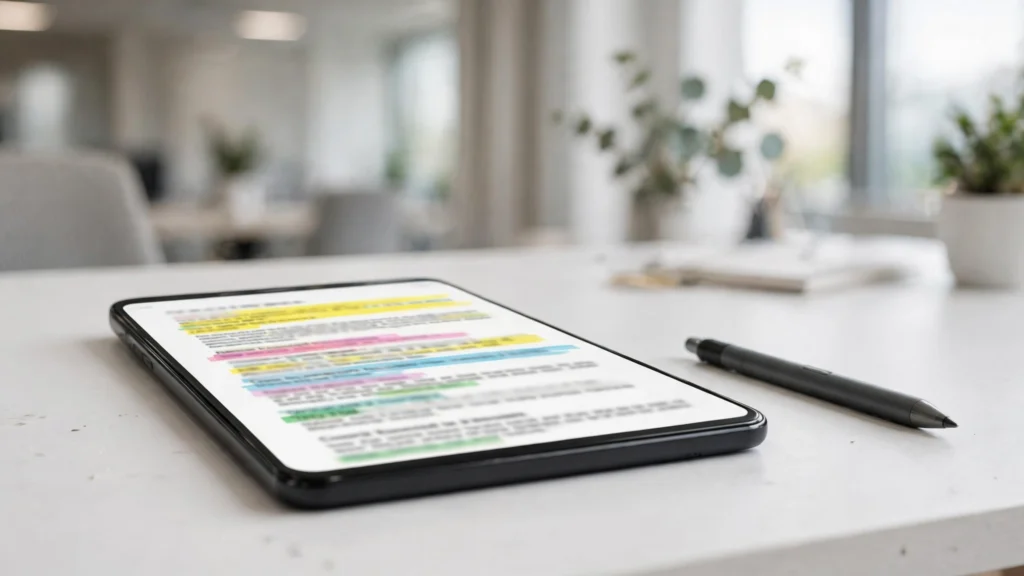
A modern document workflow requires interactive markup: highlighting text passages in customizable colors, inserting strikethroughs, adding sticky notes, drawing freehand sketches with a stylus, and filling out interactive XFA or AcroForm form fields.
3. Digital Signatures and Security
Signing documents on the go is a primary mobile requirement. A quality editor must allow you to create, save, and insert handwritten digital signatures or cryptographic digital certificates into signature fields without requiring paid cloud upgrades.
4. Privacy, Offline Autonomy, and Permission Hygiene
Confidential contracts, tax records, and medical forms should never be uploaded to unknown third-party cloud servers without explicit user consent. The best PDF readers operate entirely offline, requiring zero unnecessary system permissions (such as location or contacts access).
Top 5 Free PDF Readers and Editors for Android in 2026
Below is our detailed breakdown of the standout PDF applications commanding the Android ecosystem in 2026.
1. Xodo PDF Reader & Editor: The Ultimate Free Feature Juggernaut
Xodo is widely revered as the most versatile, feature-complete PDF productivity platform available on mobile devices, offering desktop-class editing tools without intrusive advertising.
Key Capabilities & Highlights
- Comprehensive Annotation Tools: Highlight, underline, strikethrough, insert geometric shapes, callout arrows, and freehand ink notes with palm-rejection support for active styluses like the S Pen.
- Form Filling and Signature Capture: Fill out complex interactive PDF forms effortlessly. Create and store multiple handwritten signature stamps to sign contracts in seconds.
- Document Organization: Merge multiple PDFs into a single file, reorder pages, rotate orientations, extract specific sheets, or delete unwanted pages directly on your phone.
- Multi-Tab Document Browsing: Open and toggle between multiple large PDF files simultaneously, just like modern desktop web browsers.
Considerations
While the core reading, annotating, and signing tools are completely free, advanced enterprise features (such as OCR text recognition and PDF-to-Word conversions) require an optional subscription.
2. MuPDF viewer: The Lightweight Open-Source Speed Demon
Developed by Artifex Software under the AGPL open-source license, MuPDF is an ultra-lightweight, lightning-fast document viewer engineered for pure speed and minimal resource consumption.
Key Capabilities & Highlights
- Tiny Footprint: The application installation size is under 15 megabytes, consuming virtually zero background RAM or battery reserves.
- Instantaneous Rendering: Employs a specialized high-fidelity anti-aliased graphics engine that renders dense, complex typography and vector drawings faster than virtually any competitor.
- Multi-Format Versatility: In addition to PDF, MuPDF natively opens XPS, CBZ (comic book archives), and EPUB e-book files.
- Zero Bloat, Zero Telemetry: Contains zero advertisements, zero promotional pop-ups, and operates 100% offline without requiring internet permissions.
Considerations
Designed primarily as a high-speed reader rather than a heavy editor. It includes basic text search and hyperlink navigation, but lacks advanced page manipulation or form-filling tools.
3. Adobe Acrobat Reader: The Industry Standard for Cloud Workflows
As the inventor of the Portable Document Format, Adobe's official Android application remains the global corporate benchmark for document fidelity and enterprise cloud synchronization.
Key Capabilities & Highlights
- Liquid Mode: Adobe's proprietary Liquid Mode uses machine learning to re-flow dense PDF documents dynamically, adjusting font sizes, spacing, and image layouts to fit your smartphone screen perfectly without awkward pinch-to-zoom panning.
- Adobe Fill & Sign Integration: Exceptional, frictionless form-filling with automated detection of signature lines and text boxes.
- Cloud Ecosystem Sync: Seamless integration with Adobe Document Cloud, Google Drive, Microsoft OneDrive, and Dropbox.
Considerations
Frequently prompts users to upgrade to Acrobat Pro subscriptions for advanced editing tools (like editing underlying text or exporting to Office formats).
4. Foxit PDF Editor: Powerful Corporate Security and Form Management
Foxit has long served as the premier enterprise alternative to Adobe, delivering an exceptionally fast and responsive mobile editing engine.
Key Capabilities & Highlights
- ConnectedPDF & Encryption: Protect sensitive documents with password encryption, certificate protection, and customizable viewing permission flags.
- Auditory Text-to-Speech (TTS): Reads PDF documents aloud using Android's native text-to-speech engine, transforming contracts and whitepapers into audiobooks during commutes.
- Clean Bookmarking & Outlining: Robust table-of-contents navigation that makes skimming 300-page textbooks effortless.
Considerations
Advanced PDF page creation and direct text modifications sit behind an optional premium tier.
5. MJ PDF: The 100% Open-Source, Ad-Free Minimalist Reader
For users who value open-source privacy above all else, MJ PDF is an exceptional, modern, community-developed PDF reader published under the GPL-3.0 license and available via F-Droid and Google Play.
Key Capabilities & Highlights
- Modern Material You Design: Flawlessly adopts dynamic system theming on Android 14 and 15, matching your phone's wallpaper accent colors.
- True Offline Architecture: Completely free of internet permissions, guaranteeing that your personal documents are never transmitted over the network.
- Dark Mode Inversion: Intelligently inverts bright white PDF pages to dark gray, saving battery life on OLED displays and eliminating eye strain during nighttime reading.
- Auto-Scroll & Text Reflow: Hands-free scrolling with customizable speeds, perfect for reading sheet music or scripts.
Considerations
Focused strictly on clean, comfortable reading; does not support digital signature stamping or PDF form editing.

Feature & Capability Comparison Matrix
Application | License / Cost | Fill & Sign Forms? | Annotations & Markup? | Page Management? | Best Use Case |
Xodo PDF | Freemium (Ad-Free) | Yes (Full Support) | Yes (Stylus / S Pen) | Yes (Merge / Split) | All-around mobile productivity & signing |
MuPDF | Open Source (Free) | No | No | No | Ultra-fast, lightweight document reading |
Adobe Acrobat | Freemium | Yes (Fill & Sign) | Yes (Standard) | Paid Feature | Corporate workflows & Liquid Mode reflow |
Foxit PDF | Freemium | Yes (Full Support) | Yes (Audio TTS) | Paid Feature | Enterprise security & password encryption |
MJ PDF | Open Source (100% Free) | No | No | No | Ad-free, privacy-first reading & dark mode |
How to Sign a PDF Document on Android in Under Two Minutes
Signing an urgent contract on mobile requires zero printing or desktop scanning. Follow this streamlined workflow using Xodo or Adobe Acrobat:
- Download and open the PDF attachment directly in your chosen PDF editor.
- Navigate to the signature block on the final page of the document.
- Select the Signature tool from the annotation toolbar.
- Tap Create Signature. Use your finger or an active stylus (like the Samsung S Pen) to draw your signature smoothly across the canvas. Tap Save.
- Tap on the signature line within the document. Your saved signature will appear.
- Pinch and drag the signature bounding box to adjust its size and position accurately over the line.
- Tap the date field, type the current date, and select Save (or Save a copy).
- Tap the share icon to email the signed, flattened PDF back to your client or colleague immediately.

Phase 6 — Securing Document Confidentiality: Redaction and Encryption
For legal, medical, and financial professionals, mobile document management frequently involves handling sensitive Personally Identifiable Information (PII) that cannot be shared without redaction.
Permanent Blackout Redaction vs Simple Highlighting
A dangerous mistake made by novice mobile users is drawing a black highlighter bar or black rectangle over sensitive text (such as social security numbers or banking routing numbers) using standard annotation pens. In standard PDF view hierarchies, underlying text beneath a drawing stroke remains fully selectable, searchable, and extractable by anyone who copies the text. Professional tools like Foxit PDF Editor provide true cryptographic Redaction. True redaction does not merely cover text visually; it permanently strips the underlying character data from the PDF file stream, ensuring that redacted text cannot be retrieved by text-scraping software.
Password Protection and Permission Flags
When transmitting sensitive contracts across unsecured email channels, establishing AES-256 document passwords prevents unauthorized interception. Modern mobile editors allow you to assign two distinct passwords: an Open Password (required to view the file) and a Permissions Password (restricting unauthorized printing, copying, or modifying).

Frequently Asked Questions (FAQ)
Can I edit the actual underlying text in a PDF on Android for free?
Modifying the original pre-existing text inside a PDF (changing words or replacing images) requires a complex PDF editor. Most free applications permit adding new text, annotations, and signatures on top of the document. Full text manipulation typically requires paid desktop software or premium subscription tiers in tools like Adobe Acrobat or Foxit.
Are free PDF readers on Android safe for confidential documents?
Yes, provided you choose applications that operate locally on your device (like Xodo, MuPDF, or MJ PDF). Avoid generic, ad-supported scanner apps from unknown developers that require mandatory cloud account logins or ask for broad storage and location permissions.
What is "Liquid Mode" in Adobe Acrobat?
Liquid Mode is an AI-powered document reflow feature in Adobe Acrobat. Instead of forcing you to pinch and zoom across a static 8.5×11 page, Liquid Mode analyzes the document structure and re-renders text, headers, and tables into a responsive single-column layout optimized for vertical smartphone reading.
Can I fill out non-interactive PDF forms on Android?
Yes. If a PDF form lacks interactive fillable form fields, applications like Xodo and Adobe Fill & Sign allow you to tap anywhere on the page to insert a custom text box, type your information, and position it directly over the printed line.
Do these PDF apps support stylus pressure sensitivity (like the S Pen)?
Yes, Xodo and Foxit provide excellent stylus integration, supporting pressure sensitivity and palm rejection on compatible devices like the Samsung Galaxy S24 Ultra, Z Fold series, and Galaxy Tab tablets.
How do I reduce a PDF file size on Android before emailing?
Tools like Xodo include built-in document compression features under their tools menu. Alternatively, you can use Android's native print spooler: open the document, select Print > Save as PDF, and choose a lower resolution to reduce file size.
Conclusion: Streamlining Your Mobile Paperwork
Managing digital paperwork on Android no longer requires sitting at a desktop computer or paying exorbitant subscription fees. The mobile software ecosystem in 2026 offers mature, powerful, and privacy-respecting PDF utilities designed to handle every professional scenario.
For an all-in-one editing and signing powerhouse, Xodo PDF is our top recommendation. For minimalist, ad-free reading, MJ PDF and MuPDF deliver unmatched speed and battery efficiency. And for corporate cloud workflows, Adobe Acrobat provides dependable fidelity.
Install the tool that fits your workflow today, store your digital signature, and enjoy the freedom of executing professional document business anywhere your mobile travels take you.