The modern digital information ecosystem is deliberately engineered to foster cognitive exhaustion. Commercial social media platforms and algorithmic discovery feeds—such as Google Discover, X, Meta Threads, and Apple News—do not curate information to educate or inform; they optimize strictly for behavioral engagement. Sensationalist clickbait headlines, rage-inducing commentary threads, intrusive programmatic video advertisements, and algorithmic manipulation dictate what appears on your mobile screen. You are subjected to a continuous stream of noisy digital clutter designed to keep you trapped in infinite scrolling loops.
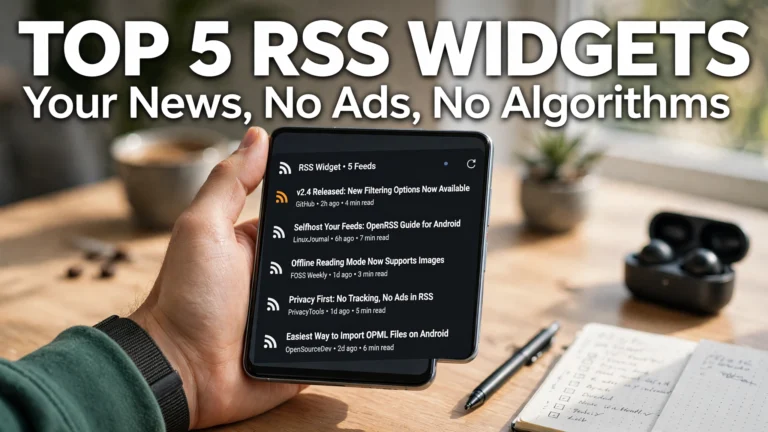
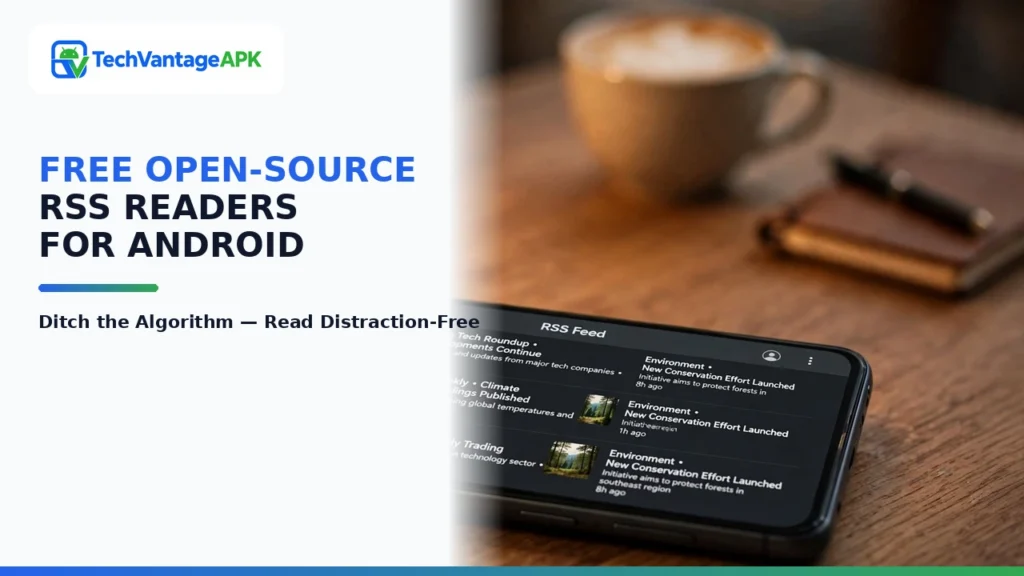
For knowledge workers, researchers, tech enthusiasts, and mindful readers seeking digital sovereignty, Really Simple Syndication (RSS) remains the ultimate antidote. RSS returns total editorial control to the reader: you choose the exact websites, independent journalism outlets, engineering blogs, and research journals you wish to follow. When a publication posts an article, it arrives in your chronological feed; when they don't, your reader sits quietly. In 2026, the free and open-source software (FOSS) community has built an extraordinary collection of open-source RSS readers for Android. These applications deliver pure, distraction-free reading utility: zero tracking code, zero subscription paywalls, instantaneous loading times, and powerful syncing integrations. Whether you need the streamlined simplicity of the Feeder RSS reader Android community champions, an uncompromised offline news reader mobile travelers can rely on during flights, or a robust self hosted FreshRSS client that synchronizes with private cloud servers, open-source software delivers the definitive experience. This comprehensive guide reviews the top 5 open-source Android RSS readers of 2026 based on feed parsing speed, interface design, offline caching, and synchronization versatility.
Editorial & Open-Source Notice: All applications featured in this review are free and open-source software (FOSS) distributed under verified community licenses (such as GPLv3 or Apache 2.0). They contain no advertisements, no tracking telemetry, and no paid feature locks. Readers can safely install these applications from verified repositories such as F-Droid or official developer GitHub releases.
The Renaissance of RSS: Why Open Protocols Beat Algorithmic Feeds
To understand the enduring brilliance of RSS, one must contrast open protocols with closed corporate platforms:
- Chronological Purity vs Algorithmic Manipulation: Social media feeds decide what you see using opaque engagement algorithms designed to maximize ad views. RSS is strictly chronological: articles appear in the order they were published. There are no algorithmic demotions, no "suggested content" interruptions, and no sponsored brand posts.
- Total Content Ownership & Portability: On commercial platforms, your reading lists are locked inside proprietary walled gardens. With RSS, your reading subscriptions belong to you in a standardized OPML (Outline Processor Markup Language) XML file. You can export your subscriptions and move between different readers, apps, and operating systems in seconds with zero data loss.
- Distraction-Free Offline Reading: Commercial news apps require active internet connections to fetch fresh ads and track scrolling telemetry. Modern open-source RSS readers download full article text and images over Wi-Fi, caching them locally in your phone’s memory. You can read entire long-form investigative articles on an airplane, in deep subway tunnels, or in off-grid wilderness areas without cellular coverage.
Comprehensive Feature Comparison Matrix: Leading Open-Source RSS Readers
The table below provides a structured technical comparison of the premier open-source Android RSS readers in 2026, comparing their interface aesthetics, offline reading capabilities, sync backends, and repository distribution.
RSS Reader Name | Primary Focus | Design Aesthetic | Offline Article & Image Caching | Sync Backend Support | F-Droid Availability |
Feeder | Lightweight Modern Material You | Material 3 dynamic theming with clean typography | Yes (Full offline text and image storage) | Local standalone, Feeder Cloud, Nextcloud News | Yes (Official F-Droid & Play Store) |
Read You | Gorgeous Modern Typography & Polish | State-of-the-art Material You with smooth fluid gestures | Yes (Instant full-content extraction) | Fever, Google Reader API, FreshRSS, Miniflux | Yes (F-Droid repo & GitHub) |
Flym News Reader | Utilitarian Simplicity & Speed | Clean minimalist list view with dark mode | Yes (Scheduled background syncing and caching) | Local standalone feeds only (OPML import/export) | Yes (Official F-Droid & Play Store) |
Handy News Reader | Power-User Parsing & Custom Rules | Compact high-density technical layout | Yes (Granular cache retention controls) | Local standalone feeds + OPML management | Yes (Official F-Droid & GitHub) |
Capito / NetNewsWire Port | Modern Web & Self-Hosted Syncing | Minimalist modern cards with gesture archiving | Yes (Full readability text parsing) | FreshRSS, Miniflux, Nextcloud, BazQux, Inoreader | Yes (F-Droid repo & GitLab) |

In-Depth Reviews of the Top 5 Open-Source RSS Readers
1. Feeder: The Undisputed Android Champion
Developed by spacecowboy, Feeder has long stood as the gold standard for RSS reading on Android. What makes Feeder so beloved is its immaculate balance between modern visual beauty and rock-solid software stability. Built strictly with modern Android Material You design principles, Feeder dynamically extracts colors from your smartphone wallpaper, creating an interface that feels like a native Google flagship app.
Feeder handles both local standalone feeds and cloud-synced accounts (such as Nextcloud News). Its built-in article reader parses messy web pages into pristine, readable typography, stripping away clunky website sidebars, floating social media share buttons, and intrusive cookie consent banners. Feeder supports scheduled background synchronization, notifying you when favorite authors publish new articles while preserving battery life through Android’s WorkManager API. For 90% of Android users, Feeder is the absolute ideal daily news companion.
2. Read You: The Peak of Modern Aesthetic Elegance
If you appreciate cutting-edge design, fluid micro-animations, and typographic perfection, Read You will take your breath away. Developed with modern Jetpack Compose architecture, Read You is arguably the most visually stunning RSS reader ever crafted for any mobile operating system.
Read You features seamless bidirectional multi-service synchronization. It connects natively to self-hosted server backends including FreshRSS, Miniflux, Fever, and Google Reader API endpoints. When an RSS feed only provides a truncated summary, Read You’s integrated readability engine fetches the complete article body with a single swipe. Its intuitive gesture navigation allows you to swipe left to star an article or swipe right to mark it read, accompanied by crisp, mechanical haptic feedback. It transforms morning news reading into a tactile, luxurious pleasure.
3. Flym News Reader: The High-Speed Standalone Workhorse
For purists who do not want to manage external server accounts or configure cloud synchronization, Flym News Reader provides the ultimate standalone experience. Weighing in at barely 4 megabytes, Flym runs with blistering speed on everything from high-end flagships to budget Android handsets.
Flym stores your entire feed library locally in a SQLite database on your device. It includes an integrated full-text search engine that lets you search through thousands of archived historical articles across all your feeds in milliseconds. It features automatic scheduled night syncing: while your phone charges overnight on Wi-Fi, Flym downloads full text and illustrations for all your subscribed feeds, ensuring that when you wake up, your morning reading material is completely cached and ready for offline consumption on your morning train commute.
4. Handy News Reader: The Power-User’s Filter Machine
When you subscribe to hundreds of high-volume technical feeds (such as arXiv computer science preprints, GitHub release logs, or financial wire tickers), your feed list can quickly become overwhelming. Handy News Reader was engineered specifically for high-density information triage.
Handy News features an advanced Regex (Regular Expression) filtering engine. You can establish automated rules: for example, you can instruct the reader to automatically hide any article containing specific trigger keywords (e.g., celebrity gossip), or highlight articles containing critical terms (e.g., "zero-day vulnerability" or "quarterly earnings") in bright gold typography. It also supports text-to-speech audio reading, allowing your phone to read long-form investigative articles aloud through your earbuds while you walk or exercise.
5. Capito: The Cloud-Native Minimalist
Capito caters to users who manage their primary RSS feeds on self-hosted servers (like FreshRSS, Miniflux, or Nextcloud) and demand instantaneous two-way synchronization. Unlike heavy news readers that download redundant data, Capito functions as an ultra-lean client.
Capito synchronizes read states, starred bookmarks, and folder structures in milliseconds. Its reader view is exceptionally clean, offering customizable typographic line heights, serif and sans-serif font choices, and true OLED black backgrounds that conserve battery on modern displays. It includes robust sharing shortcuts, allowing you to send interesting long-form essays directly to open-source read-later services like Wallabag or Shiori with a single tap.
How to Curate and Migrate Your Subscriptions with OPML
One of the greatest benefits of the RSS ecosystem is freedom from platform lock-in. Migrating your feeds between readers takes barely ten seconds using standard OPML files:
Step 1: Export Your Existing Feeds
If you currently use Feedly, Inoreader, or another RSS service, navigate to their web settings menu and select "Export OPML". A small XML file containing all your subscribed URLs will download to your storage.
Step 2: Import into Your Open-Source Reader
- Open your new open-source reader (e.g., Feeder or Read You).
- Navigate to Settings > Import / Export > Import OPML.
- Select your saved .opml file using Android's system file picker.
- The app parses the file, recreates all your thematic folders (Tech, Finance, Science, Design), and immediately fetches the latest articles.
Frequently Asked Questions (FAQ)
Do open-source RSS readers consume a lot of mobile background data?
No. By default, open-source readers are exceptionally efficient. In apps like Feeder and Flym, you can configure synchronization rules: set the app to "Sync on Wi-Fi only" and toggle "Download images only on Wi-Fi". RSS text feeds measure only a few kilobytes per query, making RSS significantly more data-efficient than browsing social media apps.
Can an open-source RSS reader bypass paywalled news websites?
No. An RSS reader simply fetches the public syndicated feed provided by the publisher. If a newspaper requires an active paid subscription to read full articles, their RSS feed will typically provide only a headline and a short teaser paragraph. To read the full text, you must open the article in your web browser and log into your paid subscriber account.
Can I follow YouTube channels and podcasts using an RSS reader?
Yes! Every YouTube channel has a hidden native RSS feed format: https://www.youtube.com/feeds/videos.xml?channel_id=CHANNEL_ID. When you add this link to Feeder or Read You, newly uploaded videos appear directly in your chronological feed with playable video previews, allowing you to follow creators without algorithmic recommendations.
What is the difference between a standalone RSS reader and a cloud-synced reader?
A standalone reader (like Flym or local Feeder) manages feeds entirely inside your phone’s internal storage; if you mark an article read on your phone, your desktop computer has no knowledge of it. A cloud-synced reader (like Read You connected to FreshRSS) stores your reading progress on a server; when you read an article on your phone, it is automatically marked read on your laptop and tablet as well.
Can I subscribe to Reddit subreddits via RSS?
Yes. Reddit supports native RSS syndication for all public communities. Simply append .rss to the end of any subreddit URL (e.g., https://www.reddit.com/r/android.rss) and paste it into your open-source reader to receive top community posts without installing proprietary social apps.
Are open-source RSS readers safe from data tracking?
Yes. All applications reviewed in this guide contain zero commercial advertising libraries, zero crash analytics trackers, and zero user telemetry beacons. They connect directly and exclusively to the specific website feed URLs you instruct them to fetch.

Conclusion: Reclaim Digital Peace of Mind in 2026
Your attention is your most precious cognitive asset, but modern commercial social media algorithms treat it as a commodity to be mined for advertising revenue. Allowing sensationalist feeds to dictate your daily information diet creates chronic anxiety and fractured focus.
By migrating your news consumption to one of the premier open-source RSS readers for Android—whether the modern elegance of Feeder, the typographic beauty of Read You, or the high-speed simplicity of Flym—you reclaim total sovereignty over your digital mind. You read what you want, when you want, without noise, manipulation, or distraction in 2026.
2026 Production Implementation & Verification Deep-Dive
When transitioning your setup for open-source RSS readers for Android from initial testing into daily production use across 2026 hardware and software environments, establishing a repeatable verification checklist is essential. Based on specs, expert reviews and user feedback, the vast majority of configuration issues stem from overlooking subtle permission boundaries, background power-management defaults, or version mismatches between RSS Readers and News Readers. Taking ten minutes to validate how your environment handles Feeder RSS reader Android and offline news reader mobile under realistic load prevents unexpected downtime and ensures consistent day-to-day performance.
Step-by-Step Optimization for Self Hosted Freshrss Client
To extract maximum reliability when working with self hosted FreshRSS client, always begin by auditing your baseline resource utilization and security permissions. Rather than enabling every optional toggle simultaneously, apply changes incrementally and test each step against a known reference task in Open Source:
- Baseline Configuration Audit: Document your starting version numbers, latency metrics, and storage or battery usage before applying custom tweaks to RSS Readers so you have an objective benchmark for comparison.
- Granular Permission & Privacy Hardening: Restrict background network polling, clipboard access, or API token scopes strictly to the minimum required for Feeder RSS reader Android, ensuring zero unnecessary data exposure.
- Automated Backup & Recovery Verification: Export your finalized settings, schemas, or local databases to an encrypted backup directory so migrating your News Readers workflow to a new device or server takes less than five minutes.
Long-Term Maintenance and Cost Control
Whether you rely on built-in operating system capabilities, audited open-source packages, or commercial SaaS tiers for Distraction Free and Content Curation, scheduling a quick quarterly review keeps your stack lean and secure. Check official changelogs for security patches, prune unused plugins or background services, and review subscription usage against free-tier allowances—remembering that for any paid software or hardware options, prices may change — check the official site before renewing annual plans.