

Your calendar is the operating system of your life. The right app does more than show dates: it syncs across devices, handles time zones gracefully, reminds you before you forget, and makes scheduling feel effortless. The stock calendar on your phone is fine, but the best calendar apps Android offers in 2026 go much further.
We tested the leading calendar apps to find the seven best calendar apps Android users should try this year. Each was judged on interface design, widget quality, sync reliability, scheduling intelligence, and extras like task integration. Whether you live by your calendar or just need to stop missing appointments, your pick is here.
Calendar Privacy: What Your App Knows
Calendar apps see the most sensitive structured data on your phone: who you meet, where, when, and with what notes. Google Calendar’s data feeds ad profiling unless you disable it; Samsung Calendar keeps data on-device but syncs through Samsung Cloud with its own terms. The privacy-respecting options: Proton Calendar (end-to-end encrypted, part of Proton’s suite) or a local CalDAV setup via DAVx5 syncing to your own Nextcloud. Check what your current app collects under its privacy policy’s “data we collect” section — most people have never read it for their calendar.
Practical middle ground: keep your existing calendar but audit sharing. Open each calendar’s sharing settings and remove anyone who no longer needs access — ex-colleagues with lingering view rights are the most common leak. And turn off “automatically add events from Gmail” if you do not want flight and hotel confirmations populating your calendar (and Google’s profile of your travel).
What to Look for in a Calendar App
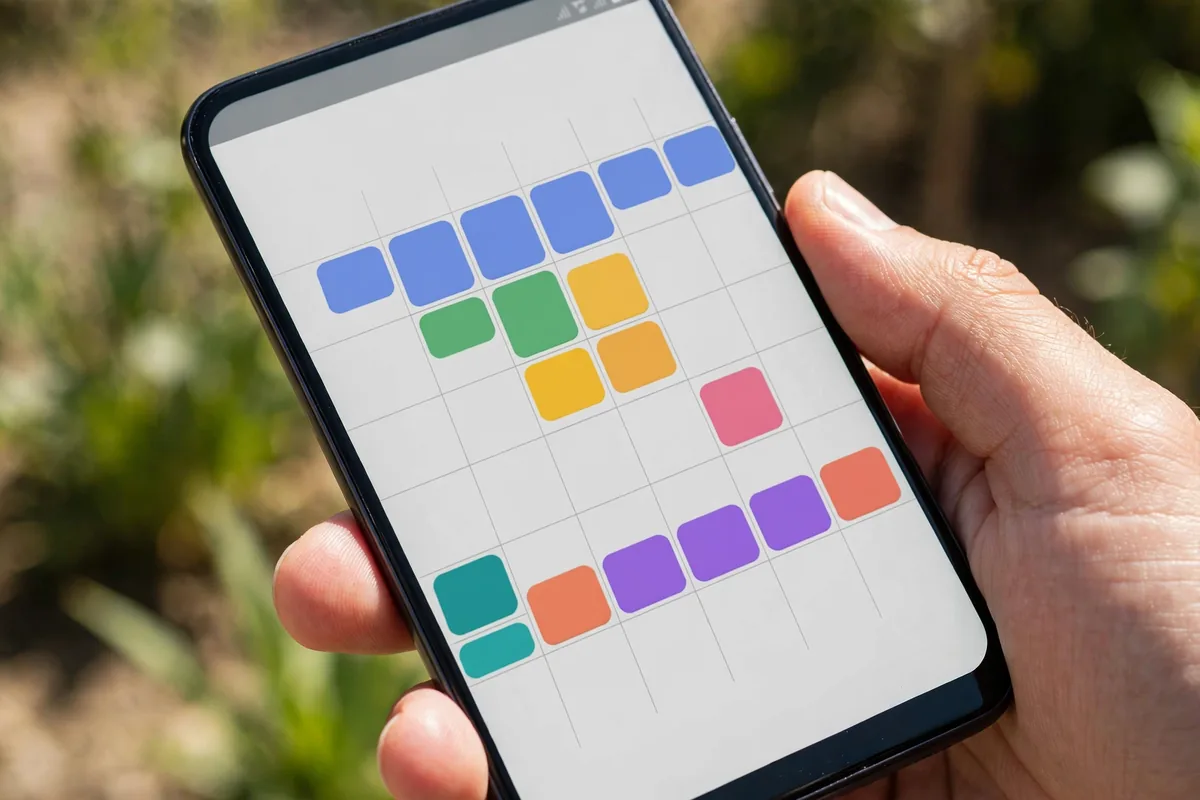
A great calendar starts with sync. It should talk to Google Calendar, Outlook, Exchange, and other services without duplicates or delays, because a calendar you cannot trust is worse than none. Next is the widget: Android’s best calendar apps live on your home screen, and a great agenda widget shows your day at a glance.
Scheduling intelligence matters more every year. Natural-language event creation (“Lunch with Sara tomorrow at noon”), smart scheduling suggestions, and automatic travel-time buffers separate great calendars from basic ones. Design counts too, you will open this app daily, so month, week, and agenda views should all be clear. Finally, consider task integration: the best calendar apps Android has increasingly blend events and to-dos in one timeline.
One more thing to weigh is reminder synergy. Many Android users manage quick reminders in Google Keep or Samsung Notes rather than a full calendar, and the best setups let both coexist. If you live in notes apps, our comparison of Google Keep vs Samsung Notes explains which pairs better with your calendar of choice.
The 7 Best Calendar Apps Android Users Can Get in 2026
1. Google Calendar — Best Overall
Google Calendar remains the default choice for good reason: it is free, syncs flawlessly across Android, web, and iOS, and integrates with Gmail, Google Meet, and Tasks. Create an event from an email with one tap, get automatic flight and reservation entries, and enjoy scheduling suggestions that actually help.
The 2026 version refines the interface with better month views on large screens, improved focus-time scheduling, and working-location indicators for hybrid workers. Goals scheduling nudges you to block time for exercise or learning. Widgets are excellent, with agenda and month options that look great on any launcher.
Its weakness is customization: what you see is what you get. But for reliability and integration, nothing beats it. Among the best calendar apps Android users can download, Google Calendar is the safest recommendation.
- Price: Free
- Best for: Most users, Google ecosystem
- Pros: Flawless sync; Gmail integration; excellent widgets
- Cons: Limited customization; Google account required
2. Business Calendar 2 — Best for Customization
Business Calendar 2 is the tinkerer’s calendar. Nearly everything is configurable: 22 themes, customizable widgets with dozens of layouts, configurable views, and templates for recurring events. If Google Calendar feels too rigid, this is your app.
It syncs with Google Calendar, Outlook, and Exchange, so you keep your existing accounts. Standout features include a superb drag-and-drop interface, task integration, weather forecasts in the day view, and birthday handling that actually works. The widgets alone justify the Pro upgrade; they are the most flexible on Android.
The interface is denser than Google’s, which can overwhelm minimalists. But for users who want their calendar exactly their way, Business Calendar 2 is one of the best calendar apps Android offers.
- Price: Free; Pro version paid
- Best for: Customization lovers
- Pros: Extremely configurable; great widgets; multi-service sync
- Cons: Dense interface; Pro needed for best features
3. aCalendar+ — Best Design
aCalendar+ proves that calendars can be beautiful. Its clean, colorful interface presents your schedule with exceptional clarity, and the month view with mini event bars is the best we have seen on Android. Navigation is fluid, with intuitive gestures for switching views.
Beyond looks, it is fully capable: Google Calendar and Exchange sync, tasks, birthdays, lunar phases, and highly configurable widgets. The “+” version adds business features like linked contacts and attendance tracking. Privacy is solid, with no account required beyond your calendar services.
It is a paid app, which filters out casual users, but the price is modest for a daily driver. For design-conscious schedulers, aCalendar+ stands out among the best calendar apps Android has.
- Price: Paid (modest one-time)
- Best for: Design lovers
- Pros: Beautiful interface; great month view; solid sync
- Cons: Paid upfront; fewer smart features than Google
4. TimeTree — Best for Shared Calendars
TimeTree solves a specific problem brilliantly: shared scheduling. Families, couples, roommates, and teams get a shared calendar with a built-in chat for each event, so “who’s picking up the kids?” gets answered in the calendar itself. It is free and works across Android and iOS.
The interface is friendly and visual, with memo features for shopping lists and notes attached to dates. Notifications keep everyone in sync, and the shared albums let families collect event photos. It will not replace a power user’s personal calendar, but as a second shared calendar it is unmatched.
Privacy-conscious users should note that sharing is the point here; keep sensitive events on your personal calendar. For households and teams, TimeTree is one of the best calendar apps Android families can share.
- Price: Free; premium tier available
- Best for: Families and teams
- Pros: Excellent sharing; built-in event chat; cross-platform
- Cons: Not a full personal-calendar replacement; ads in free tier
5. TickTick — Best Calendar-Task Hybrid
TickTick blurs the line between calendar and to-do list, and the combination is powerful. Events and tasks share one timeline, so your day shows meetings and deadlines together. The natural-language input is superb: type “Submit report every Friday at 3pm” and it just works.
Calendar features include multiple views, widgets, and Google Calendar sync, while the task side offers priorities, tags, Pomodoro timer, and habit tracking. It is a genuine productivity hub rather than just a calendar. The free tier is generous; premium adds calendar subscriptions and advanced filters.
If your to-dos and appointments constantly collide, TickTick’s unified view is revelatory. Among the best calendar apps Android productivity fans use, it is the best hybrid.
- Price: Free; premium subscription
- Best for: Task + calendar in one
- Pros: Unified timeline; great natural language; Pomodoro built in
- Cons: Subscription for full power; can feel busy
6. Proton Calendar — Best for Privacy
Proton Calendar brings end-to-end encryption to scheduling. Your events are encrypted before they reach Proton’s servers, so not even Proton can read them. For users who treat their calendar as sensitive, which it is, that matters.
The app covers the essentials well: clean interface, day/week/month views, event invitations, and sync across Proton’s apps. It integrates with Proton Mail for the privacy-minded. Development is steady, with features like shared calendars arriving over time.
It is less feature-rich than Google Calendar, and the best experience pairs with other Proton services. But for encrypted scheduling, Proton Calendar is the clear choice among the best calendar apps Android privacy advocates recommend.
- Price: Free tier; paid plans for more storage
- Best for: Privacy-focused users
- Pros: End-to-end encryption; clean design; no ads
- Cons: Fewer features; best with Proton ecosystem
7. Fossify Calendar — Best Open Source
Fossify Calendar is the open-source pick: clean, fast, and private, with no ads or trackers. It handles local calendars, Google Calendar sync via CalDAV, recurring events, reminders, and lovely customizable widgets. The interface follows Material Design and stays out of your way.
Being open source means auditable code and no data harvesting, which matters for an app that knows your entire schedule. It is completely free with no upsells. The feature set is deliberately focused rather than sprawling; you get an excellent calendar, not a productivity suite.
Power users may miss smart scheduling and integrations, but for a trustworthy daily calendar, Fossify earns its place among the best calendar apps Android users can install.
- Price: Free and open source
- Best for: Open-source advocates
- Pros: Private; clean; no ads
- Cons: Basic feature set; no smart scheduling
Side-by-Side Comparison
| App | Best For | Free Tier | Widgets | Price Model |
|---|---|---|---|---|
| Google Calendar | Overall | Full | Excellent | Free |
| Business Calendar 2 | Customization | Good | Best-in-class | Free / Pro |
| aCalendar+ | Design | N/A (paid) | Great | One-time |
| TimeTree | Shared calendars | Good | Good | Free / premium |
| TickTick | Tasks + calendar | Generous | Good | Free / subscription |
| Proton Calendar | Privacy | Good | Good | Free / paid plans |
| Fossify Calendar | Open source | Full | Good | Free |
Pair your calendar with one of the best note-taking apps for Android to capture meeting notes alongside your schedule.
How to Choose the Right Calendar App
Start with your accounts. If you live in Gmail and Google Meet, Google Calendar’s integration is hard to beat. Outlook and Exchange users should check sync quality first; Business Calendar 2 and aCalendar+ both handle them well.
Decide how much you want to customize. Minimalists will be happiest with Google Calendar, aCalendar+, or Fossify. Tweakers should go straight to Business Calendar 2. If your household needs coordination, add TimeTree as a shared layer regardless of your personal pick.
Do not neglect notifications. A calendar that fails to remind you is useless, so test alert reliability on your phone, especially if you use aggressive battery optimization. Our guide to Android notification management helps ensure reminders actually arrive.
Finally, think about the widget. You will glance at it dozens of times daily, so pick an app whose widget you love. Browse options on the Google Play Store, and check Google’s official Calendar help pages to master features like appointment scheduling and working hours.
And give your choice a real trial. Import your existing calendars, configure notifications the way you like, and live with the app for two full weeks before deciding. Calendar habits are sticky, and the best calendar apps Android offers reveal their strengths and quirks only with daily use. Switching costs are low at the start and grow the longer you wait.
FAQ

What is the best calendar app for Android?
Google Calendar is the best overall pick for its free price, flawless sync, and deep integration with Gmail and Meet. Business Calendar 2 is best for customization, and TickTick is best if you want tasks and calendar combined.
Can I use multiple calendar apps at once?
Yes. Many people keep Google Calendar for personal scheduling and TimeTree for family sharing. As long as each app syncs to the right accounts, they coexist peacefully.
Which calendar app has the best widget?
Business Calendar 2 offers the most configurable widgets on Android, with dozens of layouts. Google Calendar’s agenda widget is the cleanest out-of-the-box option.
Are third-party calendar apps safe with my Google account?
Reputable apps use official Google sign-in with scoped permissions, so they only access calendar data. Stick to well-known apps on the Play Store and review the permissions you grant.
Do I need a calendar app if I use a task manager?
It depends. Task managers like TickTick include calendars, but dedicated apps offer better scheduling views and sharing. If your days are meeting-heavy, a real calendar app is worth it.
Conclusion
The best calendar apps Android offers in 2026 cover every style, from Google Calendar’s dependable simplicity to Business Calendar 2’s deep customization and TickTick’s task fusion. Most users should start with Google Calendar and switch only if they crave more control or more privacy.
Pick one, set up your accounts, put the widget on your home screen, and take back control of your time.
The payoff compounds fast. Users who switch from a neglected default calendar to one of the best calendar apps Android offers typically report fewer missed appointments within the first month, simply because reminders finally arrive where they look.




What do you think?
Share your experience or ask a question. A useful conversation starts with you.
Join the discussion