

If you own an Android phone, you probably have two note-taking apps already installed without ever choosing either one: Google Keep, which ships with every device that carries Google Mobile Services, and Samsung Notes, which comes preloaded on every Galaxy phone and tablet. Both are free, both sync to the cloud, and both cover the basics — lists, reminders, voice memos, and handwriting. So when people search for google keep vs samsung notes, the real question is rarely "which one works." Both work. The real question is which one works the way you think.
This guide answers that question the honest way: a feature-by-feature comparison, scored in plain language, with tables where they help and nuance where tables don't. No lab-coat claims, no invented statistics — just a careful walkthrough of what each app does well, where each one falls short, and who each one is really built for. By the end, you will know not only which app wins on paper, but which one you should actually open every morning.
At a Glance: The Short Answer
| Google Keep | Samsung Notes | |
|---|---|---|
| Price | Free | Free |
| Platforms | Android, iOS, web (keep.google.com) | Android (Galaxy), Windows (Microsoft Store); iOS and web via workarounds only |
| Best for | Quick capture, lists, reminders, cross-platform users | Handwriting, S Pen users, document-style notes, PDF annotation |
| Cloud sync | Google account, instant | Samsung Cloud / OneDrive-linked Microsoft account |
| Handwriting | Basic finger drawing | Excellent S Pen support with pen types, pressure sensitivity |
| Web clipper / OCR | Excellent image text extraction | Good handwriting-to-text, solid PDF tools |
| Widgets | Strong, flexible | Good, but Galaxy-centric |
| Sharing | Real-time collaboration on notes | Share via link/files; limited live collaboration |
If you want the one-sentence verdict: Google Keep is the better quick-capture tool and the better choice if you live outside Samsung's ecosystem. Samsung Notes is the better full-featured notebook, especially if you own an S Pen device. Now let's get into the details.
Availability and Platforms
Where Google Keep runs
Google Keep is available essentially everywhere. It comes preinstalled on most Android phones, it has an iOS app, and — critically — it has a full-featured web app at keep.google.com. Notes sync through your Google account, so a list you start on your phone is instantly editable from a Chromebook, a Mac, or a work PC. There is also a Keep integration inside Google Docs and Gmail (a side panel that lets you drag notes into documents), which makes it genuinely useful for people whose work already lives in Google Workspace.
Where Samsung Notes runs
Samsung Notes is a Galaxy-first app. It shines on Samsung phones and tablets, and there is a Windows version in the Microsoft Store that syncs through your Samsung account — handy if you have a Galaxy Book or any Windows PC and sign in. What it does not have is a proper iOS app or a full web editor. Samsung's SmartThings/Cloud web portals offer limited viewing in some regions, but if you use an iPhone as a secondary device or a Mac as your daily driver, Samsung Notes becomes an island. Sync itself, when it works within the ecosystem, is fast and reliable — Samsung moved the sync backend to OneDrive-linked Microsoft accounts, which also gives you a OneDrive folder of your notes as a backup of sorts.
Winner: Google Keep. Cross-platform availability is not close. If your digital life spans more than one manufacturer's hardware, Keep is the only one of the two that follows you everywhere.
Interface and Ease of Use

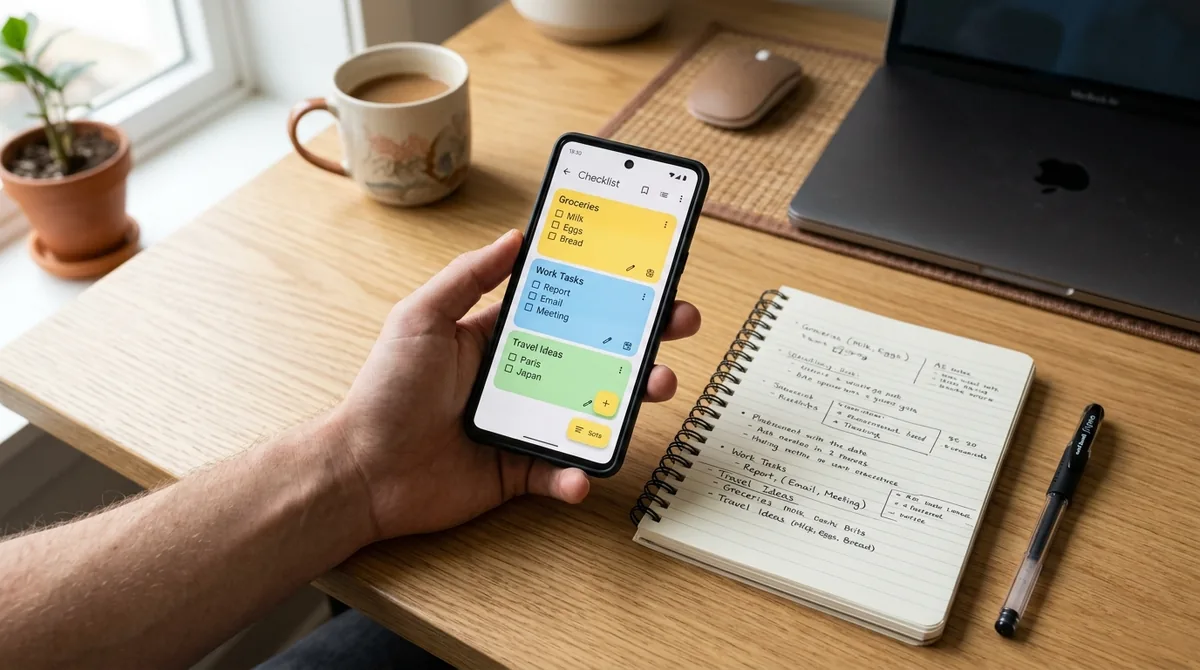
Google Keep's interface is famously minimal: a masonry grid of colored cards, a big "Take a note" bar at the top, and almost nothing else. There is no folder tree, no notebooks, no formatting toolbar to learn. You open it, you type, you pin, you archive. For capturing a thought in under five seconds, nothing on Android is faster. The tradeoff is that heavy users end up with hundreds of cards and must rely on search, labels, and pinning to stay organized — Keep has no nested folders, and its labels are flat.
Samsung Notes takes the opposite approach: folders on the left, a proper document canvas in the middle, and a formatting toolbar with headings, bullet styles, alignment, and templates. It feels like a lightweight word processor crossed with a sketchbook. Notes can be organized into folders, locked with a PIN or biometrics, and sorted in multiple ways. It is more powerful, but it asks slightly more of you — creating a quick grocery list takes a couple more taps than in Keep.
Winner: tie, by use case. Keep wins on speed of capture and zero learning curve. Samsung Notes wins on organization for people who keep hundreds of notes and want folders, sorting, and a document-like structure.
Note Types and Formatting
Both apps handle text notes, checklists, voice memos, and images. The differences show up in how far each one goes.
Google Keep offers checklists with strikethrough, colored backgrounds, labels, reminders (time and location based), pinned notes, and archived notes. You can draw with a finger or stylus, but the drawing tools are basic — a few pen types and colors, no pressure sensitivity worth mentioning. You can attach images, record voice notes (which Keep transcribes into the note on supported devices), and extract text from images with surprisingly good OCR. What you cannot do: rich text formatting. No bold, no italics, no headings, no tables. Keep notes are deliberately plain.
Samsung Notes is far richer here. Notes support bold, italic, underline, strikethrough, headings, bullet and numbered lists, alignment, and font size control. Templates give you meeting notes, diaries, and planners. You can insert images, audio recordings (with the ability to play back audio synced to what you wrote — a killer lecture feature), tables, and even PDFs that you can annotate directly. Handwriting recognition converts S Pen strokes to text, and "Straighten" tools tidy up messy handwriting.
| Capability | Google Keep | Samsung Notes |
|---|---|---|
| Rich text (bold/italic/headings) | No | Yes |
| Tables | No | Yes |
| PDF import and annotation | No | Yes |
| Audio recording synced to writing | No | Yes |
| Handwriting-to-text | Basic | Advanced (S Pen optimized) |
| Checklists | Yes | Yes |
| Voice memo with transcription | Yes | Yes |
| Templates | No | Yes |
Winner: Samsung Notes, decisively. If your notes look like documents — class notes, meeting minutes, annotated PDFs — Samsung Notes is in a different league.
Handwriting and S Pen Support
This is the single biggest differentiator in the google keep vs samsung notes debate, and it is not close.
Google Keep lets you draw, and on a Galaxy device with an S Pen you can use the pen as a basic stylus. But Keep has no pressure sensitivity, no palm rejection tuning, no pen customization beyond color and thickness presets, and no handwriting-to-text conversion. It treats the S Pen like a slightly nicer finger.
Samsung Notes is built around the S Pen. You get multiple pen types (fountain pen, brush, highlighter, calligraphy pen), pressure sensitivity, tilt support on newer devices, adjustable stroke stabilization, shape correction (draw a rough circle, get a perfect one), and handwriting that can be converted to typed text with a tap. Samsung Notes also supports "write on PDF" workflows and lets you erase by stroke or by area. For students annotating slides or artists sketching ideas, Samsung Notes is a legitimate digital notebook; Keep is a napkin.
Winner: Samsung Notes, by a mile. If you bought a Galaxy Ultra or a Galaxy Tab partly for the S Pen, Samsung Notes is the reason.
Sync, Backup, and Reliability
Google Keep syncs through your Google account with near-instant push. Edit a note on your phone, and the web app reflects it in seconds. Offline edits merge cleanly. Google's sync infrastructure is battle-tested, and Keep benefits from it. Backup is implicit — your notes live in your Google account, exportable via Google Takeout.
Samsung Notes syncs through your Samsung account, with Microsoft OneDrive integration handling the storage backend in current versions. Within the Galaxy/Windows world, sync is quick and dependable. But the sync story has rough edges: users who switch between Samsung and non-Samsung Android devices, or who factory reset without confirming sync completed, occasionally report notes that lag or duplicate. Samsung's own support pages advise verifying sync before resets — sensible advice for any app, but Keep users rarely need to think about it at all.
One more consideration: account longevity. A Google account is the key to most people's Android life regardless of phone brand. A Samsung account is one more credential to maintain, and its value drops to near zero if you ever leave Galaxy devices.
Winner: Google Keep. Simpler, faster, and brand-independent. Your notes should not depend on which logo is on your next phone.
Reminders and Organization
Google Keep has one of the best reminder systems of any notes app: time-based reminders, recurring reminders, and location-based reminders ("remind me to buy milk when I'm at the grocery store") that fire reliably through Google's infrastructure. Combined with pinning, archiving, labels, and color-coding, Keep handles the "organized chaos" of daily life beautifully — as long as you don't need nested folders.
Samsung Notes offers reminders too, but they are less sophisticated — time-based reminders without Keep's location triggers. Organization, on the other hand, is stronger in the traditional sense: folders, subfolders in newer versions, favorites, and note locking. If your mental model is "filing cabinet," Samsung Notes matches it. If your mental model is "pile with great search," Keep matches it.
Winner: Google Keep for reminders; Samsung Notes for folder organization. Call this one a draw overall, weighted by what you value.
Search
Both apps search note contents, including text inside images (OCR). Google Keep's search is powered by Google's text indexing and is excellent — it finds text in handwritten doodles poorly, but typed text, labels, colors, and even "things with reminders" or "things shared with me" via search filters. You can search by color, label, or note type, which is surprisingly handy.
Samsung Notes search covers titles, body text, handwriting (converted), and text in images. It is good, though a step behind Keep's filter-based search for power users. Samsung Notes does let you search within a single long note, which Keep's card model makes less relevant.
Winner: Google Keep, narrowly. Its search filters (by color, label, reminder status) are genuinely useful once your note count climbs.
Sharing and Collaboration
Google Keep supports real-time collaboration: share a note with another Google account and both of you can edit simultaneously, with changes syncing live. This makes Keep genuinely good for shared grocery lists, trip planning, and household checklists. It is one of Keep's most underrated strengths.
Samsung Notes lets you share notes as files (PDF, image, text, Samsung Notes format) or via a shareable link, and you can collaborate on shared notes in limited ways, but it is not true real-time co-editing. For most people, Samsung Notes sharing means "send someone a copy," while Keep sharing means "work on it together."
Winner: Google Keep. Real-time collaboration is a clear, practical advantage.
Widgets and Home Screen Integration
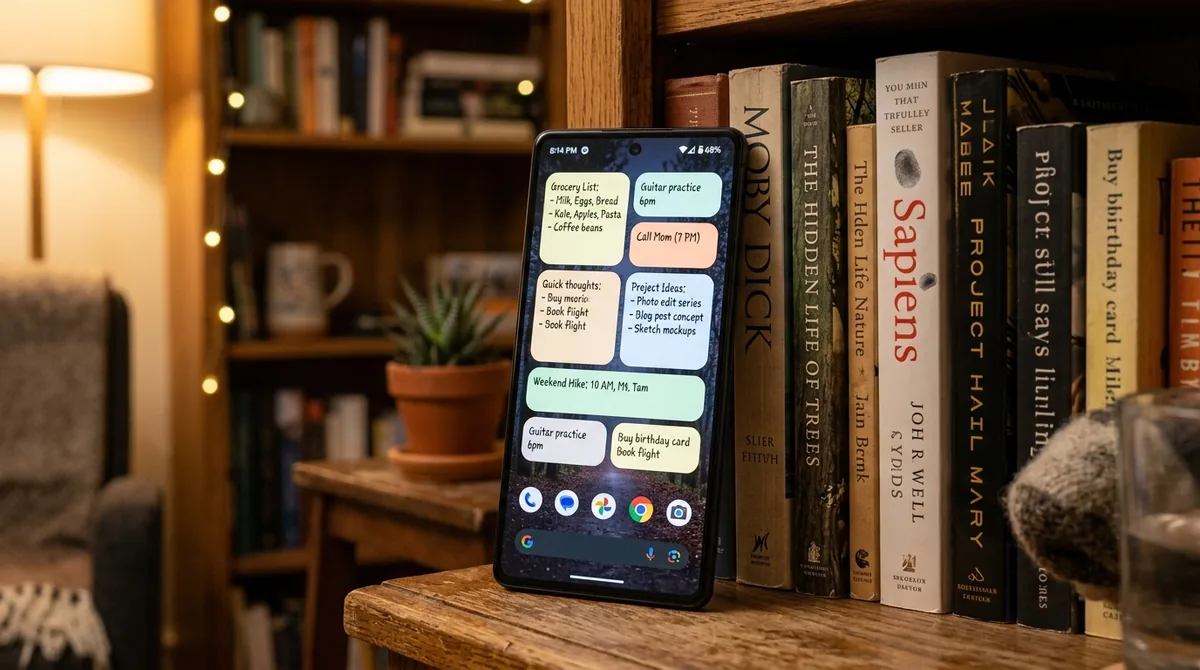
Google Keep's widgets are excellent: a quick-capture bar (text, list, voice, photo, drawing), a scrollable note list widget, and a single-note widget. They are resizable, theme-aware, and fast. On any Android launcher, Keep widgets feel native.
Samsung Notes widgets are solid on Galaxy devices — note list and quick-create widgets — but they are tuned for One UI and feel less at home on third-party launchers or non-Samsung phones (where the app may not be installed at all). Edge panel integration on Galaxy phones is a nice bonus for S Pen users who want one-swipe access to a blank canvas.
Winner: Google Keep for universality; Galaxy owners who live in One UI may prefer Samsung's edge panel shortcut.
Privacy and Locking Notes
Samsung Notes lets you lock individual notes behind a PIN, pattern, password, or biometrics. This is a meaningful privacy feature — journals, medical notes, financial jottings — that Keep simply does not offer. Keep has no note locking at all; your only protection is your phone's lock screen.
On the data side, both sync to their respective clouds under standard consumer privacy policies. Neither app offers end-to-end encryption for notes. If you want locked notes, Samsung Notes wins outright.
Winner: Samsung Notes.
Extras and Ecosystem Tricks
A few differentiators worth knowing:
- Google Keep + Docs/Gmail sidebar: drag notes directly into documents and emails. Small, but genuinely useful for Workspace users.
- Keep's "Grab image text": point Keep at a photo of a receipt, whiteboard, or document and it extracts editable text. It is fast and accurate.
- Keep location reminders: as noted above, a standout feature.
- Samsung Notes + PDF: import a PDF, annotate it with the S Pen, export the marked-up file. Students and professionals use this daily.
- Samsung Notes audio bookmarking: record a lecture while you write; tap your handwritten words later to hear what was being said at that moment.
- Samsung Notes math solver: handwrite an equation and get the solution — a neat trick for students.
- Keep on Wear OS: quick voice notes from your wrist sync instantly.
Winner: tie. Each app's extras serve different lives — Keep's serve the Google-centric multitasker; Samsung's serve the student and the pen user.
Google Keep vs Samsung Notes: Head-to-Head Scorecard
| Category | Winner |
|---|---|
| Platforms and availability | Google Keep |
| Speed of capture | Google Keep |
| Document formatting | Samsung Notes |
| Handwriting / S Pen | Samsung Notes |
| Sync reliability | Google Keep |
| Reminders | Google Keep |
| Organization (folders) | Samsung Notes |
| Search | Google Keep |
| Collaboration | Google Keep |
| Widgets | Google Keep |
| Note locking / privacy | Samsung Notes |
| PDF annotation | Samsung Notes |
| Templates | Samsung Notes |
Tally it up and Keep takes more categories — but categories are not equally important. If handwriting is your primary input method, Samsung Notes' S Pen advantage outweighs three of Keep's wins combined.
Who Should Use Google Keep
- You switch phone brands, use an iPhone alongside Android, or work on Mac/Chromebook/Windows.
- Your notes are mostly lists, reminders, ideas, and clippings.
- You share lists with family or housemates and want live collaboration.
- You want the fastest possible capture: open, type, done.
- You already live in Google Workspace and want notes in the Docs/Gmail sidebar.
Who Should Use Samsung Notes
- You own a Galaxy phone or tablet with an S Pen and actually use the pen.
- You take class notes, annotate PDFs, or sketch diagrams.
- You want folders, rich formatting, templates, and locked notes.
- Your devices are all Samsung/Windows and you are happy staying in that ecosystem.
- You record lectures or meetings and want audio synced to your writing.
Can You Use Both?
Absolutely — and many Galaxy owners do. A common setup: Google Keep for quick capture, shared lists, and reminders (thanks to its widgets and collaboration), and Samsung Notes for study notes, PDFs, and anything involving the S Pen. The two apps do not conflict. If anything, using each for what it does best is the most honest answer to google keep vs samsung notes — you don't have to pick a single winner to have a great system.
Tips for Switching
Moving from Samsung Notes to Google Keep: Keep has no importer. For text notes, share each note (or batches of them) as text files and paste them into Keep cards. For checklists, recreate them — Keep's checklist conversion is quick. Export anything with handwriting as images first, since Keep cannot convert ink to text.
Moving from Google Keep to Samsung Notes: Samsung Notes can import from several sources, but Keep is not a direct one. The practical route is copy-paste per note, or share Keep notes as text. Labels won't transfer — recreate your folder structure in Samsung Notes first, then file notes as you move them.
Either way, move in small batches and keep the old app installed until you are sure everything landed.
FAQ — Google Keep Vs Samsung Notes
Google Keep vs Samsung Notes: which is better overall?
It depends on what "better" means for you. Google Keep is better for quick capture, cross-platform sync, reminders, and real-time collaboration. Samsung Notes is better for handwriting, S Pen use, document formatting, PDF annotation, and folder organization. For most casual note-takers who switch devices, Keep is the safer default; for students and S Pen users, Samsung Notes wins.
Is Samsung Notes free?
Yes. Samsung Notes is free and preinstalled on Galaxy devices, with a free Windows companion app in the Microsoft Store. There are no paid tiers or subscriptions.
Does Google Keep work on iPhone?
Yes. Google Keep has an iOS app and a full web app, and notes sync through your Google account across Android, iOS, and the web.
Can Samsung Notes be used on a non-Samsung Android phone?
Samsung Notes is also available for some non-Samsung devices through the Galaxy Store, but it is designed for Galaxy hardware: updates and S Pen features may not work properly, and Samsung does not officially support it there. If you don't use Galaxy devices, Google Keep is the more reliable choice.
Which app is better for students?
Samsung Notes, in most cases. Handwriting with the S Pen, PDF annotation, audio-synced notes, templates, and the math solver map directly onto student workflows. Google Keep is still useful for quick reminders and shared group-project checklists.
Do both apps work offline?
Yes. Both apps work fully offline and sync your changes when you reconnect. Google Keep's offline merge is particularly seamless; Samsung Notes occasionally needs a moment to reconcile after long offline stretches.
Conclusion — Google Keep Vs Samsung Notes
The google keep vs samsung notes debate has no universal winner, but it does have a clear decision rule: choose the app that matches your input method and your ecosystem. If your notes are typed, your devices are mixed, and your priority is capturing thoughts instantly and finding them anywhere, Google Keep is the better app — simpler, faster, and everywhere. If your notes are handwritten, you own an S Pen, and you want a genuine digital notebook with folders, formatting, PDFs, and locked notes, Samsung Notes is the better app — deeper, more capable, and purpose-built for the Galaxy pen.
And if you are a Galaxy owner who likes both? Use both. Keep for capture and collaboration, Samsung Notes for study and ink. The best notes system is the one you will actually open — and now you know exactly which of these two deserves your home screen.
For a different angle on the same decision, see which is better, Google Keep or Samsung Notes — it matches each app to ten user profiles — and our Google Photos vs Samsung Gallery showdown for the photo-app equivalent of this debate. You can also try Google’s own Google Keep web app to see how your notes sync across devices.




What do you think?
Share your experience or ask a question. A useful conversation starts with you.
Join the discussion