Approximate vs Precise Location: Which Apps Get What (2026)
Since Android 12, apps requesting your location must accept a choice: approximate or precise. Most users tap through this prompt without understanding it, yet the difference is enormous. In the approximate vs precise location decision, one reveals your neighborhood and the other reveals your doorstep. This guide makes the approximate vs precise location choice simple and permanent.
This guide explains what each level exposes, which apps legitimately need precise location, how to downgrade permissions app by app, and how to audit your choices.
Building a Location-Private Phone Setup
For the full setup, work through these layers in order. Layer one: system settings — Settings > Location > App location permissions, set everything to approximate and “only while using” except navigation and ride-share. Layer two: Google account — pause Location History and Web & App Activity, set 3-month auto-delete as a safety net. Layer three: the worst offenders — replace free weather, coupon, and flashlight apps with paid or built-in alternatives. Layer four: network — a VPN hides your IP-based location from websites (though not GPS from apps). Layer five: habits — the quarterly 15-minute audit that keeps layers one through four honest.
Each layer is independent, so partial credit counts. Doing only layer one (approximate + while-using) eliminates the majority of precise-trail harvesting. Adding layer two stops Google’s long-term archive. Layers three and four handle the edge cases. Most people stop at layer two and are meaningfully better off — the perfect setup is the enemy of the good-enough setup that you actually maintain. Start with layer one today; it takes five minutes and never needs repeating.
One final check after setup: open Google Maps Timeline and confirm it is empty going forward, then check a data-broker opt-out site (like the ones run by privacy nonprofits) to remove your historical trails from commercial databases. The phone-side work stops new collection; the broker opt-outs clean up what was already sold. Both halves matter.
Location Privacy: Quick Answers
Does approximate location affect photo geotags? No — camera geotagging uses the camera app’s own permission. Set your camera to precise if you want accurate geotags, approximate for everything else.
Can websites get my precise location? Only with per-site permission in the browser, which is separate from app permissions. Chrome and Firefox both default to asking — never click “Allow” permanently for sites you do not trust.
What about emergency services? Emergency calls always transmit precise location regardless of your settings — privacy toggles never interfere with 911/112 location. This is hardcoded at the OS level.
Does disabling location save battery? Yes, noticeably — GPS is one of the hungriest sensors. With most apps on approximate or denied, expect 5-10% better standby battery life.
The Apps That Abuse Location Most (and Their Alternatives)
Certain categories are location-data vacuums by business model. Free weather apps with no paid tier sell location trails — switch to a paid weather app ($2-5/year) or your phone’s built-in weather. “Free” family-locator apps monetize the same data they claim to protect — use the platform tools (Google Family Link, Apple Find My) instead. Coupon and shopping apps track store visits to sell foot-traffic analytics — check prices in a browser instead. Flashlight, calculator, and horoscope apps have no legitimate need for any location data whatsoever; if one demands it, that is the entire review of the app. The pattern is consistent: when the app is free and the category does not need location, you are the product being sold by the kilometer.
For apps you keep, use Android’s per-app “approximate location” as the default and check quarterly. The setting survives app updates, but major app reinstalls sometimes reset it — which is exactly why the quarterly audit matters. Each audit takes five minutes: Settings > Location > App location permissions, scan the list, demote anything suspicious. Location privacy is not a setting you configure once; it is a subscription you renew four times a year.
Location Permission FAQ
Does approximate location break navigation? Yes for turn-by-turn — navigation genuinely needs precise GPS. Keep precise enabled for Maps, Waze, and ride-share apps, set to “Only while using the app.”
Can apps detect that I gave approximate instead of precise? Yes, the API reports the accuracy level. A few apps (mostly AR games and precision sports trackers) refuse to work properly on approximate — those are the rare legitimate cases for precise.
Does “Only this time” really work? Yes — Android 11+ offers one-time grants that expire when you leave the app. It is the best option for apps you use rarely but that need location once, like a parking app.
What about location history in Google Maps Timeline? That is the separate Location History toggle, independent of app permissions. Disabling app permissions does not delete Timeline data — you must pause and delete that at myactivity.google.com too.
Do VPNs hide my location from apps? No. A VPN hides your IP address, but apps using GPS get your real coordinates regardless. Location permission and network location are separate channels — control both.
Precise vs. Approximate: What Apps Actually Get
The technical difference: precise location is GPS-accurate to within 3 to 10 meters; approximate location is derived from Wi-Fi and cell towers, accurate to roughly 1 to 3 kilometers. For most apps, approximate is plenty — weather apps need your city, not your street; news apps need your metro area; shopping apps need your ZIP code. Navigation, ride-sharing, and delivery are the only common categories that genuinely need precise coordinates, and even they only need it while you are actively using them.
Set the default to approximate for everything (Settings > Location > App location permissions > tap each app > turn off “Use precise location”), then grant precise only to the three categories above. This single habit defeats the most common location-data abuse: brokers buying “anonymous” precise location trails and deanonymizing them via home/work patterns. Researchers have repeatedly shown that four spatiotemporal points uniquely identify 95 percent of individuals — approximate location never provides those points.
The “Only While Using” vs. “All the Time” Decision
Background location (“Allow all the time”) is where the real harvesting happens. An app with background access builds a 24/7 movement trail; the same app restricted to “while using” only sees location during active sessions. Audit yours quarterly: Settings > Location > App location permissions shows which apps hold “Allowed all the time” — the list is usually longer than people expect. Demote everything except family-safety apps, automation tools, and weather widgets with location-based alerts. Every demotion shrinks someone’s database of your movements.
One exception worth keeping: Find My Device and manufacturer find-my-phone services need background location to locate a lost phone. Everything else is negotiable. And remember that revoking is safe — if an app truly needs background location, it will explain why the next time you open it, and you can re-grant then. The burden of justification belongs on the app, not on you.
Approximate vs Precise Location: The Technical Difference
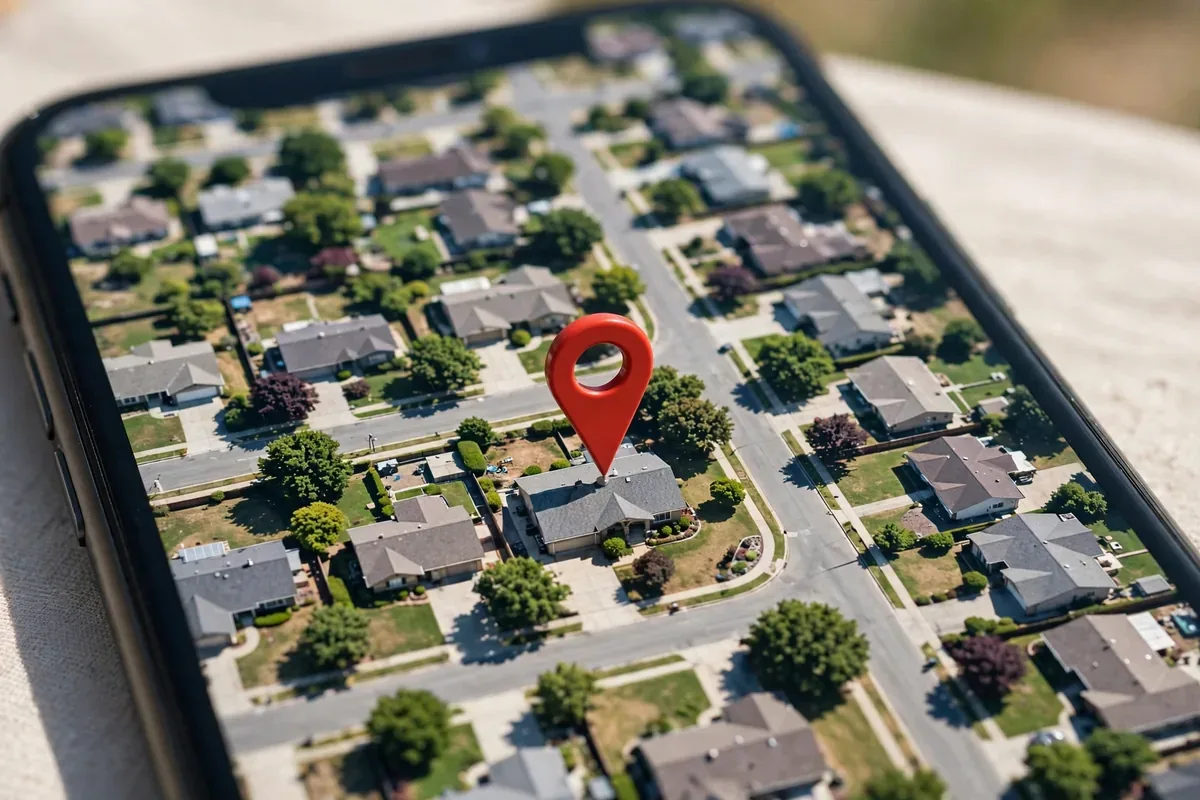
approximate vs precise location illustration
Precise location uses GPS, Wi-Fi, Bluetooth, and sensors to pinpoint you within a few meters. It can identify your exact building, which room-adjacent area you are in, and your movement patterns in fine detail.
Approximate location deliberately fuzzes the fix to roughly a 3-square-kilometer area (about a 1-mile radius). The app knows your neighborhood or district, not your address.
Both use the same underlying sensors; approximate simply degrades the reported accuracy before handing it to the app. The app cannot “upgrade” the data itself.
What Each Level Reveals About You
Data point
Precise
Approximate
Your home address
Yes, identifiable
No (area only)
Your workplace
Yes
Possibly the district
Which store you entered
Yes
No
Your city/neighborhood
Yes
Yes
Movement patterns
Detailed routes
Coarse zones
Useful for stalking/doxxing
High risk
Low risk
The privacy gap is not incremental; it is categorical. Approximate location breaks the link between your digital activity and your physical address.
Which Apps Get What: The Rules
Deserve precise location:
Navigation and maps (turn-by-turn needs your exact position).
Ride-hailing (the driver needs your curb, not your block).
Find My Device and family safety apps you chose.
Fitness trackers recording routes (though consider whether you need this at all).
Approximate is enough:
Weather apps (your district’s forecast is identical).
News and local content apps.
Shopping and food delivery (they need your area; the courier gets the address separately at checkout).
Social media (nothing legitimate needs your coordinates).
Games (with rare AR exceptions).
Should get nothing:
Flashlights, calculators, wallpaper apps, most utilities.
Any app whose function has no geographic component.
When in doubt, grant approximate. You can always upgrade an app later if it genuinely breaks; you cannot un-share precise history.
How to Change Location Accuracy Per Appapproximate vs precise location illustration
Go to Settings, Location, App location permissions.
Tap any app.
Under location accuracy, toggle “Use precise location” off to downgrade to approximate.
Or change the whole permission to “Ask every time” or “Don’t allow.”
Do this as a batch audit: open the permission manager, go through every app with location access, and downgrade aggressively. Most users find several apps holding precise location for no good reason.
The Approximate vs Precise Location Audit Routine
Make the approximate vs precise location review a quarterly habit alongside your other privacy checkups:
Open the permission manager and sort by apps with precise location enabled.
For each, ask: “Has this app ever needed my exact position to do its job?” If not, downgrade.
Check for apps you no longer use; uninstall rather than merely restricting them.
After the audit, open your most-used apps and confirm nothing broke. If a maps-class app struggles, restore precise for that one app only.
The first audit takes twenty minutes; subsequent ones take five. The privacy dividend compounds: every downgraded app is one fewer company holding your address.
The Permission Prompt: What to Tap
When an app first requests location, Android shows the choice:
Precise / Approximate toggle: set it to approximate unless the app is navigation-class.
“Only this time” / “While using the app” / “Don’t allow”: prefer “Only this time” for one-off needs.
This prompt is your highest-leverage privacy moment for that app. Ten seconds of thought here beats ten minutes of cleanup later.
Beyond the Toggle: Other Location Leaks
approximate vs precise location illustration
Approximate vs precise location covers GPS-level data, but location leaks through other channels:
Wi-Fi and Bluetooth scanning can locate you even with GPS off. Disable both scanning options in Location settings for strictness.
IP address reveals your city to websites and apps; a VPN masks it.
Photo EXIF data embeds GPS in pictures you share; strip it before posting.
What is the difference between approximate and precise location?
Precise location pinpoints you within meters using GPS and sensors; approximate location fuzzes your position to roughly a 3 km² area. Approximate reveals your neighborhood, precise reveals your address.
Which apps need precise location?
Navigation, ride-hailing, and device-finding apps genuinely need it. Weather, news, shopping, and social apps work fine with approximate.
Can I change an app from precise to approximate later?
Yes. Settings, Location, App location permissions, tap the app, and turn off “Use precise location.” No reinstall needed.
Does approximate location break apps?
Rarely. Apps designed for modern Android handle approximate gracefully. If a navigation-class app misbehaves, upgrade just that one back to precise.
Do apps know I gave them approximate location?
They receive the fuzzed coordinates; well-behaved apps adapt. Some poorly designed apps may complain, which tells you something about the developer.
Is approximate location enough to protect my home address?
Yes, effectively. A 3 km² zone contains thousands of addresses; your specific home is not identifiable from it.
Conclusion
The approximate vs precise location choice is one of Android’s best privacy features, and it only works if you use it. Default to approximate, reserve precise for navigation-class apps, audit the list quarterly, and close the side channels (scanning, EXIF, Timeline).
Your address is sensitive data. Stop handing it to weather apps. The next time any app asks for your location, you will know exactly where you stand on approximate vs precise location, and you will tap with confidence.
Qamar Abbas is the founder and CEO of Qamar Digital Ventures LLC, a New Mexico-based web design and SEO agency. He writes hands-on, research-backed guides about Android apps, APK guides and mobile how-tos for a US audience, tested on real devices and updated regularly.






What do you think?
Share your experience or ask a question. A useful conversation starts with you.
Join the discussion