
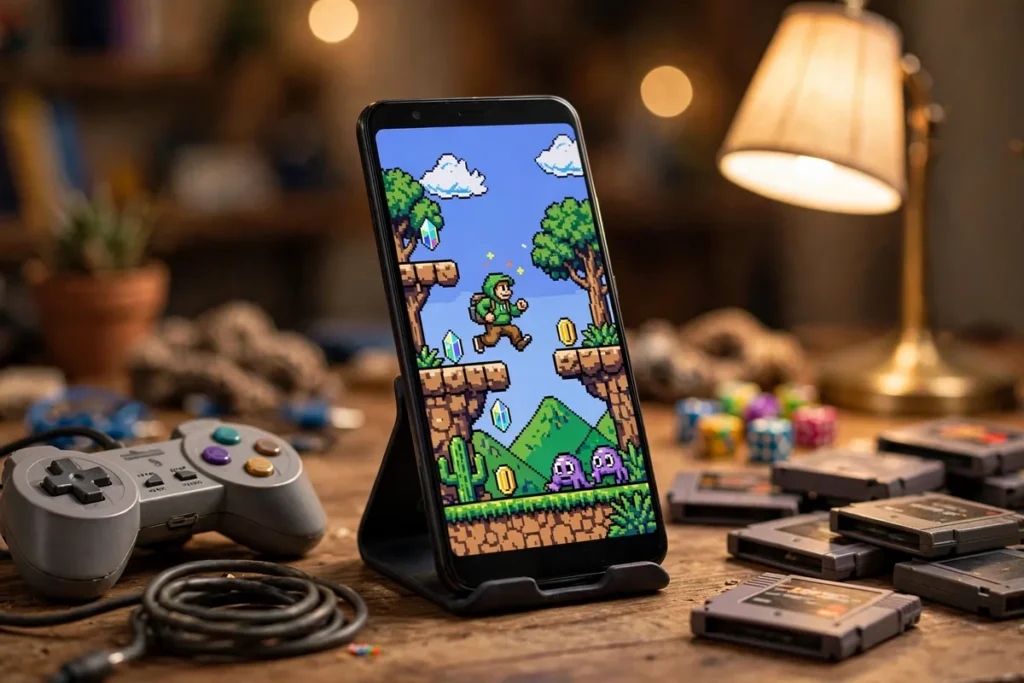
Best Game Emulators for Android: 7 Retro Picks (2026)
There is something magical about firing up a game you played twenty years ago — right on the phone in your pocket. Whether you want to revisit classic NES platformers, PS1 RPGs, or PSP adventures, the best game emulators for Android make it possible with surprisingly little setup. Modern phones are far more powerful than the consoles these emulators recreate, so even a mid-range device can run most retro systems flawlessly.
But not all emulators are equal. Some are polished, actively maintained, and easy to use; others are abandoned, ad-stuffed, or buried in confusing settings. We spent weeks testing the most popular options on a range of devices — from budget phones to flagships — to find the seven best game emulators for Android worth your time in 2026. This guide covers what each emulator does best, which systems it handles, and how to pick the right one for the games you want to play.
Performance Ranking: Which Emulators Run Best on Mid-Range Phones
Not all emulators demand flagship hardware. PPSSPP (PSP) and Dolphin (GameCube/Wii) are the best-optimized — a $250 phone with a Snapdragon 6-series chip runs most PSP games at full speed. RetroArch’s lighter cores (SNES, GBA, Genesis) run on nearly anything. The demanding ones: Switch emulators need Snapdragon 8-series or equivalent, and PS2 emulation via NetherSX2 wants a recent mid-range chip minimum. Check each emulator’s compatibility wiki before downloading a 4 GB ROM you cannot run.
Controller support is the second filter. The $20 to $35 telescopic controllers (GameSir, Razer Kishi clones) turn a phone into a handheld console and work with every major emulator via standard Bluetooth HID. Touch controls are fine for turn-based RPGs but miserable for platformers — budget the controller into your total cost. And source ROMs legally: dump from cartridges you own with a $50 reader, or stick to homebrew and public-domain ROMs.
How We Picked the Best Game Emulators for Android

Every emulator on this list was installed from the Google Play Store (or the developer’s official site where noted) and tested with real game libraries across multiple devices. We scored each one on five criteria:
- Compatibility: how many systems it supports and how accurately it runs games.
- Performance: frame rates and stability on mid-range hardware, not just flagships.
- Ease of use: how quickly a beginner can load a game and start playing.
- Features: save states, fast-forward, cheats, netplay, controller support, and shaders.
- Maintenance: whether the app is actively updated in 2026 or effectively abandoned.
We also factored in the user experience details that matter day to day — intrusive ads, confusing menus, and setup friction all cost points. The result is a list of the best game emulators for Android that balances power with practicality.
The 7 Best Game Emulators for Android
1. RetroArch — Best All-in-One Emulator
If you only install one app from this list, make it RetroArch. It is not a single emulator but a frontend that runs dozens of emulation “cores,” covering everything from the Atari 2600 and NES to the PlayStation 1 and PSP. For anyone building a serious retro library, RetroArch is the most capable of the best game emulators for Android.
The tradeoff is complexity. RetroArch’s interface is famously intimidating — cores must be downloaded separately, and the settings menu runs deep. But once configured, it is unmatched: per-core options, CRT shaders that faithfully recreate old displays, rewind support, run-ahead latency reduction, and even netplay for online multiplayer. It is free, open source, and ad-free, which is rare in this space.
Best for: players who want one app for many systems and do not mind a learning curve.
Systems: NES, SNES, Genesis, Game Boy/Advance, PS1, PSP, and dozens more via cores.
2. PPSSPP — Best PSP Emulator
PPSSPP remains the gold standard for PlayStation Portable emulation, and it is one of the best game emulators for Android for a simple reason: it just works. Load an ISO and you are playing, with upscaled rendering that can make PSP games look dramatically better than they did on original hardware.
The free version includes nearly everything that matters — save states, fast-forward, and texture scaling — while the paid “Gold” version is essentially a donation to support development. Performance is excellent even on modest phones, and the touch controls are among the most thoughtfully designed of any emulator. If PSP games are your target, start here and do not look back.
Best for: PSP fans who want the definitive experience.
Systems: PlayStation Portable (PSP).
3. Dolphin — Best GameCube and Wii Emulator
Dolphin brings GameCube and Wii games to Android with remarkable fidelity. These are demanding systems to emulate, so you will want a reasonably powerful phone — but on capable hardware, many titles run at full speed with HD upscaling that exceeds the original consoles.
Setup takes a little care: you will need to dump your own game discs or use legally obtained copies, and the best results come from tweaking the graphics backend per game. The payoff is huge, though — playing classics like Super Mario Sunshine or The Legend of Zelda: The Wind Waker on a phone still feels like a minor miracle. External controller support is excellent and highly recommended for these systems.
Best for: GameCube and Wii enthusiasts with mid-range or better phones.
Systems: Nintendo GameCube, Nintendo Wii.
4. DraStic — Best Nintendo DS Emulator
DraStic has been the go-to Nintendo DS emulator on Android for years, and it holds its position among the best game emulators for Android thanks to rock-solid performance and clever handling of the DS’s dual screens. Layouts are fully customizable — stack the screens, put them side by side, or enlarge the one you are using.
It is a paid app, but the one-time price buys an ad-free experience with fast-forward, save states, and Google Drive sync for your saves. DS emulation is not very demanding, so even budget phones run it well. If you grew up on the DS, this is the easiest way to revisit that library.
Best for: Nintendo DS games on any device, including budget phones.
Systems: Nintendo DS.
5. Lemuroid — Best Beginner-Friendly Emulator
Lemuroid is the answer for everyone who opened RetroArch, felt overwhelmed, and closed it again. It is a clean, modern, open-source frontend that automatically scans your ROM folders, downloads artwork, and presents your collection in a beautiful library view — no core management required.
Under the hood it uses the same Libretro cores as RetroArch, so compatibility is strong across 8-bit and 16-bit systems, Game Boy Advance, and even some 3D consoles. It lacks RetroArch’s deepest customization, but for most players the simplicity is the point. If you want the best game emulators for Android without the homework, Lemuroid is the pick.
Best for: beginners who want a polished, hassle-free experience.
Systems: NES, SNES, Genesis, Game Boy/Advance, N64 (experimental), and more.
6. Redream — Best Dreamcast Emulator
Sega’s Dreamcast has a devoted following, and Redream is the most user-friendly way to play its library on Android. It requires no BIOS files — a common stumbling block with other emulators — and renders games in HD with widescreen support that makes classics look better than ever.
The free version handles the essentials; a premium unlock adds HD rendering upgrades and higher-resolution output. Compatibility is broad, covering the vast majority of the Dreamcast catalog. Performance demands are moderate, so most phones from the last few years handle it comfortably.
Best for: Dreamcast nostalgia without BIOS headaches.
Systems: Sega Dreamcast.
7. Pizza Boy (A/B/C) — Best Game Boy Emulators
The Pizza Boy series — split into A (Advance), B (Color), and C (Classic) — offers the most refined Game Boy emulation on Android. Each app is laser-focused on its system, with pixel-perfect rendering, excellent color accuracy, and sensor support for games that used tilt or rumble.
These are paid apps, but the polish shows: link-cable emulation for trading in Pokémon games, customizable skins, and some of the best touch controls in the category. For Game Boy purists, they edge out multi-system alternatives. Casual players can stick with Lemuroid or RetroArch, but enthusiasts will appreciate the difference.
Best for: Game Boy, Game Boy Color, and Game Boy Advance perfectionists.
Systems: Game Boy, Game Boy Color, Game Boy Advance.
How to Choose the Right Emulator for Your Phone

With the best game emulators for Android narrowed down to seven strong options, the choice comes down to three questions:
- Which systems do you want to play? Start from the games, not the app. PSP player? PPSSPP. DS library? DraStic. A bit of everything? RetroArch or Lemuroid.
- How powerful is your phone? 8-bit and 16-bit systems run on anything. GameCube, Wii, and PSP emulation benefit from a stronger chip — check our guide to the Best Android Phones 2026 if you are shopping for an upgrade, or the Best Android Tablets 2026 if you want a bigger screen for retro gaming.
- How much setup are you willing to do? Lemuroid gets you playing in minutes; RetroArch rewards patience with unmatched depth.
Controller support is worth considering too. A Bluetooth gamepad transforms the experience for anything beyond casual puzzle games, and every emulator on this list supports external controllers.
Performance Tips for Game Emulators on Android
Even the best game emulators for Android can stutter if your phone is bogged down. A few quick wins:
- Close background apps before playing demanding titles like GameCube or PSP games.
- Use Vulkan or OpenGL backends as recommended per emulator — the wrong backend is the most common cause of slowdowns.
- Enable frameskip (set to 1 or 2) for 3D systems on weaker hardware; it is barely noticeable during gameplay.
- Turn off battery saver while gaming — it throttles the CPU and causes stutter. If battery life is a general concern, see our Android Battery Draining Fix guide.
- Store ROMs on fast storage — internal storage beats a slow microSD card for load times.
- Update your emulator apps — developers constantly improve compatibility and speed, so running the latest version of the best game emulators for Android often fixes stutter that older builds had.
- Try per-game settings — RetroArch and Dolphin let you save configuration profiles per title, so a demanding game can use aggressive frameskip while lighter games run at full quality.
Are Game Emulators Legal?

Emulators themselves are legal software — they are simply programs that mimic hardware. The legal gray area is game files (ROMs and ISOs). Downloading games you do not own is piracy in most countries, including the US. The safe approach is to rip or “dump” games from discs and cartridges you physically own. For authoritative background on the legal history, the Electronic Frontier Foundation has covered emulation case law over the years, and emulator projects like RetroArch and Dolphin publish clear policies requiring legally obtained games.
FAQ
Do I need a powerful phone to run game emulators on Android?
Not for most systems. Anything 16-bit or older (NES, SNES, Genesis, Game Boy) runs on even the cheapest modern phones. PSP, Dreamcast, and Nintendo DS need modest hardware. Only GameCube/Wii emulation through Dolphin really benefits from a flagship-class chip.
Where do I get games (ROMs) for these emulators?
You should dump games from cartridges and discs you own using appropriate hardware. Downloading ROMs of games you do not own from the internet is copyright infringement in the US, regardless of how old the game is.
Why do my games stutter in the best game emulators for Android?
The most common causes are the wrong graphics backend, battery saver throttling, or thermal throttling on long sessions. Switch backends in the emulator’s video settings, disable battery saver while playing, and give your phone a break if it gets hot.
Can I use a PS5 or Xbox controller with Android emulators?
Yes. Pair the controller via Bluetooth in your phone’s settings, then map the buttons inside the emulator. Every emulator on this list supports external controllers, and it dramatically improves the experience for action games.
Do emulators drain battery quickly?
3D emulation (PSP, GameCube, Dreamcast) is CPU-intensive and will drain the battery faster than normal use. Keep a charger handy for long sessions, and lower the internal resolution if you need to stretch battery life.
Conclusion
The best game emulators for Android in 2026 cover every era of retro gaming: RetroArch and Lemuroid for multi-system convenience, PPSSPP for PSP perfection, Dolphin for GameCube and Wii, DraStic for the DS, Redream for Dreamcast, and Pizza Boy for Game Boy purists. Pick the one that matches the games you love, pair it with a decent controller, and your phone becomes the ultimate retro handheld. Just remember to source your games legally — dump what you own, and enjoy the nostalgia trip.




What do you think?
Share your experience or ask a question. A useful conversation starts with you.
Join the discussion