
RCS Messaging on Android: The Complete Guide
RCS messaging Android phones use in 2026 finally delivers the modern texting iPhone users have enjoyed for years — read receipts, typing indicators, high-quality media, and reactions, all in the default Messages app. This complete guide explains what RCS is, how RCS messaging Android differs from SMS and MMS, how to enable chat features in Google Messages, which US carriers support it, the features worth using, and the privacy facts you should know. Enable RCS messaging Android chat features today and leave plain SMS behind.

What Is RCS, Exactly?
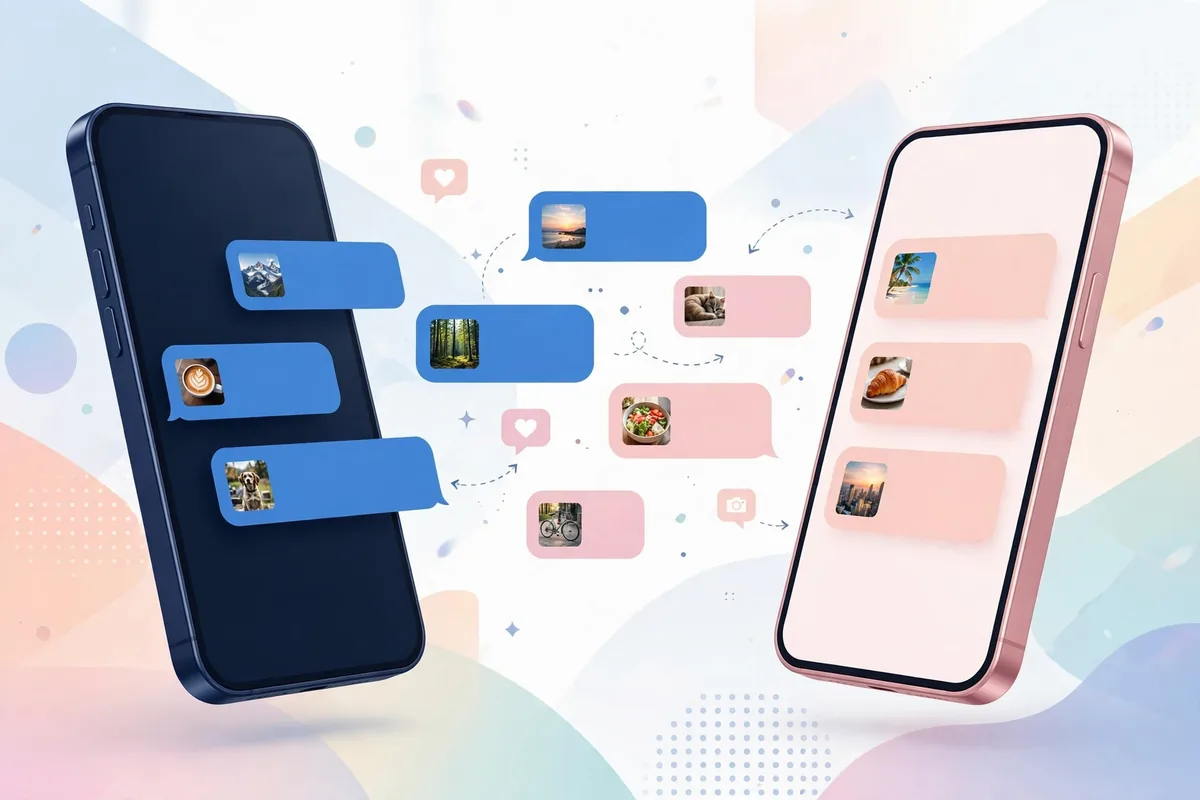
RCS is an industry messaging standard developed by the GSM Association (GSMA) and adopted by Google, Samsung, and mobile carriers worldwide. Think of it as SMS rebuilt for the smartphone era. Where SMS is limited to 160 characters of plain text (and MMS, its multimedia sibling, compresses photos into blurry postage stamps), RCS supports:
- High-resolution photo and video sharing (up to 100 MB files in Google Messages)
- Read receipts and typing indicators
- Emoji reactions to individual messages
- Proper group chats with naming, adding/removing members, and leaving groups
- Wi-Fi messaging — send texts without a cellular signal
- End-to-end encryption for one-on-one conversations in Google Messages
- Business messaging with verified sender badges, rich cards, and suggested actions
Technically, RCS messages travel over mobile data or Wi-Fi rather than the carrier’s legacy signaling channels. Google’s implementation routes RCS through Google’s Jibe servers when the carrier does not provide its own RCS infrastructure, which is why RCS works on most Android phones in the US regardless of carrier.
RCS vs SMS vs MMS: What Actually Changes
Understanding the practical differences helps you know what to expect — and what still falls back to old behavior.
Message quality and size
SMS handles short text only. MMS can carry pictures and video but crushes them: carriers typically cap MMS at around 1 MB, which turns a crisp photo into a pixelated thumbnail and video into a slideshow. RCS in Google Messages supports attachments up to about 100 MB, so photos arrive at near-original quality and short videos play smoothly.
Delivery features
SMS offers delivery reports at best, and only if both sides enable them. RCS adds real-time typing indicators (“Maria is typing…”), read receipts (messages marked as read), and precise delivery states. These are per-conversation settings — you can disable read receipts in Google Messages if you prefer privacy over feedback.
Group chats
SMS group chats are notoriously fragile: replies arrive out of order, members cannot be added or removed cleanly, and leaving a group is impossible. RCS group chats behave like modern chat apps — named groups, member management, and the ability to leave. The catch: everyone in the group needs RCS for the full experience; if one participant lacks it, the conversation may fall back to MMS.
Encryption
Standard SMS and MMS are not encrypted — your carrier can read them. Google Messages encrypts RCS one-on-one chats end-to-end (using the Signal protocol), meaning only you and the recipient can read the contents. Group RCS chats gained encryption support as well. However, RCS messages to businesses and fallback SMS/MMS messages are not end-to-end encrypted.
RCS Messaging Android: How to Enable It
Pro tip: if chat features show connecting forever, clear the Messages app cache and retry on Wi-Fi — that fixes most stalls. RCS messaging Android activation sometimes needs 24 hours on a new SIM; if RCS messaging Android still will not connect after a day, confirm with your carrier that your line is provisioned. Patience beats repeated toggling — each RCS messaging Android retry resets the timer.
Most Android phones sold in the US now ship with Google Messages as the default texting app. If yours does not, install Google Messages from the Play Store and set it as the default SMS app first. Then follow these steps:
- Open Google Messages on your Android phone.
- Tap your profile icon (top right), then tap Messages settings.
- Tap RCS chats (it may also be labeled “Chat features” on some versions).
- Toggle Turn on RCS chats to the enabled position.
- Wait for verification — the status should change to Connected within a few minutes. The app verifies your phone number automatically; on some carriers you may receive a silent verification SMS.
Once connected, your message compose box will show “RCS message” instead of “Text message,” and supported conversations gain typing indicators, reactions, and high-quality media.
Enabling RCS on Samsung Messages
Samsung has transitioned its phones to Google Messages as the default, but if you still use Samsung Messages, RCS (branded “Chat features”) is available in its settings under Settings → Chat settings. Note that Samsung has been migrating users toward Google Messages, so switching apps is the more future-proof option.
What to do if RCS will not connect
If the status stays stuck on “Setting up” or “Trying to verify”:
- Confirm you have an active mobile data or Wi-Fi connection.
- Make sure your phone number is correct in the RCS settings screen.
- Toggle RCS off, wait 30 seconds, and toggle it back on.
- Clear the Google Messages app cache via Settings → Apps → Messages → Storage → Clear cache (this does not delete your messages).
- If verification still fails after 24 hours, check Google’s support documentation for the “disable chat features” web tool, which resets a stuck registration — particularly useful if you recently switched phones or carriers.
US Carrier Support in 2026
RCS support in the United States has effectively become universal, but the path was messy. The major carriers — Verizon, AT&T, and T-Mobile — all support RCS on Android now, largely through Google’s Jibe platform rather than their own servers. That means RCS works across carriers: a Verizon user can RCS-chat with a T-Mobile user without either carrier operating dedicated RCS infrastructure.
A few things US users should know:
- MVNOs and prepaid carriers (Mint Mobile, Cricket, Visible, Google Fi, and others) generally support RCS because they ride on the major networks’ infrastructure plus Google Jibe. If RCS will not activate on an MVNO, the issue is almost always provisioning — contact the carrier’s support.
- iPhone compatibility arrived in 2024, when Apple added RCS support to iOS 18. This was the single biggest change for Android users: texts between Android and iPhone now support high-resolution media, typing indicators, and read receipts instead of falling back to MMS. Note that Apple–Android RCS chats are not end-to-end encrypted (Apple and Google use different encryption implementations), though the industry is working toward interoperable encryption.
- Dual-SIM phones support RCS on the primary messaging SIM; behavior on the secondary SIM varies by device and carrier.
RCS Features Worth Using

Beyond the basics, RCS includes several features that change how you message day to day.
Reactions and replies
Long-press any message to react with an emoji or to reply inline, creating a threaded reply. This works in both one-on-one and group RCS chats and is one of the most-used RCS features according to Google’s published materials.
Smart Reply and suggested actions
Google Messages can suggest quick replies based on message content (“Sounds good!”, “On my way”) and surface actions like opening an address in Maps or adding a date to your calendar. These run on-device for privacy in most cases.
Verified business messaging
Businesses can send RCS messages with a verified checkmark, brand logo, and interactive buttons — think airline boarding passes with check-in buttons, or delivery notifications with tracking links. Because the sender is verified, these are harder to spoof than SMS, which makes them genuinely useful for spotting phishing: a legitimate bank or airline RCS message carries verification that a spoofed SMS cannot.
File sharing and location
RCS supports sending documents, contacts, and your live location directly in the chat — handy for sharing a PDF or meeting up without switching apps.
Privacy and Security Considerations
RCS is a meaningful privacy upgrade over SMS, but it is not a private messenger like Signal. Key points, based on Google’s published documentation:
- One-on-one RCS chats in Google Messages are end-to-end encrypted by default when both parties use Google Messages. Look for the lock icon on the send button.
- Android–iPhone RCS chats are not end-to-end encrypted as of this writing — they are encrypted in transit (between your phone and the servers) but not end-to-end. Treat them like enhanced SMS, not like Signal.
- RCS with businesses is not end-to-end encrypted. Do not send passwords, full account numbers, or other sensitive data in business chats.
- Read receipts and typing indicators reveal activity. Disable them in Messages settings → RCS chats if you prefer not to broadcast when you are reading messages.
- Spam protection in Google Messages can filter suspected spam automatically. Report spam RCS messages by long-pressing and selecting the report option — this helps Google’s filters and, for business spam, can trigger enforcement against the sender.
If your threat model includes protection from carriers or governments, use Signal or another dedicated encrypted messenger rather than relying on RCS.
Troubleshooting Common RCS Problems
Messages stuck on “Sending” or fall back to SMS
Occasional fallback to SMS is normal — it happens when the recipient loses data connectivity. If it happens constantly with one contact, ask them to check their RCS status. If it happens with everyone, toggle your own RCS off and on, and confirm your data connection is stable.
RCS stopped working after switching phones
This is the most common RCS headache. Your old phone’s RCS registration can linger, causing messages to vanish. Fix it by:
- On the old phone (if you still have it), turning off RCS chats before switching.
- If the old phone is gone, using Google’s web tool to deregister your number from chat features.
- Re-enabling RCS on the new phone and waiting for the “Connected” status.
Duplicate or out-of-order messages
Usually caused by a flaky registration or by having Messages for Web connected while the phone connection drops. Deregister and re-register RCS, and sign out of Messages for Web sessions you no longer use.
Battery or data concerns
RCS uses negligible battery and data compared to the apps already on your phone — it is far lighter than keeping a social media app open. There is no practical reason to disable it for battery saving.
“Chat features unavailable for this device”
This appears on some carrier-branded or very old phones. Updating Google Messages and Google Carrier Services from the Play Store resolves it in most cases. If your phone runs an Android version too old for current Google Messages, RCS may simply be unavailable — another reason to keep devices on supported software.
The Future of RCS
RCS momentum keeps building. Apple and Google have both committed to the RCS Universal Profile standard, and the GSMA is working on bringing end-to-end encryption into the standard itself so that Android–iPhone chats can eventually be fully encrypted. Business messaging keeps expanding as more companies adopt verified RCS for customer communication. For Android users, the practical takeaway is simple: RCS is no longer the future of texting — it is the present, and turning it on takes about thirty seconds.
A privacy nuance: RCS messaging Android chats are encrypted in Google Messages, but encryption depends on both ends using compatible apps — RCS to an iPhone or a carrier app may fall back to unencrypted. Check for the lock icon before sharing anything sensitive; RCS messaging Android is a big step up from SMS, not a Signal replacement.
Carrier support lists change constantly — Google’s Android Help Center tracks the current state of chat features and troubleshooting. Verify your carrier there if RCS messaging Android will not activate; the fix is usually on the carrier side.
Frequently Asked Questions — Rcs Messaging Android Complete Guide
Is RCS free to use?
RCS itself has no per-message fee — messages travel over your mobile data or Wi-Fi. Your carrier’s data plan applies, but there is no SMS-style per-text charge for RCS messages. On Wi-Fi, RCS messaging uses no mobile data at all.
Does RCS work without a data connection?
No. RCS requires mobile data or Wi-Fi. If neither is available, Google Messages automatically falls back to SMS/MMS so your message still goes through — one reason to leave the fallback option enabled in settings.
Can I use RCS on Wi-Fi while traveling abroad?
Yes — RCS over Wi-Fi works internationally without roaming charges for the messages themselves, since they do not travel as SMS. This makes RCS handy for staying in touch while traveling, as long as your contacts also have RCS.
Why do some of my contacts still show “Text message” instead of “RCS message”?
The contact either uses an iPhone on an older iOS version, has RCS disabled, uses a messaging app without RCS, or their carrier/phone does not support it. The conversation falls back to SMS/MMS automatically — you do not need to do anything.
Is RCS safer than SMS for two-factor authentication codes?
Marginally, but not meaningfully. Authentication codes sent by SMS or RCS can both be intercepted via SIM-swap attacks. For important accounts, use an authenticator app or passkeys instead of SMS-based codes regardless of RCS. (See our guide to passkeys on Android for the stronger option.)
How do I turn RCS off?
Go to Messages settings → RCS chats and toggle it off. If you are switching to iPhone, turn off RCS before removing your SIM — otherwise Android contacts’ messages to you may get stuck trying to reach your old RCS registration.
How do I know if RCS messaging Android is working?
Open Google Messages settings: chat features should say Connected. In chats, look for typing indicators, read receipts, and high-quality photos — those only appear when RCS messaging Android is active on both ends.
Does RCS messaging Android cost extra?
No — it uses your data plan or Wi-Fi, like any messaging app. RCS messaging Android does not need a special plan; if your carrier supports it and chat features are on, you are already paying for it inside your data.
Keep reading: messaging and connectivity: WhatsApp vs Telegram vs Signal: Best Messaging App for Android?, eSIM on Android: Setup Guide for US Carriers (2026), and How to Reduce Mobile Data Usage on Android (2026) — RCS messaging Android is better with smart connectivity.
Conclusion — Rcs Messaging Android Complete Guide
RCS messaging on Android turns the humble text message into a modern chat experience: sharp photos, reactions, typing indicators, working group chats, and encryption for one-on-one conversations — all inside the default Messages app, at no extra cost. US carrier support is effectively universal in 2026, and cross-platform messaging with iPhones finally works properly.
If you have not enabled it yet, open Google Messages, head to settings, and switch on RCS chats. It takes less than a minute, and every conversation with another RCS user instantly gets better. Just remember its limits: it is not a replacement for Signal when privacy is critical, and business chats are not end-to-end encrypted. Used with those caveats, RCS is simply how texting should have worked all along.



What do you think?
Share your experience or ask a question. A useful conversation starts with you.
Join the discussion