Spotify vs Apple Music in 2026: Sound, Price & Discovery Compared
The Spotify vs Apple Music rivalry has defined music streaming for a decade, and in 2026 both services are better than ever. Spotify brings unmatched discovery, podcasts, and social features; Apple Music counters with lossless audio as standard, deep Apple ecosystem integration, and human-curated playlists. For Android users the choice is less obvious than for iPhone owners — both apps run well on Android, both cost about the same, and both stream over 100 million songs. This comparison puts Spotify vs Apple Music head to head on price, sound quality, library, discovery, apps, and extras so you can decide where your subscription dollars go.
The Price Math Most Comparisons Skip
Headline prices mislead. Spotify Premium is $11.99/month for individuals; Apple Music is $10.99. But Spotify’s Duo ($16.99) and Family ($19.99) plans split across members beat Apple Music’s Family ($16.99) only at certain headcounts — do the per-person division for your actual household. Students pay $5.99 on Spotify and $5.99 on Apple Music, both with strings attached (Spotify bundles Hulu with ads; Apple Music gives nothing extra). Annual billing cuts about 15 percent off either service if you commit.
The tiebreaker most people ignore: library lock-in. Years of Spotify playlists do not transfer cleanly — third-party tools like Soundiiz move about 90 percent of tracks but lose folder structure and some metadata. If you have five years of curated playlists, the switching cost exceeds a year of price difference. New users should pick on features; existing users should price the migration before chasing a dollar of monthly savings.
Spotify vs Apple Music: Price and Plans
spotify vs apple music illustration
In the US, Spotify Premium costs $11.99 per month for an individual plan, while Apple Music is $10.99 per month — a small but consistent Apple advantage. Student plans run $5.99 (Spotify) and $5.99 (Apple Music), and family plans are $19.99 and $16.99 respectively, giving Apple Music a clearer edge for families. Both services offer free trials, typically one to three months for new subscribers.
The bundle picture favors Apple. Apple One bundles Apple Music with iCloud storage, Apple TV+, and Apple Arcade starting around $19.95 per month — real value if you use Apple’s other services. Spotify’s bundles are thinner, though it occasionally partners with Hulu on student offers. Neither service has a usable free tier on mobile the way Spotify’s ad-supported plan does: Apple Music has no free tier at all, while Spotify’s free plan offers shuffle play with ads. If you want to listen without paying, Spotify is the only option of the two.
Annual plans are worth noting: Apple Music offers a $109.99 yearly individual plan (effectively two months free), while Spotify has no official annual discount in the US. Over a year, that widens Apple’s price advantage for committed subscribers.
Sound Quality: Lossless as Standard vs Premium Add-On
Audio quality is Apple Music’s strongest card. Every Apple Music subscriber gets lossless audio (up to 24-bit/192 kHz) and Spatial Audio with Dolby Atmos at no extra cost. Spotify finally added lossless streaming for Premium users, but it arrived years late and remains a toggle many users never find. In 2026, both can sound superb — but Apple makes hi-fi the default, not a buried setting.
On typical Bluetooth earbuds, you will not hear a dramatic difference: Bluetooth codecs compress everything anyway, and both services sound excellent at their top lossy settings. The gap opens with wired headphones or a good home setup, where Apple Music’s lossless and hi-res tracks reveal more detail. Spotify’s 320 kbps streams are very good, but side-by-side on revealing gear, lossless wins.
Data usage cuts the other way. Lossless files are three to five times larger than compressed streams, so Apple Music can chew through mobile data and storage quickly if you leave quality on maximum. Both apps let you cap streaming quality on cellular, which is worth doing — see our guide on when to upgrade your phone if your current device struggles with large offline libraries. For pure fidelity, Apple Music wins the Spotify vs Apple Music sound battle; for data efficiency, Spotify’s defaults are friendlier.
Music Library and Exclusives
Both catalogs exceed 100 million songs, and for mainstream music they are effectively identical — if it is on one, it is on the other. Differences appear at the margins. Apple Music has historically secured more exclusive album releases and its growing catalog of Spatial Audio remixes (tens of thousands of tracks) is a genuine differentiator for Atmos listeners.
Spotify’s library advantage is everything around the music: the largest podcast catalog in streaming, audiobooks with monthly listening hours included, and a massive collection of DJ mixes. If your listening is half music and half talk, Spotify is not just a music app but an audio hub. Apple Music has Apple Music Radio and some original shows, but nothing close to Spotify’s podcast depth.
For Android users specifically, there is one more consideration: your purchased iTunes library. If you bought music from iTunes years ago, Apple Music integrates those purchases seamlessly, while Spotify ignores them. Longtime iTunes buyers may find Apple Music feels like home.
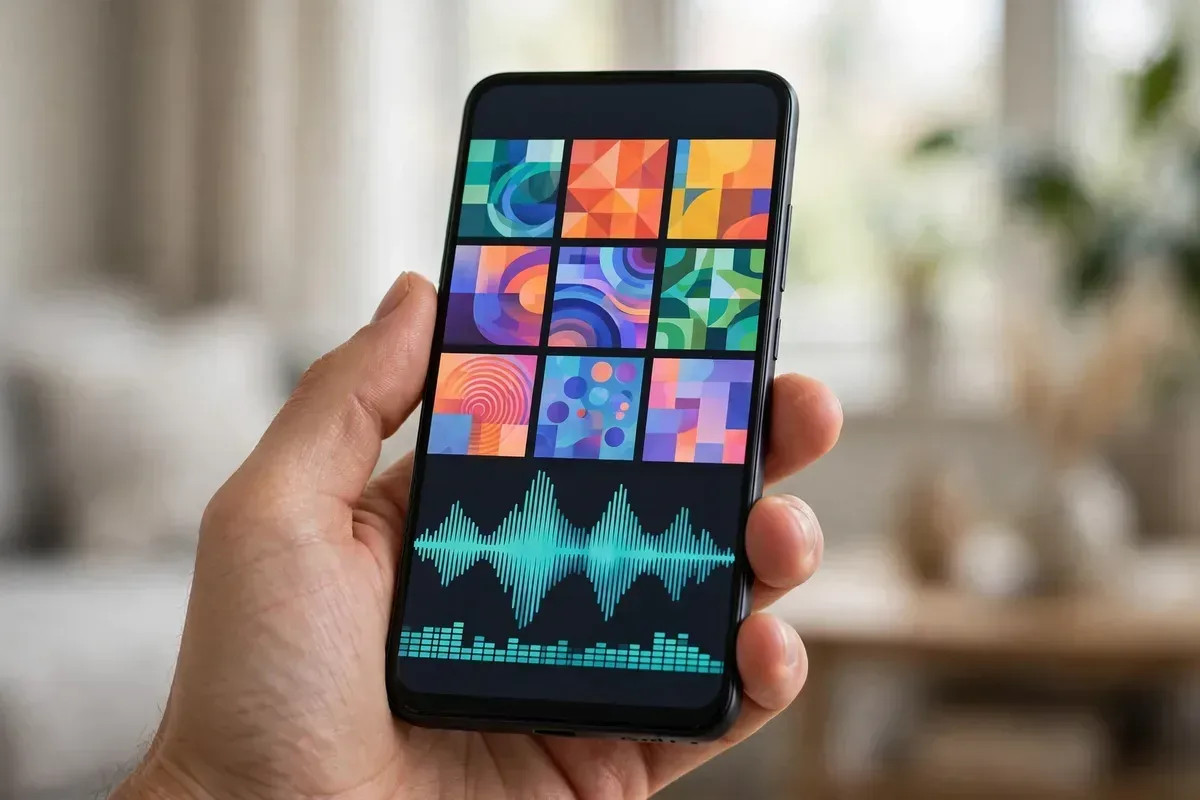
Discovery: Algorithms vs Human Curationspotify vs apple music illustration
Spotify’s discovery engine remains the industry benchmark. Discover Weekly, Release Radar, and the AI DJ learn your taste with uncanny speed, and the social layer — Blend playlists with friends, collaborative playlists, concert alerts — makes discovery feel alive. Spotify knows what your friends listen to (if you let it), and that social data sharpens recommendations.
Apple Music takes a different philosophy: human curation first. Its editorial playlists, crafted by real music editors, are superb — often better written and more adventurous than Spotify’s algorithmic mixes. The “New Music Daily” and genre-specific playlists feel like a knowledgeable friend’s recommendations rather than a machine’s guesses. Apple Music’s algorithmic “Discovery Station” and personalized mixes have improved, but they still lag Spotify’s precision.
Which is better depends on how you find music. If you want an app that surprises you with songs you will love, Spotify’s algorithms win. If you prefer trusted human taste and beautifully sequenced playlists, Apple Music’s editors win. In the Spotify vs Apple Music discovery debate, Spotify takes the algorithmic crown while Apple takes the curation crown.
Apps and Android Experience
Here Spotify has a clear edge for Android users. Spotify’s Android app is fast, stable, and feature-complete — including Spotify Connect, which hands playback to speakers, TVs, and cars effortlessly. It is also everywhere: game consoles, smartwatches, car systems, and smart speakers all run Spotify natively.
Apple Music’s Android app has improved enormously and no longer feels like an afterthought, but it is still a guest on Google’s platform. It lacks Spotify Connect’s magic, its widget and lock-screen controls are less refined, and casting can be fussier. Apple Music also drains slightly more battery in our testing when streaming lossless over Bluetooth — a real consideration covered in our Android battery drain fixes.
That said, Apple Music integrates beautifully if you own other Apple devices — a Mac, AirPods, or HomePod. AirPods switch automatically between Apple devices with Apple Music in ways Spotify cannot replicate. Pure-Android households will be happier with Spotify; mixed Apple/Android households should weigh which ecosystem dominates.
Spotify vs Apple Music: Head-to-Head Scorecard
spotify vs apple music illustration
Category
Spotify
Apple Music
Winner
Individual price
$11.99/mo
$10.99/mo
Apple Music
Family plan
$19.99/mo
$16.99/mo
Apple Music
Free tier
Yes (ad-supported)
No
Spotify
Lossless audio
Yes (Premium)
Yes (standard)
Apple Music
Spatial Audio
Limited
Extensive Dolby Atmos
Apple Music
Podcasts & audiobooks
Huge catalog
Minimal
Spotify
Discovery algorithms
Best in class
Good, improving
Spotify
Human curation
Good
Excellent
Apple Music
Android app quality
Excellent
Good
Spotify
Device ecosystem
Widest
Apple-centric
Spotify
Extras: Lyrics, Social, and Security
Both services offer real-time lyrics, offline downloads (10,000 songs per device on Spotify; generous limits on Apple Music), and high-quality streaming toggles. Spotify’s social features — group sessions, Blend, sharing to Instagram Stories — are far ahead. Apple Music counters with Sing (karaoke mode) and classical music via the dedicated Apple Music Classical app, a treasure for classical fans that Spotify cannot match.
Security-conscious listeners should protect their accounts on both services: enable two-factor authentication wherever offered. Our passkeys setup guide for Android walks through modern login security that applies to streaming accounts too. And if you enjoy this format, our Google Keep vs Samsung Notes comparison covers another classic app rivalry.
The Verdict
Choose Spotify if you are on Android, love discovering new music, listen to podcasts, or want the best free tier and widest device support. Its recommendation engine and social features remain unmatched — see current plans on the official Spotify site.
Choose Apple Music if sound quality is your top priority, you own Apple devices, you want the cheaper family plan, or you prefer human-curated playlists and classical music. Lossless-by-default and Spatial Audio make it the audiophile’s pick — details are on Apple Music.
For most Android-only users, Spotify is the more natural fit. For anyone invested in Apple’s ecosystem or chasing the best sound per dollar, Apple Music wins. Try both free trials with your own library before you commit — your ears and your habits should cast the deciding vote.
Getting the Best Sound: Setup Tips for Both Services
Whichever side of the Spotify vs Apple Music debate you land on, a few settings make a real difference. First, check your streaming quality: in Spotify, go to Settings > Audio Quality and set Wi-Fi streaming to Very High (and enable lossless if your plan includes it); in Apple Music, go to Settings > Music > Audio Quality and choose Lossless for Wi-Fi, with Hi-Res Lossless for downloads if you have the storage. Second, turn off volume normalization if you are doing critical listening — both services normalize loudness by default, which slightly compresses dynamics. Third, use wired headphones or a USB DAC to actually hear lossless; over standard Bluetooth, the codec becomes the bottleneck no matter which service you pick.
Equalizers deserve a mention too. Spotify’s built-in EQ is decent, while Apple Music relies on your phone’s system EQ on Android. Neither replaces a good parametric EQ app, but small bass or treble tweaks can fix thin-sounding earbuds. Finally, download over Wi-Fi before trips: lossless albums are 200-400MB each, and a dozen of them will humble a 128GB phone fast.
Who Should Switch — and Who Should Stay
Switching services has a real cost: rebuilding playlists, retraining recommendations, and re-downloading offline libraries. It is worth switching from Spotify to Apple Music if you bought into Apple’s ecosystem (AirPods, HomePod, Mac), if lossless-by-default matters to you, or if the cheaper family plan saves real money. It is worth switching from Apple Music to Spotify if you are Android-first, if podcasts are half your listening, or if Spotify’s discovery has you finding five new favorite songs a week.
Do not switch for marginal reasons in the Spotify vs Apple Music debate. If you are happy, stay — both services are excellent, and the Spotify vs Apple Music gap is narrower than fan debates suggest. The best service is the one whose app you open without thinking, whose playlists feel like they were made for you, and whose price you never resent paying.
FAQ
Is Apple Music cheaper than Spotify in 2026?
Yes, slightly. Apple Music’s individual plan is $10.99 vs Spotify’s $11.99 per month, and its family plan ($16.99) undercuts Spotify’s ($19.99). Apple Music also offers an annual plan that saves roughly two months.
Which sounds better, Spotify or Apple Music?
Apple Music, for most setups. Lossless audio is standard for all subscribers, plus extensive Dolby Atmos content. Spotify now offers lossless too, but Apple Music’s hi-fi is more deeply integrated and its Atmos catalog is larger.
Can I use Apple Music on Android?
Yes. Apple Music has a full-featured Android app with lossless and Spatial Audio support. It works well, though Spotify’s Android app is more polished and supports more devices.
Does Spotify have better playlists than Apple Music?
For algorithmic playlists (Discover Weekly, Release Radar), yes — Spotify is the best in the business. For human-curated editorial playlists, Apple Music’s editors are arguably better.
Can I transfer playlists between Spotify and Apple Music?
Yes, using third-party tools like Soundiiz or TuneMyMusic. Both directions work, though some obscure tracks may not match and will need manual fixes.
Conclusion
The Spotify vs Apple Music choice comes down to priorities in 2026. Spotify wins on discovery, podcasts, Android polish, and ecosystem reach; Apple Music wins on price, lossless-by-default sound, Spatial Audio, and human curation. Android-first listeners will feel most at home on Spotify, while sound-quality seekers and Apple households should pick Apple Music. Either way, test both with a free trial — the right service is the one you actually open every day.
Qamar Abbas is the founder and CEO of Qamar Digital Ventures LLC, a New Mexico-based web design and SEO agency. He writes hands-on, research-backed guides about Android apps, APK guides and mobile how-tos for a US audience, tested on real devices and updated regularly.







What do you think?
Share your experience or ask a question. A useful conversation starts with you.
Join the discussion