
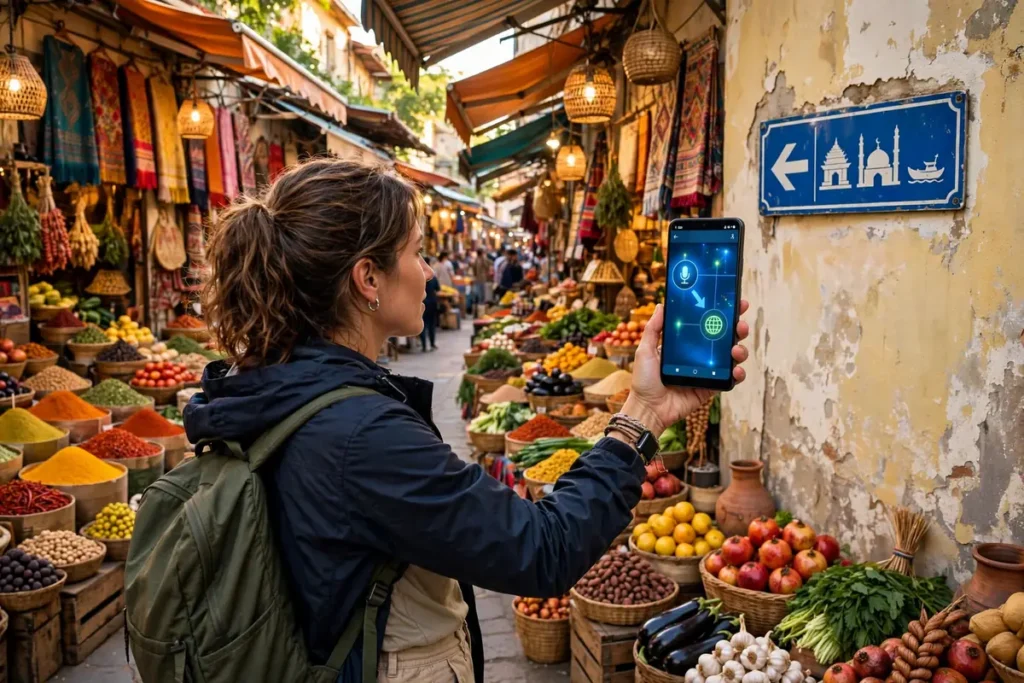
Whether you are traveling abroad, chatting with international friends, or reading a foreign menu, a good translation app is indispensable. The best translation apps Android offers in 2026 go far beyond typing text: they translate through your camera in real time, handle voice conversations, and work offline when you have no signal.
We tested the leading translation apps to find the seven best translation apps Android users should download this year. Each was judged on language coverage, accuracy, camera translation quality, offline support, and conversation features. We tested with real travel scenarios, including menus, signs, and live conversations.
Our testing included the moments that matter: translating a Japanese train station sign via camera, holding a Spanish conversation at a market, and navigating a Korean restaurant menu. We also tested each app fully offline with downloaded packs, because real travel often means no signal exactly when you need translation most.
Offline Translation: Download Before You Travel
The feature that matters most for travelers is offline language packs — and they vary wildly in size and quality. Google Translate’s offline packs run 30 to 45 MB per language with good quality for major languages; Microsoft Translator’s are comparable; DeepL’s mobile offline support remains limited. Download packs over Wi-Fi before your trip (Translate app > profile > Downloaded languages), because airport Wi-Fi is where you will discover roaming charges the hard way.
Camera translation quality depends on the engine: Google Lens handles stylized fonts and handwriting best; Microsoft’s is stronger for printed documents in Asian scripts. Test with a photo of a foreign menu before you need it — restaurant lighting and decorative fonts are the real-world stress test. And for conversations, the conversation mode (split-screen, two languages) in Google Translate remains the most practical; the auto-language detection works well enough that you stop thinking about it.
What Makes a Great Translation App

Language coverage is the starting point. The best translation apps Android has support 100+ languages for text, though camera and voice features cover fewer. Accuracy varies by language pair; major languages translate well, while rare ones can be rough.
Camera translation is the killer feature for travelers: point your phone at a sign or menu and see translated text overlaid live. Offline support matters when roaming without data; downloadable language packs save the day. Conversation mode, where two people speak different languages into one phone, needs good voice recognition and natural pacing. Privacy matters too, since translations can include sensitive content.
The 7 Best Translation Apps Android Users Can Get in 2026
1. Google Translate — Best Overall
Google Translate remains the best all-around translator. It supports 130+ languages, offers excellent camera translation with live AR overlay, solid voice conversations, and generous offline packs. It is free, fast, and constantly improving.
The camera mode is genuinely magical: point at foreign text and watch it transform in real time. It handles menus, signs, and packaging well, though stylized fonts and handwriting can trip it up. For best results, hold steady and ensure good lighting. Conversation mode handles back-and-forth dialogue well, with automatic language detection reducing friction. Integration with Lens and the broader Google ecosystem is seamless. Accuracy for major languages is excellent.
For most users, it is the only translator needed. Among the best translation apps Android offers, Google Translate is the default choice.
- Price: Free
- Best for: Most users
- Pros: 130+ languages; great camera mode; free; offline
- Cons: Accuracy varies by language; Google data collection
2. Microsoft Translator — Best for Conversations
Microsoft Translator excels at multi-person conversations: its group conversation feature lets up to 100 people join via code, each seeing translations in their own language on their own device. For meetings and tours, it is unmatched.
It supports 70+ languages for text, with camera translation, offline packs, and a clean interface. The split-screen conversation mode for two people is excellent. It is free and works well.
For group and business conversations, it is the most capable of the best translation apps Android has.
- Price: Free
- Best for: Group conversations
- Pros: 100-person conversations; clean UI; free
- Cons: Fewer languages than Google; camera less magical
3. DeepL — Best Accuracy
DeepL is renowned for the most natural-sounding translations, especially for European languages. Its neural network produces phrasing that reads like a human wrote it, noticeably better than competitors for nuance and tone.
The Android app covers 30+ languages with text and document translation. It lacks camera AR translation and conversation modes, focusing on text quality over features. The free tier is generous; Pro unlocks more.
For written translation quality, DeepL is the accuracy champion among the best translation apps Android offers.
- Price: Free tier; Pro available
- Best for: Accurate written translation
- Pros: Best natural phrasing; great for documents
- Cons: 30+ languages only; no camera AR; no conversation
4. SayHi — Best Voice Conversations
SayHi focuses on voice conversations done right: speak, and it translates aloud with natural voices and good pacing. The interface is dead simple, just two big language buttons, making it perfect for face-to-face chats with strangers.
It supports 90+ languages for voice with solid accuracy. There is no camera translation or offline mode; it is a conversation specialist. The free app is ad-supported.
For talking with people in real life, SayHi is the most natural of the best translation apps Android users can try.
- Price: Free with ads
- Best for: Face-to-face conversations
- Pros: Simple; natural voices; 90+ languages
- Cons: Voice only; ads; no offline
5. Papago — Best for Asian Languages
Papago by Naver is the best translator for Korean, Japanese, and Chinese. Its accuracy for these languages beats Google Translate, with better handling of honorifics and context. It also covers 13 languages total with text, voice, camera, and conversation modes.
The app includes a phrasebook, dictionary, and even website translation. It is free and polished. If your travels or work involve East Asia, it is essential.
For Asian language accuracy, Papago is unmatched among the best translation apps Android has.
- Price: Free
- Best for: Korean, Japanese, Chinese
- Pros: Best Asian accuracy; full features; free
- Cons: Only 13 languages; niche outside Asia
6. iTranslate — Best Premium Experience
iTranslate offers a polished premium experience: 100+ languages, voice conversations, camera translation, offline packs, and even a dedicated phrasebook with pronunciation guides. The interface is beautiful and the voices are natural.
The catch is pricing: the best features require a subscription, and the free tier is limited. But the phrasebook and offline reliability are genuinely good for travelers who want everything in one polished package.
For a premium all-in-one, iTranslate is the most refined of the best translation apps Android offers.
- Price: Free limited; subscription
- Best for: Premium travelers
- Pros: Polished; phrasebook; 100+ languages
- Cons: Subscription for best features; pricey
7. TripLingo — Best Travel Companion
TripLingo goes beyond translation: it is a travel companion with a voice translator, image translator, phrasebook with cultural notes, Wi-Fi dialer for international calls, and even a tipping calculator. The cultural tips, when to bow, how to tip, help you avoid faux pas.
It covers 100+ countries with curated travel content. The free tier includes basics; premium unlocks everything. It is less a pure translator and more a travel toolkit.
For travelers wanting context with translation, TripLingo completes our list of the best translation apps Android users should know.
- Price: Free tier; premium available
- Best for: Travelers
- Pros: Cultural notes; travel tools; phrasebook
- Cons: Premium for full features; less pure translation
Side-by-Side Comparison

| App | Best For | Languages | Camera | Offline | Price |
|---|---|---|---|---|---|
| Google Translate | Overall | 130+ | AR live | Yes | Free |
| Microsoft Translator | Conversations | 70+ | Yes | Yes | Free |
| DeepL | Accuracy | 30+ | No | No | Free / Pro |
| SayHi | Voice chats | 90+ | No | No | Free |
| Papago | Asian languages | 13 | Yes | Yes | Free |
| iTranslate | Premium | 100+ | Yes | Yes | Free / sub |
| TripLingo | Travel | 100+ countries | Yes | Limited | Free / premium |
Typing in Foreign Languages: Keyboard Tips
Translation apps handle the conversion, but typing in another language starts with your keyboard. The best translation apps Android offers pair well with multilingual keyboards that support the scripts you need.
Gboard supports 900+ languages with glide typing and built-in Google Translate, letting you translate as you type in any app. That means replying to a foreign-language message without switching apps. Our comparison of the best Android keyboards covers multilingual setup in detail.
Enable the languages you need before your trip, and learn to switch quickly (usually a long-press on spacebar). For languages with different scripts like Japanese or Korean, practice basic input at home. Combined with a good translation app, a multilingual keyboard makes you functionally fluent for everyday travel needs.
Voice typing is another underused tool. When your hands are full with luggage, dictating a translation beats typing. Gboard’s voice input works with multiple languages and pairs naturally with translation apps for hands-free travel communication, even in noisy stations and busy markets.
Pro Tips for Traveling with Translation Apps

First, download offline packs before you leave. Airport Wi-Fi is unreliable, and roaming data is expensive. The best translation apps Android offers all support offline languages; grab yours at home.
Second, learn the camera mode before you need it. Practice on foreign packaging at home so you are fluent when facing a real menu. Third, for conversations, speak in short sentences and pause; apps translate chunks better than monologues.
Fourth, save key phrases: your hotel address, dietary restrictions, emergency needs. Starred phrases work offline and save fumbling. Finally, be patient and polite; translation apps are aids, not magic, and a smile bridges what technology cannot.
Screenshot important translations. If your phone dies or the app glitches, a photo of the translated address or instructions in your gallery is a lifeline. It costs nothing and has saved many travelers.
Carry a portable charger too. Translation apps use the camera, microphone, and screen heavily, which drains battery fast. A dead phone in a foreign country is a bigger problem than any language barrier.
Traveling light helps too. Our guide on freeing up Android storage ensures room for offline language packs, and our battery drain fixes keep your translator alive all day.
How to Choose the Right Translation App
Start with your destination. East Asia favors Papago; Europe favors DeepL for nuance; everywhere else, Google Translate’s coverage wins. Group travelers should get Microsoft Translator.
Consider connectivity. Offline travelers need downloadable packs; always-connected users can lean on cloud features. Think about your use: camera-heavy tourists need AR; conversationalists need voice quality.
Most people should install Google Translate as the base and add a specialist for their needs. Download from the Google Play Store, and check Google’s official support for feature guides.
FAQ
What is the most accurate translation app?
DeepL produces the most natural translations for supported languages. Google Translate has the widest coverage with very good accuracy for major languages.
Do translation apps work without internet?
Yes, with downloaded offline packs. Google Translate, Microsoft Translator, and Papago all offer offline translation, though camera and voice features may be limited offline.
Can translation apps translate conversations in real time?
Yes. Google Translate, Microsoft Translator, and SayHi all offer conversation modes. Speak in short sentences for best results.
Which app is best for traveling in Japan or Korea?
Papago is the best for Korean, Japanese, and Chinese, with better accuracy and cultural context than general translators.
Are free translation apps good enough?
For most travelers, yes. Google Translate and Microsoft Translator are free and excellent. Premium apps add polish and extras but are not essential.
That said, consider what you are translating. Casual travel phrases are well within free apps’ abilities. Business documents, legal text, or anything where nuance matters deserves DeepL’s superior accuracy or even human review. The best translation apps Android offers are tools with known limits; matching the tool to the stakes is the smart move.
Conclusion
The best translation apps Android offers in 2026 cover every travel need: Google Translate for most, Papago for Asia, DeepL for accuracy, Microsoft Translator for groups, and TripLingo for travel context.
Download offline packs before your trip, learn the camera mode, and travel with confidence. The world just got smaller, and your phone is your passport to understanding it.
And remember: the best translation apps Android offers are bridges, not replacements for human connection. Learn ten phrases in the local language, hello, thank you, please, excuse me, and watch faces light up. Technology handles the complex stuff; courtesy handles the rest.
Keep two translation apps installed: your primary and a backup with offline packs. If one fails at a critical moment, a market negotiation, a medical need, a missed train, the other is right there. Redundancy is cheap; being stranded without translation is not.




What do you think?
Share your experience or ask a question. A useful conversation starts with you.
Join the discussion