Telegram vs Discord: Which Messaging App Fits You in 2026?
Messaging apps have evolved into full social platforms, and the Telegram vs Discord choice reflects two different philosophies. Telegram is the speed-obsessed messenger: cloud-synced chats, massive groups, channels, and bots, built for fast communication at global scale. Discord is the community hangout: servers, voice channels, and gaming culture, built for groups that live together online. This Telegram vs Discord comparison covers messaging, communities, voice, privacy, and features to help you pick the app that fits your digital life in 2026.
Telegram vs Discord FAQ
Which is better for a small private group? Telegram — simpler setup, phone-number-based invites, no server configuration. Discord’s power is overkill under 20 people.
Which has better voice chat? Discord — persistent voice channels with excellent quality and low latency are its signature feature. Telegram’s group calls work but are secondary.
Can I use both? Most communities do — Discord for the community hub, Telegram for announcements via channel. They serve different roles well.
Communities vs. Contacts: The Structural Difference
Telegram and Discord organize people oppositely. Telegram is contact-centric: chats mirror your phone’s address book, groups cap at 200,000 members, and channels broadcast to unlimited subscribers — built for reaching people you already know plus massive public audiences. Discord is server-centric: communities form around topics with channels, roles, and voice rooms, and you join via invites rather than phone numbers. A gaming clan lives naturally on Discord; a family group chat lives naturally on Telegram.
This shapes privacy. Telegram ties identity to your phone number (though you can hide it and use a username). Discord needs only an email, and most users never share a phone number — better for pseudonymous communities, worse for finding real-world friends. Pick by social graph: if your people are in your contacts, Telegram; if your people are fellow enthusiasts you have never met, Discord.
Telegram vs Discord: Messaging Compared
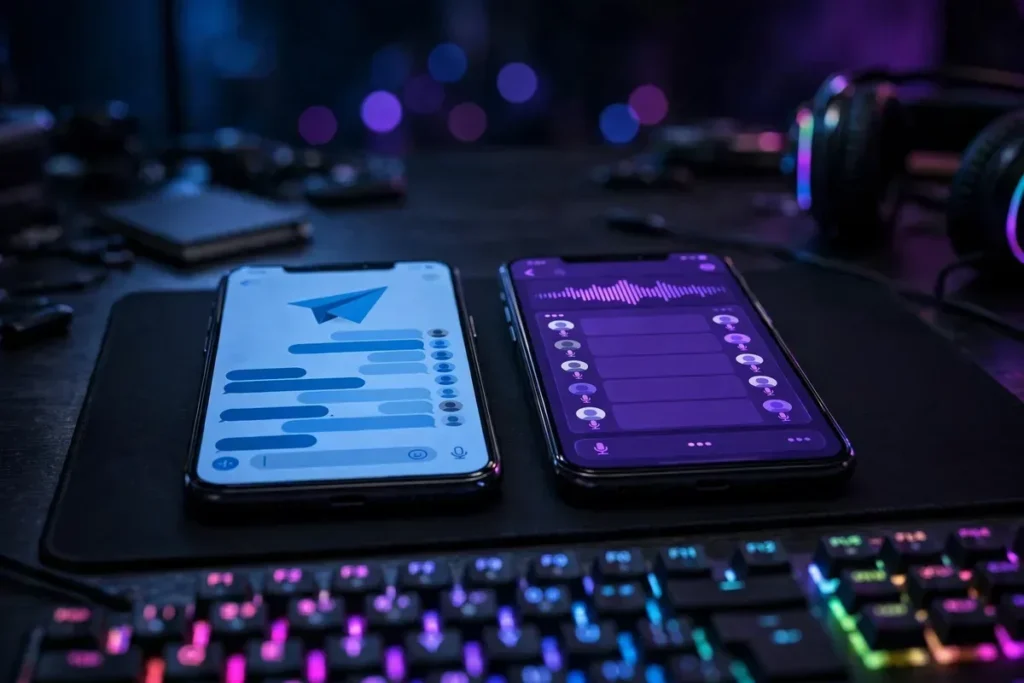
telegram vs discord illustration
Telegram’s messaging is the gold standard for speed and flexibility. Cloud-based chats sync instantly across unlimited devices, messages send in milliseconds, and the feature list is enormous: edit messages, schedule sends, silent messages, self-destructing media, chat folders, and drafts that sync. File sharing up to 2GB per file (4GB premium) embarrasses every competitor. Telegram feels like messaging without limits.
Discord’s messaging is server-centric: direct messages exist and work fine, but the app is designed around servers — persistent communities with text channels organized by topic. Message features (threads, replies, embeds, markdown) are solid, but file sharing caps at 25MB free (500MB with Nitro), and there is no scheduled sending or message editing history comparable to Telegram’s.
For one-to-one and group messaging pure and simple, Telegram wins the Telegram vs Discord messaging round decisively. For community conversation organized by topic, Discord’s server structure wins. They are optimized for different social graphs.
Communities: Channels vs Servers
Telegram’s community tools are Channels (one-to-many broadcasts with unlimited subscribers — news outlets, creators, and crypto projects run massive channels) and Groups (up to 200,000 members with admin tools, slow mode, and bots). Channels are Telegram’s superpower: a creator can broadcast to millions with rich media, polls, and comments.
Discord’s Servers are the deeper community product: a server is a persistent world with text channels, voice channels, roles, permissions, moderation bots, and events. Gaming clans, study groups, fan communities, and even companies run their social lives on Discord servers. The customization — custom emoji, stickers, roles, bots for everything — creates belonging in ways Telegram groups cannot match.
Choose Telegram Channels for broadcasting to an audience; choose Discord Servers for building a community that hangs out. Creators often use both: Telegram channel for announcements, Discord server for the community. If your groups share lots of photos, our photo recovery guide is a good reminder to back up what matters.
Voice and Video Chat
Discord invented modern social voice chat, and it still leads. Voice channels are always-on rooms you drop into — no calling, no ringing, just talking. Voice quality is excellent with Krisp noise suppression, and video/screenshare support up to 4K (Nitro) makes Discord a legitimate hangout replacement. Stage channels host live audio events. For gamers and communities, this is unmatched.
Telegram’s voice is call-based: excellent one-to-one and group voice/video calls with screen sharing, plus Voice Chats in groups (persistent audio rooms similar to Discord’s). Quality is very good, and Telegram’s video calls support up to 1,000 viewers for broadcasts. But the always-on channel culture is Discord’s — Telegram’s voice feels like calls, Discord’s feels like a place.
For hanging out with voice in the background, Discord wins. For scheduled calls and broadcasts, Telegram is excellent. The Telegram vs Discord voice comparison favors Discord for communities, Telegram for calls.
Privacy and Securitytelegram vs discord illustration
Telegram’s privacy story is nuanced. Chats are cloud-based and encrypted in transit, but only Secret Chats use end-to-end encryption — regular chats are visible to Telegram’s servers (though the company claims it never accesses them). Usernames allow contact without sharing phone numbers, and you can hide your number entirely. Telegram has resisted government data requests notably, but its encryption model draws expert criticism.
Discord’s privacy is weaker by design: no end-to-end encryption anywhere, messages stored on Discord’s servers and scanned (for Trust & Safety). It collects substantial data for its business. Usernames (now unique handles) reduce phone-number exposure, but Discord is not a privacy app — it is a social app.
Neither app is Signal. For sensitive conversations, use Secret Chats (Telegram) or a dedicated encrypted messenger. Between the two, Telegram’s optional E2EE and number-hiding give it the privacy edge, but neither should carry your secrets in default mode. Keep your device itself secure with our malware check guide.
Telegram vs Discord: Head-to-Head Scorecard
Category
Telegram
Discord
Winner
Message speed
Instant, cloud-synced
Fast, server-based
Telegram
File sharing
2GB free (4GB premium)
25MB free (500MB Nitro)
Telegram
Message features
Edit, schedule, silent, folders
Threads, embeds, markdown
Telegram
Community depth
Channels + big groups
Servers with roles/bots
Discord
Voice hangouts
Good calls, voice chats
Best-in-class voice channels
Discord
Video/screenshare
Good
Excellent (4K Nitro)
Discord
Privacy options
Secret Chats (E2EE), hidden numbers
None (no E2EE)
Telegram
Bots & automation
Huge bot platform
Rich bot ecosystem
Tie
Gaming integration
Minimal
Deep (Rich Presence, etc.)
Discord
Multi-device sync
Unlimited, instant
Good
Telegram
Bots, Automation, and Power Features
telegram vs discord illustration
Both apps have thriving bot ecosystems. Telegram’s Bot API is legendary: millions of bots handle everything from file conversion to group moderation to games, all usable inline in any chat. Building a Telegram bot is famously easy, which is why the ecosystem is so rich.
Discord’s bots are server-focused: moderation (MEE6, Dyno), music, polls, leveling, and custom commands via slash commands. Server admins wield extraordinary automation power. For community management, Discord’s bots are more sophisticated; for personal utility, Telegram’s bots are more versatile.
Premium tiers: Telegram Premium ($4.99/month) doubles limits (4GB files, faster downloads, premium stickers, no ads). Discord Nitro ($9.99/month) boosts file limits, unlocks HD streaming, custom emoji everywhere, and server boosts. Both are fairly priced for heavy users; neither is necessary for core use.
Which App for Which User?
Gamers, streamers, and community builders belong on Discord — its voice channels, servers, and gaming integrations are irreplaceable. Study groups, fan clubs, and friend groups that “live” online will feel at home. If your social life involves hanging out (not just messaging), Discord is the answer.
Broadcasters, news-followers, and messaging purists belong on Telegram — its speed, channels, file sharing, and multi-device sync are unmatched. International users (Telegram dominates in many regions), crypto communities, and anyone who values fast, limitless messaging will prefer it. Fitness communities sharing progress pics might also like our health apps roundup.
Many people need both: Telegram for messaging and channels, Discord for communities and voice. They overlap less than they appear to — install both and let each handle what it does best.
The Verdict
Choose Telegram if you want the fastest, most capable messenger: cloud sync, huge files, channels, bots, and privacy options. It is the better pure messaging app — download it from Telegram.
Choose Discord if you want the best online community platform: servers, always-on voice, gaming integration, and deep customization. It is the better virtual hangout — get it at Discord.
In the Telegram vs Discord debate, the apps serve different needs more than they compete. Telegram wins messaging; Discord wins community. Most socially active users end up with both — and that is the right answer.
Stickers, Emoji, and Self-Expression
Messaging is emotional, and both apps invest heavily in expression. Telegram’s sticker platform is the best in messaging: thousands of free animated sticker packs, easy custom pack creation, and premium animated emoji. Stickers feel native to Telegram culture — conversations flow in sticker as much as text. Custom emoji (upload your own) arrived for premium users, deepening the personalization.
Discord’s expression centers on custom server emoji and stickers: each server gets its own emoji slots (more with boosts), creating inside-joke visual languages unique to each community. Nitro unlocks using any server’s emoji anywhere plus animated avatars and profile banners. For community identity, Discord’s per-server emoji is brilliant; for personal chats, Telegram’s sticker universe is richer. Both beat the bland default emoji of SMS-era messaging.
Managing Notifications and Attention
Both apps can overwhelm — 200,000-member groups and active servers generate notification firehoses. Telegram’s notification controls are granular: mute for custom durations, exception lists, separate settings per chat type, and chat folders that quarantine noisy groups. Its “silent send” (long-press send) delivers without buzzing the recipient — thoughtful design.
Discord’s notification model is server-based: per-channel mute settings, @mention-only modes, and server notification presets. It takes more setup but offers finer control for community members juggling dozens of channels. Both apps support scheduled notification summaries on Android. The Telegram vs Discord attention-management winner depends on your pain: Telegram is simpler to tame for messaging overload; Discord is more precise for community overload. Either way, configure mutes on day one — your focus will thank you.
The Future: Where Both Apps Are Heading
The Telegram vs Discord rivalry keeps evolving. Telegram is pushing toward a super-app vision: in-app payments, mini-app platforms, blockchain integration (TON), and ad revenue sharing with channel owners. Its trajectory is messaging-plus-everything — a WeChat-like platform for regions where it dominates. Watch for deeper commerce and creator monetization features.
Discord is expanding beyond gaming: its rebrand toward “your place to talk” targets study groups, creators, and communities of all kinds. Improved video, events, and monetization (server subscriptions, shop) aim to make Discord the default third place online. Both apps face the same headwinds — regulatory scrutiny, content moderation at scale, and competition from WhatsApp Channels and others. For users, the competition is pure win: faster shipping, better features, and keener pricing on premium tiers. Whichever you choose today, expect it to do more next year.
FAQ
Is Telegram more private than Discord?
Yes. Telegram offers end-to-end encrypted Secret Chats and phone-number hiding; Discord has no end-to-end encryption. Neither is as private as Signal for default chats.
Which is better for gaming communities?
Discord, decisively. Its servers, voice channels, and gaming integrations (Rich Presence, streaming) are built for gamers.
Can I share large files on Discord?
Free Discord caps files at 25MB; Nitro raises it to 500MB. Telegram allows 2GB free (4GB with Premium) — far better for large files.
Do I need both apps?
Many users do. Telegram excels at messaging and broadcasts; Discord excels at communities and voice hangouts. They complement each other well.
Which app is better for creators?
Telegram Channels are better for broadcasting to large audiences; Discord Servers are better for building engaged communities. Top creators often run both.
Conclusion
The Telegram vs Discord decision is about how you socialize online. Telegram is the messaging champion — fast, limitless, and packed with features for communicating. Discord is the community champion — servers and voice channels that feel like places, not apps. Gamers and community builders need Discord; messaging purists and broadcasters need Telegram; most everyone else benefits from both. Install the one that matches your primary need first, add the other when curiosity strikes, and enjoy an online social life with the right tool for every moment. The Telegram vs Discord landscape rewards the curious — explore both, configure notifications wisely, and find your people.
Qamar Abbas is the founder and CEO of Qamar Digital Ventures LLC, a New Mexico-based web design and SEO agency. He writes hands-on, research-backed guides about Android apps, APK guides and mobile how-tos for a US audience, tested on real devices and updated regularly.









What do you think?
Share your experience or ask a question. A useful conversation starts with you.
Join the discussion