
Best Fitness Bands for Android: 6 Top Picks (2026)
A good fitness band is the easiest way to build healthier habits — it counts your steps, watches your heart, tracks your sleep, and nudges you off the couch, all without the bulk (or price) of a smartwatch. But the market is crowded, and not every band plays nicely with Android.
We tested the most popular options to find the best fitness bands for Android in 2026, judging each on heart-rate accuracy, battery life, sleep tracking, app quality, and value for money. Whether you want a budget step-counter or a training partner with built-in GPS, there is a pick here for you.
How We Chose the Best Fitness Bands for Android
Every band on this list was worn for at least a week, synced with Android phones (Pixel and Samsung), and evaluated on:
- Sensor accuracy: heart-rate readings compared against a chest strap during workouts and rest.
- Battery life: real-world days per charge with default settings and always-on display off.
- Sleep tracking: how well it detects sleep stages and how useful the morning insights are.
- App experience: the companion app’s clarity, data presentation, and subscription traps.
- Value: what you get for the price, including whether key features hide behind a paywall.
We prioritized bands with full-featured Android apps — some wearables still treat Android as a second-class citizen, and those did not make the cut.
The 6 Best Fitness Bands for Android
1. Fitbit Charge 6 — Best Overall
The Fitbit Charge 6 remains the best fitness band for Android users who want the complete package. Heart-rate tracking is among the most accurate in the band category, sleep insights are genuinely useful (sleep score, smart wake, snore detection), and built-in GPS means you can leave your phone behind on runs.
Battery life runs about a week with typical use. The Fitbit app is polished and beginner-friendly, though some advanced metrics (like the Daily Readiness Score) require Fitbit Premium. Google Wallet support and YouTube Music controls are nice Android-friendly touches. Setup guides and troubleshooting live on Fitbit’s official support pages. If you want one band that does everything well, this is it — and it pairs beautifully with the Best Health Apps for Android ecosystem.
Best for: most people — the safest all-round pick.
Battery: ~7 days | GPS: built-in | Water resistance: 5 ATM.
2. Xiaomi Smart Band 9 — Best Budget Pick
Nothing touches the Xiaomi Smart Band 9 on value. For a fraction of the price of premium bands, you get accurate heart-rate and SpO2 tracking, detailed sleep analysis, 150+ sport modes, and a bright AMOLED display — plus a staggering three weeks of battery life.
The Mi Fitness app has improved enormously and works fully on Android. There is no built-in GPS (it uses your phone’s), and the insights are less hand-holding than Fitbit’s, but at this price those are easy compromises. For anyone trying a fitness band for the first time, start here.
Best for: budget buyers and first-time band users.
Battery: ~21 days | GPS: via phone | Water resistance: 5 ATM.
3. Amazfit Band 7 — Best Battery Life
The Amazfit Band 7 takes endurance seriously: up to 18 days of typical use, or nearly a month in battery-saver mode. It packs an AMOLED display, heart-rate and blood-oxygen monitoring, stress tracking, and 120 sport modes into a slim, comfortable body.
Zepp Health (the companion app) is surprisingly capable, with PAI health scores and solid sleep analysis. Alexa is built in for quick voice queries. Accuracy is a small step behind Fitbit, but the combination of price, battery, and features makes it one of the best fitness bands for Android for anyone who hates charging.
Best for: people who want to charge roughly once a month.
Battery: ~18 days | GPS: via phone | Water resistance: 5 ATM.
4. Garmin Vivosmart 5 — Best for Serious Training
Garmin’s Vivosmart 5 is the band for people who train with purpose. Its heart-rate accuracy rivals chest straps, and the Garmin Connect app offers the deepest training analytics in this price class — training load, recovery time, and Body Battery energy monitoring that athletes swear by.
The tradeoff is a smaller, dimmer display and a more utilitarian design. There is no built-in GPS and no music controls, so runners will still want their phone nearby. But if your priority is trustworthy data over flashy features, Garmin wins. It is the thinking athlete’s pick among the best fitness bands for Android.
Best for: runners and data-driven trainers.
Battery: ~7 days | GPS: via phone | Water resistance: 5 ATM.
5. Samsung Galaxy Fit3 — Best for Samsung Phone Owners
If you carry a Samsung phone, the Galaxy Fit3 deserves a close look. It syncs seamlessly with Samsung Health — one of the best fitness platforms on Android — and offers a large, bright display, 13 days of battery life, and accurate sleep tracking with snore detection.
Fall detection and emergency SOS add safety value, and the aluminum body feels more premium than the price suggests. The catch: some features work best (or only) within the Samsung ecosystem, so Pixel and other-brand owners should prefer the more platform-neutral picks above. Pair it with our favorite picks from the Best Android Smartwatches 2026 guide if you later want to step up to a full smartwatch.
Best for: Samsung Galaxy phone owners.
Battery: ~13 days | GPS: via phone | Water resistance: 5 ATM + IP68.
6. Huawei Band 9 — Best Sleep Tracking
The Huawei Band 9 stands out for sleep: its TruSleep analysis is among the most detailed available, breaking the night into stages with practical improvement suggestions. It also delivers 14-day battery life, a gorgeous AMOLED display, and accurate all-day heart-rate monitoring.
Huawei Health is a clean, capable app on Android. The main caveat is ecosystem friction in some regions — double-check that Huawei Health and its services work fully in your country before buying. Where it is fully supported, it is one of the best fitness bands for Android for sleep-obsessed users.
Best for: anyone prioritizing sleep insights.
Battery: ~14 days | GPS: via phone | Water resistance: 5 ATM.
How to Pick the Right Fitness Band

Narrowing down the best fitness bands for Android to one choice comes down to your priorities:
- Set your budget. Under $50, the Xiaomi Smart Band 9 is nearly unbeatable. Around $100-160, the Fitbit Charge 6 and Garmin Vivosmart 5 compete on features.
- Decide on GPS. If you run or cycle without your phone, built-in GPS (Fitbit Charge 6 here) matters. If your phone is always with you, connected GPS saves money.
- Check the app. You will live in the companion app daily — download it free and explore before buying the band.
- Watch for subscriptions. Fitbit Premium and similar services gate some insights behind monthly fees. Decide whether you need them.
- Consider battery tolerance. If charging weekly annoys you, the Amazfit and Xiaomi options last weeks, not days.
Also think about comfort: you will wear this 24/7 for sleep tracking, so a slim, light band you forget you are wearing beats a chunky one with more features. And if you find any wearable draining your phone’s battery through constant syncing, our Android Battery Draining Fix guide can help.
Getting Accurate Readings: Wear It Right
Even the best fitness bands for Android give bad data if worn poorly. A few rules:
- Snug but comfortable: the band should sit about a finger’s width above your wrist bone, tight enough not to slide during workouts.
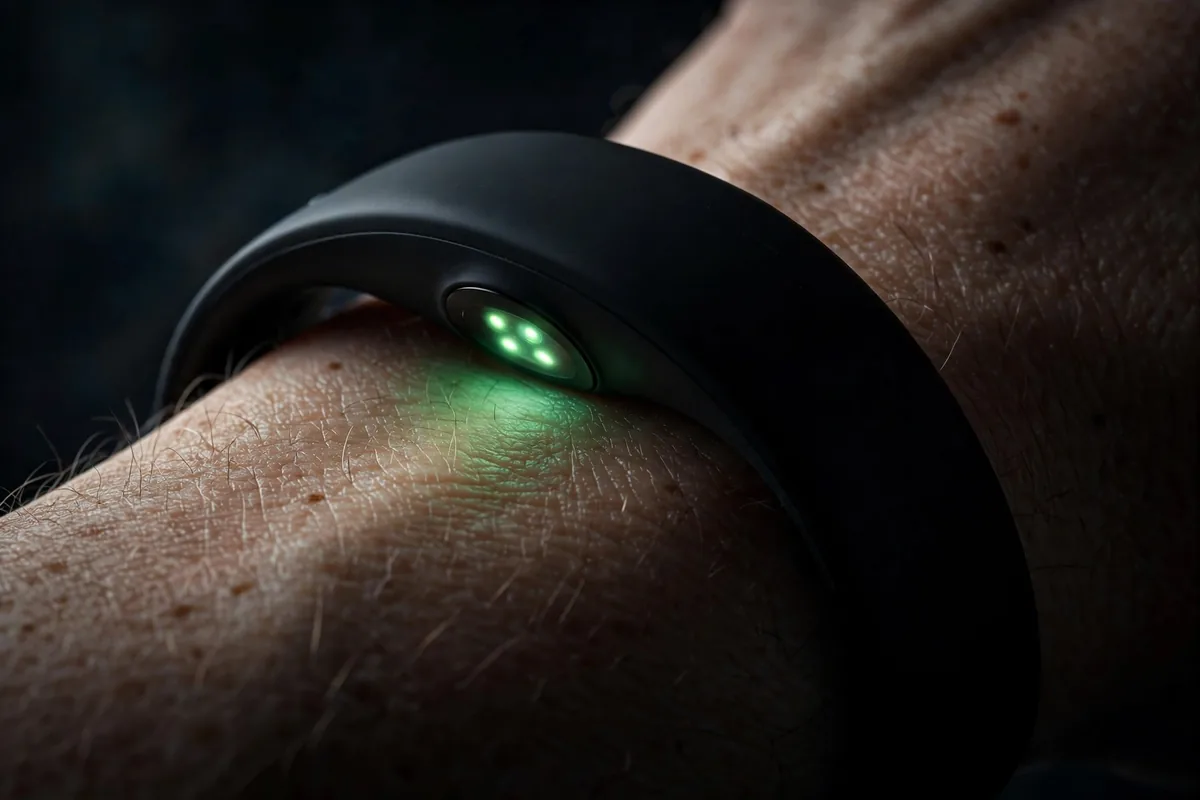
- Keep sensors clean: wipe the sensor area regularly — sweat and sunscreen degrade heart-rate accuracy.
- Enter your stats: age, weight, and height calibrate calorie and zone calculations. Update weight as it changes.
- Tighten for workouts: many athletes wear the band slightly tighter during exercise and loosen it after.
Your First Week With a New Fitness Band
Getting one of the best fitness bands for Android is only half the battle — the first week determines whether it becomes a habit or a drawer decoration. Here is how to start right:
Day 1-2: Baseline. Wear the band 24/7 without changing your routine. Do not chase goals yet — you are collecting baseline data on steps, resting heart rate, and sleep. Enter your correct age, weight, and height in the app so calorie estimates are accurate.
Day 3-4: Set one goal. Pick a single, easy target — 7,000 steps, or a consistent bedtime. One goal is achievable; five goals are overwhelming. Turn on the inactivity reminders so the band nudges you to move each hour.
Day 5-7: Try a tracked workout. Use the band’s exercise mode for one walk, run, or gym session. Compare how you felt with the heart-rate zones the app shows — this teaches you what “zone 2” or “fat burn” actually feels like for your body.
End of week one: review the weekly summary in the app. Most people are surprised by either their sleep quality or their sedentary hours — that surprise is the motivation that keeps the band on your wrist for month two.
Fitness Band Care and Maintenance
Even the best fitness bands for Android need basic upkeep to stay accurate and last for years:
- Clean it weekly. Rinse the band under lukewarm water after sweaty workouts and dry it fully. Salt and sweat irritate skin and degrade sensors over time.
- Charge smart. Top up at 20-30% rather than running to zero, and do not leave it on the charger for days. Most bands charge in under two hours.
- Update firmware. Companion apps push firmware updates that improve accuracy and add features — install them promptly.
- Give your wrist a break. Alternate wrists occasionally or loosen the band for an hour daily to prevent skin irritation, especially in hot weather.
- Protect the screen. A cheap screen protector prevents the scratches that inevitably come from desks, gym equipment, and doorframes.
FAQ — Best Fitness Bands For Android
Are fitness bands accurate enough to trust?
For resting heart rate, step counts, and sleep duration, yes — the best fitness bands for Android are impressively accurate. Wrist-based heart rate during intense interval workouts can lag behind chest straps, but for general fitness tracking the data is trustworthy.
Do I need a subscription to use a fitness band?
No. Every band on this list works fully without a subscription. Paid tiers (like Fitbit Premium) add deeper insights and scores, but core tracking — steps, heart rate, sleep, workouts — is free.
Can a fitness band work without a phone nearby?
Yes for basic tracking — steps, heart rate, and sleep record on the band and sync later. But only bands with built-in GPS (like the Fitbit Charge 6 here) can map outdoor workouts phoneless; the rest need your phone for GPS routes and notifications.
How long do fitness bands last?
The hardware typically lasts 2-4 years before battery degradation becomes noticeable. Software support varies — Fitbit, Garmin, and Samsung offer the longest update commitments. If your band is aging, our When to Upgrade Phone advice applies to wearables too: replace when the battery no longer lasts a full day of your normal use.
Fitness band vs smartwatch — which should I buy?
Bands win on battery life (weeks vs days), price, weight, and sleep comfort. Smartwatches win on apps, displays, and features like calls and music storage. If fitness tracking is the goal, a band gives you 90% of the benefit for a fraction of the price — compare with the Best Android Smartwatches 2026 if you are torn.
Conclusion — Best Fitness Bands For Android
The best fitness bands for Android in 2026 prove you do not need to spend smartwatch money to track your health seriously. The Fitbit Charge 6 is the best all-rounder, the Xiaomi Smart Band 9 is the value king, the Amazfit Band 7 barely needs charging, the Garmin Vivosmart 5 serves serious athletes, the Galaxy Fit3 is perfect for Samsung owners, and the Huawei Band 9 masters sleep. Pick the one that matches your training style, wear it consistently, and let the data do the motivating.




What do you think?
Share your experience or ask a question. A useful conversation starts with you.
Join the discussion