
Google Maps vs Waze on Android: 8 Differences
Both are owned by Google, both are free, and both will get you where you are going — so does it actually matter which one you use? Absolutely. When you compare google maps vs waze android, you find two apps with very different philosophies: Google Maps is the all-in-one local guide for the world around you, while Waze is a laser-focused driving companion powered by a community of drivers reporting hazards in real time. Picking the wrong one for your driving style means slower routes, missed alerts, or a cluttered screen full of features you never touch.
In this google maps vs waze android showdown, we break down 8 key differences — traffic data, routing style, offline maps, interface, EV support, public transit, data usage, and community features — so you can choose the right navigation app for how you actually drive in 2026.
Google Maps vs Waze Android: 8 Key Differences at a Glance
| # | Difference | Google Maps | Waze |
|---|---|---|---|
| 1 | Traffic data source | Google’s aggregated location data + incident reports | Real-time crowdsourced driver reports |
| 2 | Routing style | Balanced, predictable routes | Aggressive rerouting around jams |
| 3 | Offline maps | Full offline download support | Very limited offline capability |
| 4 | Beyond driving | Transit, walking, cycling, flights, business info | Driving only |
| 5 | EV routing | Built-in charger-aware EV routing | Basic EV support, less mature |
| 6 | Interface | Clean, minimal, map-first | Playful, social, alert-heavy |
| 7 | Data usage | Moderate, efficient caching | Higher, constant live updates |
| 8 | Community | Passive data collection | Active driver community |
Difference 1: How Each App Gets Its Traffic Data
The single biggest difference in the google maps vs waze android debate is where traffic information comes from. Google Maps blends anonymized location data from millions of Android phones with incident reports submitted by users, producing a smooth, historically informed picture of traffic. Waze, on the other hand, is built entirely around active crowdsourcing: drivers tap to report accidents, police, hazards, road closures, and traffic jams the moment they see them.
In practice, Waze often knows about a fresh accident minutes before Google Maps does — but Google Maps is better at predicting how long a jam will last based on historical patterns. For your daily commute through unpredictable traffic, Waze’s live reports win. For a long-planned road trip, Google Maps’ predictions are more reliable.
Difference 2: Routing Philosophy — Balanced vs Aggressive
Google Maps tends to pick sensible, stable routes and only reroutes when the time saving is significant. Waze is far more aggressive: it will happily send you through side streets, parking lots, and residential cut-throughs to shave two minutes off your ETA, and it reroutes constantly as conditions change.
Some drivers love Waze’s hyper-optimization; others find the constant “turn here instead” instructions stressful. If you prefer a calm, predictable drive, Google Maps suits you better. If your priority is the absolute fastest arrival time no matter how creative the route, Waze is your app.
Difference 3: Offline Maps — A Clear Winner
This one is not close. Google Maps lets you download entire cities, regions, or states for fully offline navigation — turn-by-turn directions, search, and rerouting all work without a data connection. Waze requires an active internet connection for routing; without data, it can barely function beyond showing your current location.
If you drive through rural areas, travel internationally, or just want a backup for dead zones, Google Maps is the only real choice here. For tips on keeping navigation working when your connection is limited, see our guide on how to reduce mobile data usage on Android.
Difference 4: Google Maps Does Everything; Waze Only Drives
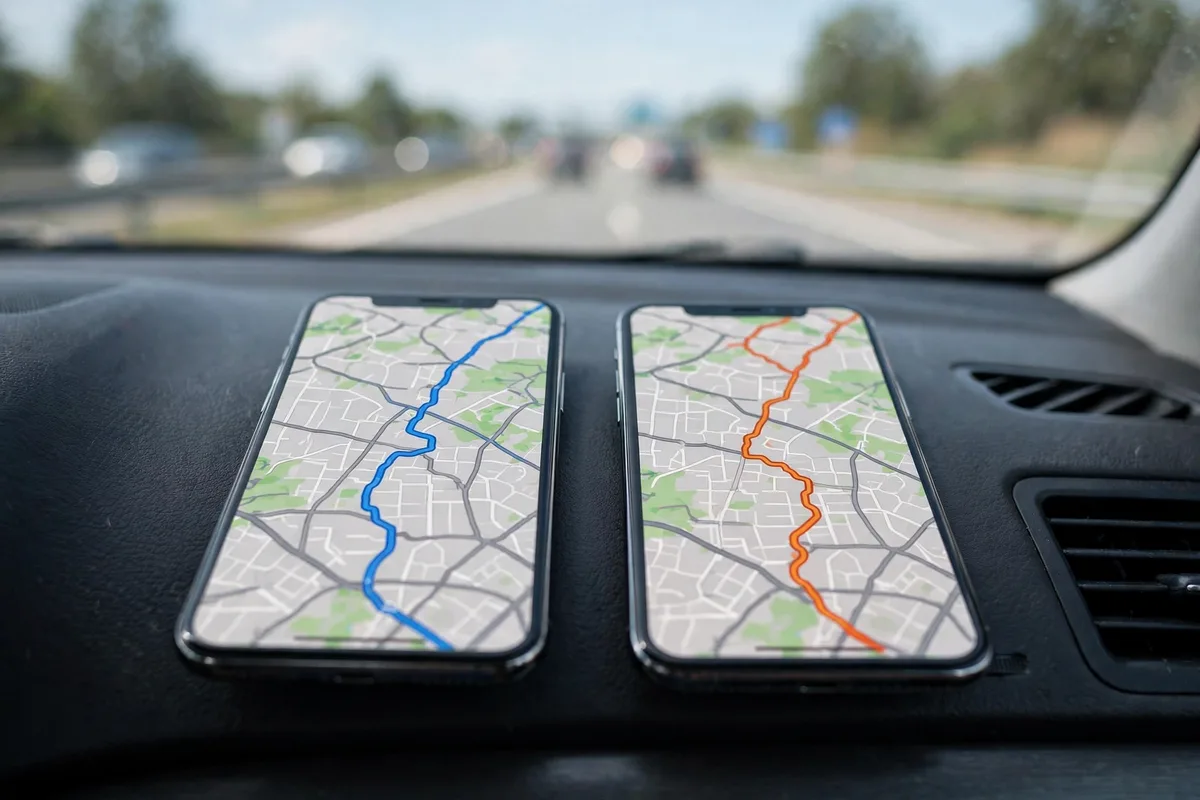
Google Maps is a complete local companion: walking directions, cycling routes, public transit with live departure times, flight and hotel info, restaurant reviews, Street View, and indoor maps of malls and airports. Waze does exactly one thing — car navigation — and does not even attempt the rest.
For most people, this makes Google Maps the default app for everything except the actual drive. Many drivers use Google Maps to find a restaurant, then switch to Waze for the drive there. There is no rule against using both.
Difference 5: EV Routing Support
Electric vehicle drivers should pay attention to this difference in the google maps vs waze android comparison. Google Maps has mature, charger-aware EV routing: tell it your car model and it plans charging stops along your route, factoring in your battery level and charger speeds. Waze’s EV support exists but is far less developed — it can show charging stations, but route planning around them is rudimentary.
If you drive an EV on Android, Google Maps is currently the stronger pick for longer trips. Pair it with Android Auto and your car’s dashboard shows the charging-aware route natively.
Difference 6: Interface and Driving Experience
Open both apps side by side and the design philosophies could not be more different. Google Maps is clean and minimal — a map, your route, and unobtrusive turn prompts. Waze is playful and social: cartoonish icons for other Wazers on the road, pop-up hazard alerts, points and achievements for reporting, and a generally busier screen.
Waze’s alert-heavy style is genuinely useful — the police and hazard warnings have saved countless drivers from speeding tickets and sudden slowdowns. But on a long highway drive, some users find the constant pings distracting. Google Maps stays out of your way; Waze keeps you engaged.
Difference 7: Data and Battery Usage
Because Waze maintains a constant live connection for crowdsourced updates, it typically uses more mobile data and battery than Google Maps on the same trip. Google Maps caches map tiles aggressively and its traffic model needs fewer live updates, making it the more efficient choice — an important factor on long drives or limited data plans.
The gap is not enormous (both are well-optimized in 2026), but if you are watching every megabyte, Google Maps wins — and the right data-saving settings minimize usage in either app.
Difference 8: The Community Factor
Waze’s secret weapon is its community. Millions of drivers actively report what they see, and the app gamifies it with points, ranks, and achievements. This creates a virtuous cycle: more reporters means better data, which attracts more drivers. Google Maps collects data passively — you benefit from other users without ever tapping a report button, and incident reporting exists but is not the app’s soul.
If you enjoy contributing and want the freshest hazard alerts, Waze’s community is unmatched. If you would rather just drive while your phone quietly handles navigation, Google Maps’ passive approach fits better.
Google Maps vs Waze Android for Commuters vs Road Trippers
Your driving pattern matters as much as the feature list in the google maps vs waze android decision. Daily commuters driving the same route at the same time benefit most from Waze: its planned-drive feature learns your schedule, its community reports surface the construction zone that appeared this morning, and its aggressive rerouting genuinely saves 5–10 minutes on bad days. Waze essentially turns every other driver on your route into a scout.
Road trippers face the opposite problem: unfamiliar roads, spotty coverage, and the need to find gas, food, and hotels along the way. Here Google Maps dominates the google maps vs waze android matchup — offline downloads cover dead zones, business listings with reviews answer “where should we stop,” and Street View lets you preview tricky interchanges before you reach them. EV road trips tilt things even further toward Google Maps thanks to charger-aware routing.
The hybrid approach most experienced drivers settle on: Waze for the weekday commute, Google Maps for everything else. Both apps remember your home and work addresses independently, so switching between them costs nothing.
Which Should You Use? Our Recommendation
After comparing google maps vs waze android across all 8 differences, here is the simple decision framework:
- Choose Waze if: you commute through heavy, unpredictable traffic; you want real-time police and hazard alerts; you enjoy contributing reports; fastest ETA is your top priority.
- Choose Google Maps if: you need offline maps; you drive an EV on long trips; you use transit, walking, or cycling modes; you want one app for navigation plus local discovery; you prefer a calm interface.
- Use both if: you are like most power users — Google Maps for finding places and offline backup, Waze for the actual drive through traffic.
Both apps are free, so there is no cost to installing both and switching based on the trip. Many Android users keep Waze on the home screen for commuting and Google Maps for everything else.
Pro Tips for Either App
- Download offline areas in Google Maps before any road trip: search the area → tap the name → Download.
- In Waze, set your “planned drive” for regular commutes — it learns your schedule and warns you when to leave.
- Report hazards in Waze when you safely can — the community only works if drivers contribute, and your reports help everyone behind you.
- Connect to Android Auto for the safest in-car experience with either app — big touch targets and voice control keep your eyes on the road.
- Wearable glance: if you use a smartwatch, navigation prompts on your wrist mean fewer glances at the phone — see our best Android smartwatches buying guide for models with the best notification handling.
For official documentation on features and troubleshooting, check Google Maps help and Waze help.
FAQ
Is Waze better than Google Maps for traffic?
For real-time incident awareness (accidents, police, hazards), Waze is usually faster because of its active reporter community. For overall route reliability and traffic prediction, Google Maps is often more accurate thanks to historical data.
Does Waze work without internet?
Barely. Waze needs an active data connection to calculate routes. Google Maps, by contrast, supports full offline navigation with downloaded maps — a major advantage for rural driving or travel abroad.
Which app uses less battery: Google Maps or Waze?
Google Maps generally uses less battery and data because it caches aggressively and needs fewer live updates. Waze’s constant crowdsourced connection consumes more of both.
Can I use both Google Maps and Waze?
Yes — many drivers do exactly that. Use Google Maps for discovering places, offline backup, and EV trip planning; use Waze for daily commuting through live traffic.
Does Google Maps have Waze’s police alerts?
Google Maps shows some incident reports including speed traps, but Waze’s alert system is faster, more detailed, and more deeply integrated into the driving experience.
Which navigation app is better for Android Auto?
Both work well on Android Auto, but Google Maps integrates slightly more deeply with the car’s dashboard (especially EV battery and charging displays). Waze on Android Auto keeps its signature hazard alerts, which many commuters prefer.
Google Maps vs Waze Android: Voice Guidance Compared
Voice guidance style is a bigger deal than it sounds on a daily commute. Google Maps uses a calm, measured voice with early, spaced-out instructions — “in half a mile, turn right” — which suits highway driving where decisions come slowly. Waze is chattier: frequent updates, street names announced more often, and playful voice packs (including celebrity voices) that some drivers love and others mute within a week.
Practically, Waze’s instructions arrive slightly later and closer to the turn, matching its aggressive rerouting style; Google Maps warns earlier, which helps in unfamiliar areas with complex interchanges. Both let you change voices in Settings > Navigation > Voice selection. If you drive with passengers who dislike navigation chatter, Google Maps’ quieter default wins; if you drive alone and want constant reassurance, Waze’s energy fits better.
Using Both Apps Without the Clutter
Since both apps are free, the real question is how to run both without doubling notifications and battery drain. The clean setup: pick one as your daily driver and disable the other’s background location. In Settings > Apps, revoke background location permission for the app you use less — it still navigates perfectly when open, but stops sipping battery and data in the background.
Set distinct roles: Waze for the daily commute (its rerouting and hazard alerts shine in familiar traffic), Google Maps for everything else (trips, parking, finding places). Turn off drive reminders and “time to leave” notifications in one of the two so they do not duplicate each other. This division gives you both apps’ strengths with roughly one app’s resource cost.
Google Maps vs Waze Android: Privacy Differences
Both apps are Google-owned, but they collect differently. Google Maps ties deeply into your Google account: Timeline history, saved places, and reviews all feed one profile, which powers better recommendations at the cost of a detailed location record. You can manage this at myactivity.google.com, where location history can be auto-deleted every 3, 18, or 36 months.
Waze collects driving data more anonymously — your reports and routes improve the map without attaching to as rich a personal profile, though it still knows where you drive. If minimizing your location footprint matters, Waze plus auto-deleted Maps history is the leanest combo. Either way, review Settings > Location > Location Services on your phone yearly; apps accumulate permissions you granted years ago and forgot.
Conclusion
The google maps vs waze android question has no single right answer — only the right answer for your driving. Waze wins for commuters who want the fastest route through live traffic with real-time hazard and police alerts from an active driver community. Google Maps wins for everyone else: offline navigation, EV trip planning, transit and walking directions, local discovery, and a calm, efficient interface. Since both are free, the smartest move is to keep both installed and reach for the right tool for each trip. Set your home and work addresses in both apps once, learn which one you trust for the morning commute versus the weekend getaway, and let each app do what it does best. Your daily drive is about to get a whole lot smoother — fewer surprises, faster arrivals, and no more second-guessing which app to open.




What do you think?
Share your experience or ask a question. A useful conversation starts with you.
Join the discussion