

Your Galaxy phone can run itself. Samsung’s Modes and Routines is a powerful automation engine that changes settings based on time, location, activity, and device state, no coding required. The best samsung modes routines ideas handle life’s repetitive phone chores automatically: silencing notifications at bedtime, launching driving mode in the car, conserving battery when charge runs low, and switching to work focus during office hours. These samsung modes routines ideas turn your phone from a reactive tool into a proactive assistant. See the Samsung Routines guide for official documentation.
This guide presents 10 practical samsung modes routines ideas for 2026, each with exact setup steps. Everything uses the built-in Modes and Routines app on Samsung Galaxy phones.
What Modes and Routines Are

Samsung offers two related automation systems that work together.
Modes
Modes are situational profiles: Sleep, Driving, Work, Exercise, Relax. Activating a mode applies a bundle of settings at once: Do Not Disturb, dark mode, volume levels, and app restrictions.
Routines
Routines are if-this-then-that automations: when a condition is met (time, location, battery level, Bluetooth connection), the phone performs actions automatically.
Modes handle the big situational shifts; Routines handle the granular triggers. The best samsung modes routines ideas often combine both, like a Routine that activates Sleep mode at your bedtime. For system-level battery automation concepts, our background apps guide covers complementary power-saving strategies.
Samsung Modes Routines Ideas: The Perfect Sleep Mode
The highest-impact automation is the one that protects your sleep.
Setup
- Open Settings > Modes and Routines > Modes.
- Tap Sleep and configure the schedule (or link it to your alarm).
- Set actions: Do Not Disturb on, grayscale or dark mode, eye comfort shield on, lockdown of distracting apps.
Why It Works
Your phone transforms into a non-stimulating device at bedtime without any nightly effort. Exceptions for starred contacts mean emergencies still reach you. This is the first of the samsung modes routines ideas everyone should enable; better sleep is worth more than any other automation.
Driving Mode That Starts Itself
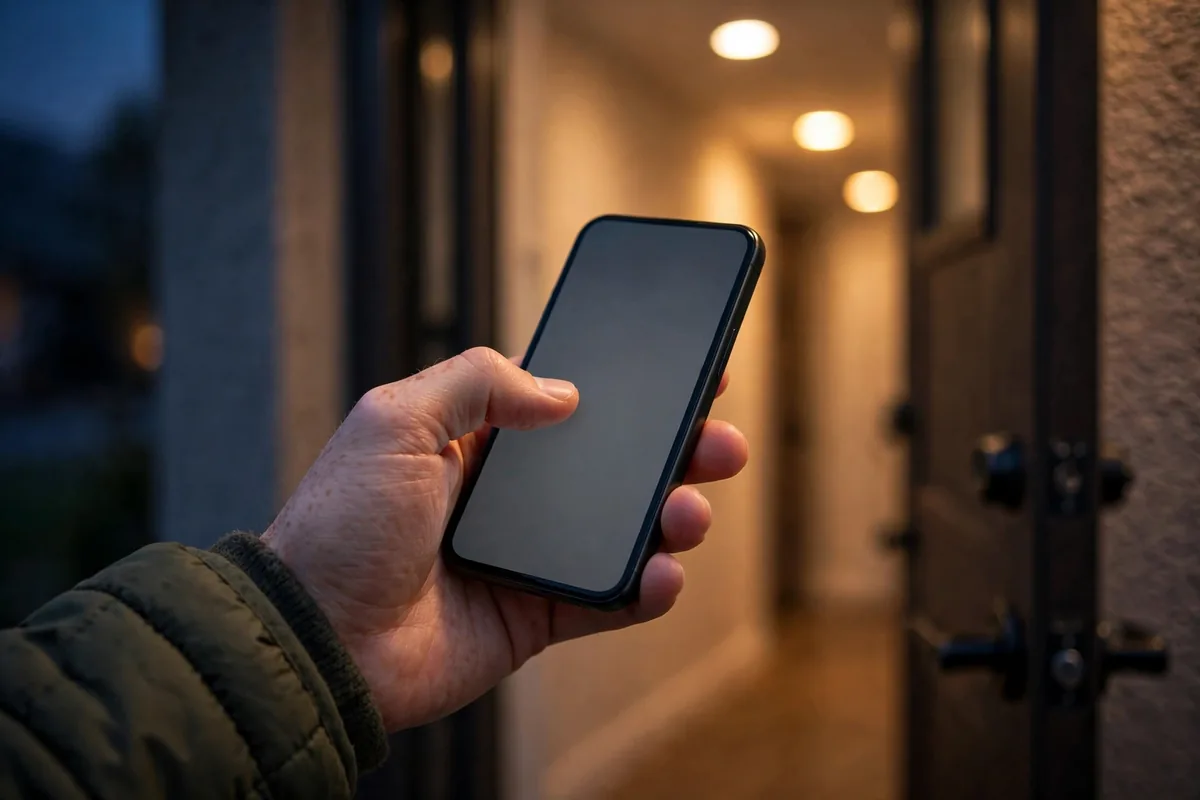
Manually enabling driving mode is a chore nobody remembers; automation fixes it.
Setup
- Create a Routine: If Bluetooth connects to your car’s system (or Android Auto starts).
- Then: enable Driving mode, read notifications aloud, launch your navigation and music apps.
- Add an exit condition: when Bluetooth disconnects, return to normal.
The Experience
You start the car, and your phone becomes a driving assistant: maps open, Spotify resumes, texts get auto-replied. It is one of those samsung modes routines ideas that feels like the future every single time. For the in-car display setup, our Android Auto guide walks through the dashboard configuration.
Samsung Modes Routines Ideas: Work Focus Mode
Separate your workday from your personal life with an automatic boundary.
Setup
- Configure the Work mode with your office hours or office location as the trigger.
- Actions: silence personal app notifications, allow only work contacts to ring through, set a professional wallpaper.
- Add a Routine: when Work mode ends, restore personal notification settings.
The Psychology
Physical context switches help mental ones. When your phone visibly changes for work hours, your brain follows. These samsung modes routines ideas for focus are backed by the same principle as changing clothes for remote work: signals matter.
Battery Saver That Thinks Ahead

Do not wait for 15% to panic; automate the response.
Setup
- Create a Routine: If battery drops below 30%.
- Then: enable power saving mode, reduce brightness to 40%, turn off 5G (switch to 4G), restrict background data for non-essential apps.
- Add a second Routine at 15%: enable maximum power saving and notify you.
Why Automate This
Manual battery anxiety leads to compulsive checking. Automated responses mean the phone handles low battery gracefully while you get on with your day. This is one of the most practical samsung modes routines ideas for heavy users and travelers.
Samsung Modes Routines Ideas: Quick Comparison Table
| Automation | Trigger | Key Actions |
|---|---|---|
| Sleep mode | Bedtime schedule | DND, grayscale, app limits |
| Driving mode | Car Bluetooth | Auto-reply, nav launch |
| Work focus | Office hours/location | Silence personal apps |
| Battery saver | Low battery % | Power saving, dim screen |
| Gym mode | Gym location | Music app, DND |
Gym Mode for Uninterrupted Workouts
Your workout deserves the same protection as your sleep.
Setup
- Create a Routine triggered by arriving at your gym’s location (or connecting to gym Wi-Fi).
- Actions: launch your workout playlist, enable Do Not Disturb with music app exceptions, set volume appropriately.
- Exit: when leaving the location, restore normal settings.
No more mid-set buzzes breaking your focus. These samsung modes routines ideas for exercise respect the fact that an hour of training is sacred time.
Home Arrival Routine
Walking through your front door can trigger a whole sequence.
Setup
- Trigger: connect to home Wi-Fi network.
- Actions: turn off mobile data (save battery), connect to home Bluetooth speakers, disable work mode, set volume to normal.
- Optional: send an automated message to family that you are home.
The Wi-Fi trigger is more reliable than GPS geofencing and uses less battery. This is one of those samsung modes routines ideas that quietly improves every single day.
Samsung Modes Routines Ideas: Meeting Silence
Calendar-aware silence prevents the classic mid-meeting ringtone disaster.
Setup
- Create a Routine: If calendar event is in progress (or a specific calendar).
- Then: enable Do Not Disturb, set to vibrate only for starred contacts.
- The routine ends automatically when the event ends.
Unlike manual silencing, this never forgets to unmute afterward. Professionals who live in meetings consider this essential, and it is one of the samsung modes routines ideas with the highest embarrassment-prevention value.
Bedtime Reading Mode
If you read on your phone before sleep, optimize the experience automatically.
Setup
- Trigger: open your e-book or reading app after 10 PM.
- Actions: enable eye comfort shield at maximum, set brightness low, enable grayscale.
- Exit when the app closes.
This protects both your eyes and your sleep quality. Pair it with the Sleep mode from earlier for a complete nighttime system. For more sleep-friendly phone habits, our digital wellbeing guide covers bedtime modes in depth.
Samsung Modes Routines Ideas: Low-Data Mode on the Go
Traveling or on a limited plan? Automate data discipline.
Setup
- Trigger: disconnect from Wi-Fi (or a specific Routine toggle).
- Actions: restrict background data, pause cloud photo backup, disable auto-downloads in messaging apps.
- Re-enable everything on Wi-Fi reconnect.
This prevents the nasty surprise of a synced photo library eating your data cap. It is one of the more financially valuable samsung modes routines ideas, especially for travelers on roaming.
Morning Briefing Routine
Start the day informed without doomscrolling.
Setup
- Trigger: alarm dismissed (or a set morning time).
- Actions: turn off DND, read the weather and calendar aloud, open your news briefing app.
- Optional: start the coffee maker if you have a smart plug integrated.
A structured morning beats a reactive one. These samsung modes routines ideas for mornings replace the phone-grab-and-scroll habit with intentional information.
Samsung Modes Routines Ideas: App-Specific Volume Memory
Tired of blasting volume when opening a game after listening to a podcast?
Setup
- Create Routines per app: If specific app opened.
- Then: set media volume to your preferred level for that app.
- The phone remembers per-app preferences automatically.
Games get 70%, podcasts get 50%, the meditation app gets 30%. This is one of those samsung modes routines ideas that eliminates a tiny daily annoyance permanently.
Secure Your Phone When It Leaves Your Hands
Automation can protect against loss and theft.
Setup
- Trigger: disconnect from your smartwatch or home Wi-Fi unexpectedly.
- Actions: lock the phone immediately, enable location tracking, send your location to a trusted contact.
- Optional: take a front-camera photo on failed unlock attempts (via third-party integration).
While Samsung has dedicated theft protection, these samsung modes routines ideas add a personal layer. For the full security picture, review your app permissions to minimize what a thief could access.
Related Guides
- Stop Background Apps Samsung: 8 Battery-Saving Tips
- Digital Wellbeing: 9 Parental Controls That Work
- Android Auto Setup: Complete 2026 Guide
Samsung Modes Routines Ideas: Travel Mode
Crossing time zones or borders? A travel routine handles the transition.
Setup
- Trigger: connect to a roaming network or a new country’s carrier.
- Actions: enable data saver, download offline maps for the region, switch to a travel eSIM profile if you have one, mute work notifications.
- Exit: return home triggers restoration of normal settings.
Frequent travelers automate away the entire arrival checklist. These samsung modes routines ideas for travel mean you land connected and configured instead of fumbling with settings in the arrivals hall.
Do Not Disturb Exceptions Done Right
DND is only as good as its exceptions, and routines make them dynamic.
- Sleep: only starred contacts and repeat callers break through.
- Work: only work contacts and calendar apps.
- Driving: only navigation and hands-free calls.
- Gym: nobody except emergency bypass contacts.
Configure exceptions per mode rather than globally. This granularity is what separates basic DND users from people whose phones truly respect their context, and it is one of the more sophisticated samsung modes routines ideas for attention management.
Samsung Modes Routines Ideas: Sunset to Sunrise Wind-Down
A gradual evening transition beats an abrupt bedtime cutoff.
- Sunset trigger: enable eye comfort shield and warm the screen.
- 9 PM: silence social apps, allow only messaging.
- Bedtime: full Sleep mode with grayscale.
This staged approach mirrors your body’s natural wind-down instead of fighting it. Users report falling asleep faster when the phone visibly calms down in stages, making these samsung modes routines ideas genuinely health-positive.
Samsung Modes Routines Ideas: Low-Battery Emergency Routine
Build a safety net for the red zone. Create a Routine: If battery level drops below 15%, Then turn on Power saving mode, drop brightness to 20%, turn off location and mobile data, and send a text with your current location to an emergency contact. Setup: Modes and Routines > Routines > + > If: Battery below 15% > Then: Power saving on, plus Then > Messages > Send message to your contact with location attached. This combination buys hours of standby and tells someone where you are. It is the most practical of all samsung modes routines ideas for anyone who has ever watched their phone die far from a charger.
Samsung Modes Routines Ideas: Kids’ Bedtime Lockdown
Handing a Galaxy to a child at night needs guardrails. Create a custom Mode called Kids Bedtime: If time is 8:30 PM on school nights, Then activate the mode, which restricts apps to an approved list (reading apps, audiobooks), turns on grayscale, and lowers media volume. Pair it with Samsung Kids for younger children for an extra layer. The exit condition matters: end the mode at 7 AM so mornings are normal. Parents report this single routine does more for bedtime peace than any lecture about screen time, because the phone itself enforces the rule.
Samsung Modes Routines Ideas: Battery Health Charging Alert
Charging to 100% every night wears batteries faster; stopping around 85% extends lifespan noticeably. Build the reminder: If battery level rises above 85% while charging, Then show a custom notification saying “Battery at 85%: unplug to protect long-term health.“ Find it under Routines > Then > Notifications > Show custom notification. It will not stop charging by itself (use Settings > Battery > Battery protection > Maximum 80% for that), but the nudge builds the unplugging habit. Small automation, measurable payoff over two years of ownership.
FAQ
Do samsung modes routines ideas work on all Galaxy phones?
Modes and Routines work on Galaxy phones running One UI 5 and newer. Older models have Bixby Routines with similar functionality but fewer triggers.
Will routines drain my battery?
Negligibly. Routines use Android’s efficient trigger system rather than constant polling. Location-based triggers use geofencing, which is highly optimized.
Can routines interact with smart home devices?
Yes, through SmartThings integration. Routines can control lights, plugs, thermostats, and other SmartThings devices as actions.
What happens if two routines conflict?
Samsung processes routines by priority and recency. If conflicts arise, review the Routines list and adjust triggers to be mutually exclusive, or combine them into one routine.
Can I back up my routines?
Routines are included in Samsung Cloud backup. After a reset, restoring from Samsung Cloud brings back your modes and routines.
Do routines work when the phone is locked?
Yes, most routines execute regardless of lock state. Actions requiring user interaction (like opening apps) may wait until unlock.
Can I share my routines with another Galaxy user?
Samsung does not offer direct routine sharing, but you can document the trigger-action pairs and recreate them in minutes. Screenshot your routine configurations as a reference for rebuilding or sharing.
Conclusion
These 10 samsung modes routines ideas turn your Galaxy from a passive device into an active assistant that adapts to your life. Start with Sleep mode and Driving mode, the two automations with the biggest daily impact, then layer in Work focus and Battery saver as they fit your routine. The setup takes an afternoon; the payoff is every day after, compounding quietly in the background of your life. The best samsung modes routines ideas share one quality: after a month, you forget they exist, because your phone simply behaves correctly without being told, anticipating your needs instead of waiting for commands.


What do you think?
Share your experience or ask a question. A useful conversation starts with you.
Join the discussion