
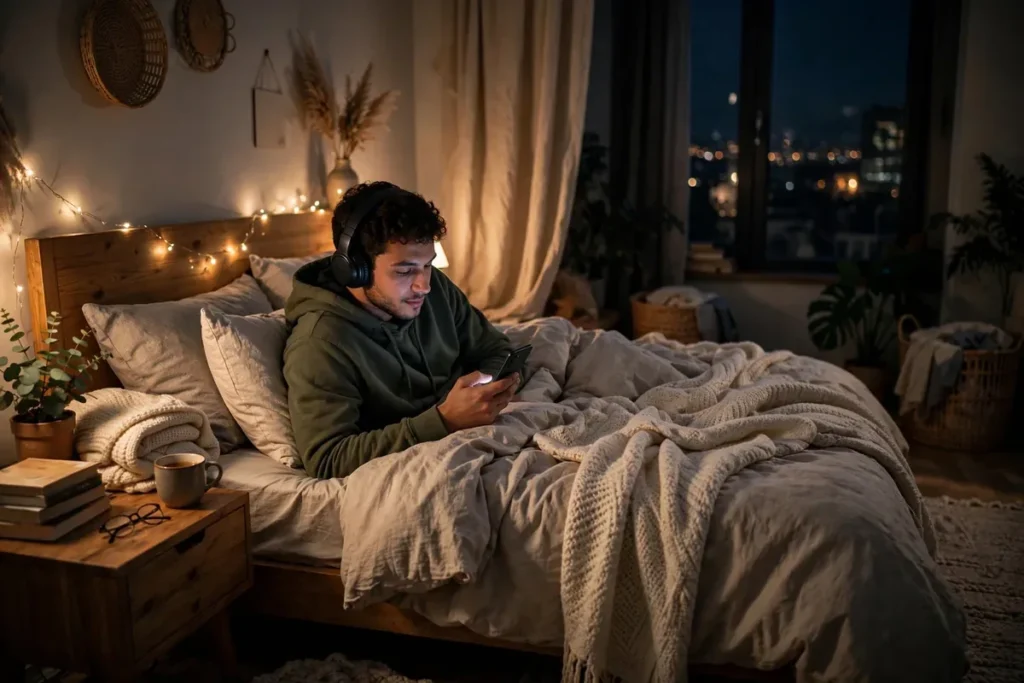
The YouTube app on Android hides an impressive toolkit behind its simple interface. Most people press play and never touch another button, but the best youtube app hidden features transform how you watch: a sleep timer that stops late-night binges, double-tap gestures that skip precisely, playback speeds that make lectures digestible, and an incognito mode that keeps your recommendations clean. These youtube app hidden features turn passive watching into an experience you actually control.
Here are 12 practical youtube app hidden features for 2026, each with exact steps. No premium subscription required for most of them.
Fall Asleep to Videos With the Sleep Timer

The sleep timer is the most-requested of all youtube app hidden features, and it finally exists natively.
How to Set the Sleep Timer
- Start playing any video.
- Tap the gear icon, then Additional settings (or look for Sleep timer directly in newer versions).
- Choose 10, 15, 20, 30, 45, 60 minutes, or end of video.
When time runs out, playback pauses instead of auto-playing into the night. Your watch history stays clean, your battery survives, and you actually fall asleep. For more ways to wind down with your phone, our digital wellbeing guide covers bedtime modes and app timers.
YouTube App Hidden Features: Master Playback Speed
Watching at 1x is a choice, not a requirement. Speed controls are essential for lectures, podcasts, and slow talkers.
- Tap the gear icon on any video.
- Select Playback speed and pick from 0.25x to 2x.
- For fine control, long-press anywhere on the video to temporarily jump to 2x; release to return to normal speed.
The long-press 2x trick is one of those youtube app hidden features that feels like a cheat code: hold to skim a boring section, release when it gets interesting. Students use it to power through recorded lectures at 1.5x while keeping comprehension high.
When to Use Each Speed
- 1.25x–1.5x: lectures, tutorials, and podcasts without losing detail.
- 2x: skimming vlogs or rewatching content you mostly know.
- 0.5x–0.75x: catching fast dialogue, studying music technique, or following complex demos.
Double-Tap to Skip Exactly How You Want

Everyone knows double-tap skips 10 seconds, but few customize it.
- Tap your profile picture, then Settings > General.
- Find Double-tap to seek and change it from 10 seconds to 5, 15, 20, 30, or 60.
- Double-tap the left or right side of any video to jump by your chosen amount.
Set it to 30 seconds for podcasts and 5 seconds for precise tutorial navigation. This tiny customization is among the most-used youtube app hidden features once people discover it exists.
Browse Incognito Without Polluting Recommendations
Watching one odd video should not warp your homepage for a month. Incognito mode keeps it out of your history.
- Tap your profile picture.
- Select Turn on Incognito.
- Browse and watch normally; nothing saves to history.
Turn it off the same way when you are done. Creators researching competitors and parents letting kids watch one video both rely on this. For broader tracking protection across your phone, see our guide on how to stop apps tracking you on Android.
YouTube App Hidden Features: Quick Comparison Table

| Feature | What It Does | Where to Find It |
|---|---|---|
| Sleep timer | Auto-pause playback | Gear icon settings |
| 2x long-press | Temporary speed boost | Long-press video |
| Double-tap seek | Custom skip length | Settings > General |
| Incognito mode | History-free watching | Profile menu |
| Smart downloads | Offline auto-downloads | Library > Downloads |
| Ambient mode | Screen glow effect | Gear icon |
Let Smart Downloads Fill Your Offline Library
YouTube can automatically download recommended videos over Wi-Fi so you always have something to watch offline.
- Go to Library > Downloads.
- Tap the gear icon and enable Smart downloads.
- Choose how much storage it may use.
Your commute, flight, or subway ride always has fresh content without you planning ahead. Manage storage anytime from the same screen. If space is tight, our storage cleanup guide shows how to reclaim gigabytes.
Watch With Ambient Mode
Ambient mode casts a soft glow around the video using colors sampled from the content itself.
- Tap the gear icon on any video.
- Toggle Ambient mode on or off.
It is subtle in bright rooms but gorgeous in the dark, making videos feel more cinematic. This is one of the youtube app hidden features that is pure polish, and it costs nothing in battery on OLED screens since the glow is minimal.
Zoom and Pinch Every Video to Fill Your Screen
Ultrawide and square videos leave black bars by default. Pinch to zoom fills your screen.
- Pinch out on any video to crop to full screen.
- Pinch in to return to the original framing.
- The setting is per-video, so your preference does not leak into other content.
On tall modern phones this makes a real difference for older 16:9 content.
YouTube App Hidden Features: Loop a Video or Playlist
Need a song, ambient track, or tutorial step on repeat?
- Tap the gear icon, then Additional settings.
- Toggle Loop video.
- For playlists, open the playlist and tap the loop icon to cycle all or one.
Looping is perfect for study music, white noise, and practicing a dance or recipe step until it sticks.
Control Playback From Your Lock Screen and Notifications
You do not need to unlock your phone to manage playback.
- Lock screen controls: play, pause, and skip appear automatically.
- Notification shade: expand the YouTube notification for seek controls.
- Bluetooth and wearables: most headphone button presses and smartwatch media controls work with the app.
These system integrations are easy to take for granted, but they are part of what makes the youtube app hidden features set feel complete.
Restrict Content With Restricted Mode
Restricted Mode filters out potentially mature content, useful for shared family devices.
- Tap your profile picture, then Settings > General.
- Toggle on Restricted Mode.
It is not perfect, but combined with Android’s digital wellbeing parental controls, it creates a reasonable safety net for kids.
YouTube App Hidden Features: Check Your Watch Time Stats
Curious (or worried) about how much you watch? YouTube shows the data.
- Tap your profile picture, then Time watched.
- See daily averages and weekly breakdowns.
- Set a remind me to take a break timer or a bedtime reminder.
The break reminders are genuinely effective; a gentle nudge every 45 minutes breaks the autoplay trance better than willpower alone.
Share Timestamped Links
Send someone to the exact moment, not the start of a 40-minute video.
- Tap Share below the video.
- Check Start at and adjust the time.
- Copy the link; it opens at your chosen timestamp.
This is one of the youtube app hidden features that makes you look thoughtful instead of lazy when sharing content.
YouTube App Hidden Features: Create Clips From Any Video
Want to share just the best 60 seconds? YouTube’s clip feature cuts a shareable segment without downloading anything.
- Tap Clip (scissors icon) below the video.
- Drag the handles to select up to 60 seconds.
- Add a title and tap Share clip.
Clips link back to the full video and work great for highlighting a key moment in a long tutorial or podcast. Note that some creators disable clipping on their videos.
Use Chapters to Jump Through Long Videos
Many creators add chapters, and YouTube enhances them automatically on some videos.
- Tap the video title to expand the description and see the chapter list.
- Scrub the progress bar; chapter markers appear as breaks.
- Double-tap a chapter title in the expanded view to jump straight to it.
Auto-generated chapters now appear even on videos where the creator did not add them, using AI to detect topic shifts. For tutorials and reviews, this is one of the youtube app hidden features that saves the most time.
YouTube App Hidden Features: Multilingual Audio Tracks
An increasing number of videos offer dubbed audio in multiple languages.
- Tap the gear icon during playback.
- Select Audio track if available.
- Choose your preferred language and the video keeps playing without a pause.
This is fantastic for international content, language learners, and households where family members prefer different languages. Combined with translated captions, it makes the global YouTube library genuinely accessible.
Can I download videos for offline viewing without Premium?
Smart downloads (automatic recommendations) work on the free tier. Downloading specific videos of your choice requires YouTube Premium in most regions. YouTube’s official help pages detail exactly which download features each tier includes.
Related Guides
- Digital Wellbeing: 9 Parental Controls That Work
- Free Up Storage Space Android: 11 Smart Ways
- Stop App Tracking on Android: 2026 Guide
FAQ
Do youtube app hidden features like sleep timer need YouTube Premium?
No. The sleep timer, playback speed controls, double-tap seek, and Incognito mode all work on the free tier. Background playback and offline downloads of arbitrary videos are the main Premium-only features.
Why can’t I find the sleep timer in my app?
The sleep timer rolled out progressively. Update YouTube from the Play Store, then check under the gear icon > Additional settings during playback. If it is still missing, your account may be in a later rollout wave.
Does Incognito mode hide my activity from my network administrator?
No. Incognito only prevents saving to your YouTube history and Google account. Your internet provider, employer, or school network can still see the traffic.
How much storage do Smart downloads use?
You control the cap in the downloads settings, typically 500MB to several GB. YouTube manages it automatically, deleting older smart downloads as new ones arrive.
Can I set different double-tap seek lengths for different videos?
No, the seek length is a global setting. Pick the value that matches your most common use case; 10 or 15 seconds works well as a compromise.
Does Ambient mode drain battery faster?
On OLED screens the effect is negligible since it uses soft, low-brightness colors. On LCD screens the backlight is on regardless, so there is effectively no difference.
Why do some videos not show the clip button?
Creators can disable clipping per video or channel-wide. Music videos and content with certain copyright restrictions also hide the option. If the scissors icon is missing, the creator has turned it off.
Can I use these features on YouTube in a mobile browser?
The mobile website supports basic playback but lacks most of these youtube app hidden features, including the sleep timer, Smart downloads, and Ambient mode. Install the native app for the full toolkit.
Do playback speed settings persist across videos?
Yes, YouTube remembers your last-used speed and applies it to subsequent videos until you change it. If a video suddenly sounds like a chipmunk, check the gear icon; you probably left it at 1.75x from your last lecture.
Take Control of Autoplay
Autoplay is the feature that turns “one video” into an hour. YouTube lets you switch it off two ways: tap your profile picture, go to Settings, then Autoplay, and turn it off account-wide; or toggle it per video from the player controls when you want a single exception. Turning it off also stops the next-video preload that quietly eats mobile data. Pair this with the sleep timer above, and your late-night viewing gets two guardrails instead of one.
Set a Bedtime Reminder
Buried in Settings, General is “Remind me when it’s bedtime.” Set a start and end time, and YouTube interrupts playback with a full-screen nudge when your window arrives — with an option to dismiss or snooze it. It is the gentlest of YouTube’s wellbeing tools: no lockout, no judgment, just a reminder you set for yourself at a clearer-headed hour. Combined with watch-time stats, it turns the app from a trap into something closer to a television with an off switch.
Pinch to Zoom Past the Letterbox
On phones with tall screens, videos often play with black bars. Pinch outward during playback to zoom the video to fill your screen — pinch inward to go back. YouTube remembers the preference per video, so a second viewing keeps your choice. It crops a little off the edges, which is a fair trade when the alternative is a postage-stamp video on a six-inch display.
Conclusion
These 12 youtube app hidden features prove the app is far deeper than its simple interface suggests. The sleep timer and playback speed controls alone will change your daily watching, while Incognito mode, Smart downloads, and timestamped sharing solve real annoyances you may have tolerated for years. Work through this list over a weekend: enable the sleep timer tonight, customize your double-tap seek, and turn on Smart downloads before your next commute. Spend five minutes on the ones that fit your habits, and YouTube on Android becomes calmer, smarter, and entirely under your control. The best youtube app hidden features are the ones that disappear into your routine until you cannot imagine watching without them, and this list gives you a full year of discoveries.


What do you think?
Share your experience or ask a question. A useful conversation starts with you.
Join the discussion